Alpha/Delta (Kinetic Operator) Installation and Maintenance Manual Revision 1 - MAY 2023
109
INSTALLER MENU FUNCTIONS
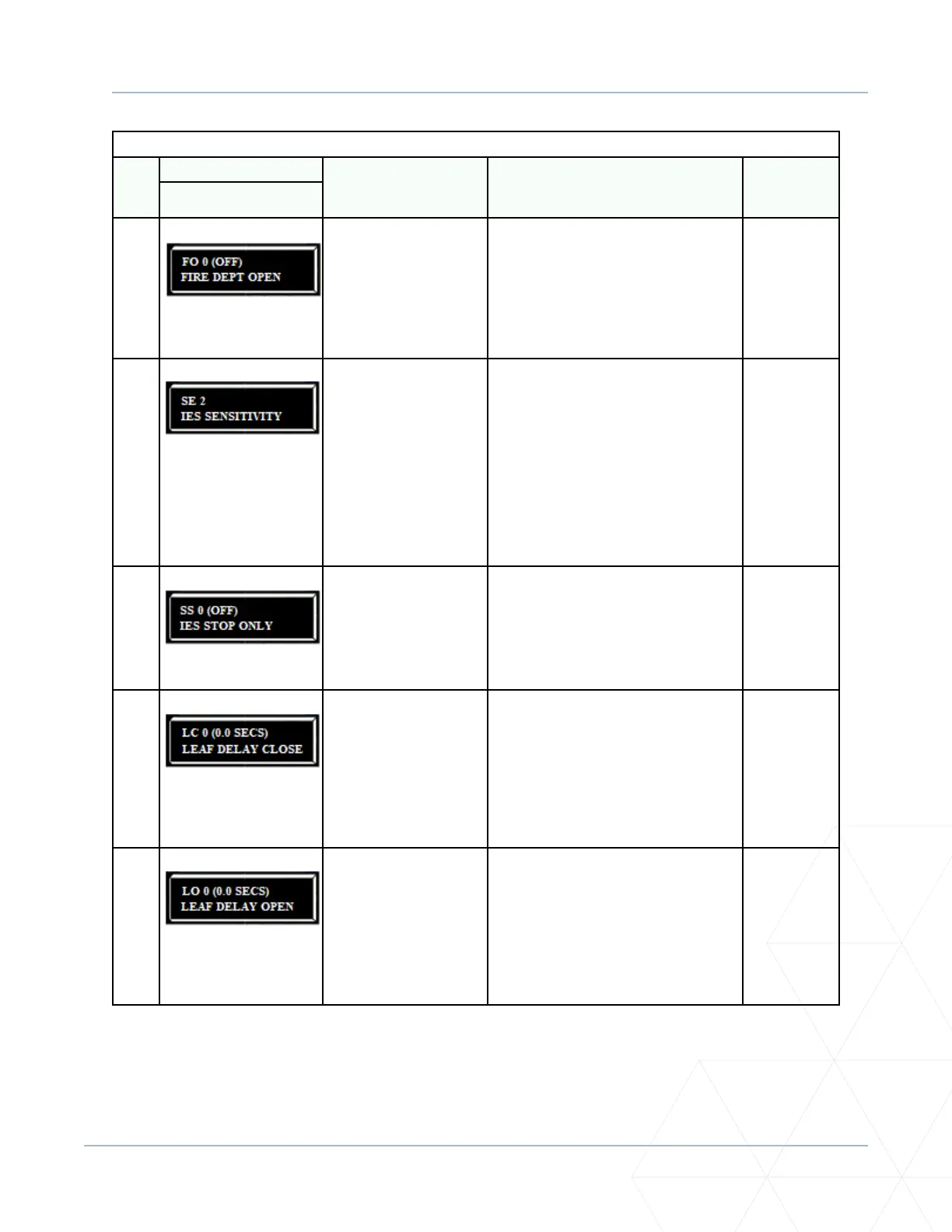
Table 6. SmartDC Controller - Installer Menu Funcons
Ref.
No�
Installer Menu Seng Opons
(Bold = Factory Sengs) Menu Tasks and Explanaons
Associated
DC Controller
Connecons
Display
14
FO 0 (OFF)
FIRE DEPT OPEN
0 = disabled
1 = enabled
Enables Fire Department Open input.
When set to 1, the open signal received
by the operator overrides all photoelectric
eyes and edge sensors and opens the gate.
Pressing the RESET buon (or the OPEN
push-buon) is required before the gate
can be closed.
+24V DC
EMERG OPEN
15
SE 2
IES SENSITIVITY
0 = maximum sensivity
2 = default seng
9 = least sensivity
Adjusts sensivity of the internal inherent
entrapment sensor (IES). Available sengs
are 0 to 9 with 9 being the least sensive.
Wallace Perimeter Security strongly
recommends that you avoid seng the IES
sensivity higher than 6.
Note: Before changing IES sensivity,
make sure that the gate rolls smoothly
without obstrucon. Fix any issues with
gate hardware.
See Note.
16
SS 0 (OFF)
IES STOP ONLY
0 = stop, reverse for 2s
1 = stop only
In a Usage Class 4 environment, the
operator can be set to stop the gate and
not reverse gate travel aer an IES trip.
Note: This menu opon only appears
when the Usage Class is set to 4.
(N/A)
17
LC 0 (0.0 SECS)
LEAF DELAY CLOSE
0 = no delay
1 through 20 in ½ second
increments
For example:
1 = ½ second
10 = 5 seconds
20 = 10 seconds
Only appears if the gate operator is set
up as a Primary or a Secondary. Available
sengs are 1 through 20. Each increment
adds ½ second me delay following a
command to close before the operator
acvates. Provides up to a 10 second me
delay.
DUAL GATE
inputs on both
operators.
18
LO 0 (0.0 SECS)
LEAF DELAY OPEN
0 = no delay
1 through 20 in ½ second
increments
For example:
1 = ½ second
10 = 5 seconds
20 = 10 seconds
Only appears if the gate operator is set
up as a Primary or a Secondary. Available
sengs are 1 through 20. Each increment
adds ½ second me delay following a
command to open before the operator
acvates. Provides up to a 10 second me
delay.
DUAL GATE
inputs on both
operators.



 To Next Page