108
wallaceperimetersecurity.comPhone: 866.300.1110
INSTALLER MENU FUNCTIONS
Table 6. SmartDC Controller - Installer Menu Funcons
Ref.
No�
Installer Menu Seng Opons
(Bold = Factory Sengs) Menu Tasks and Explanaons
Associated
DC Controller
Connecons
Display
10
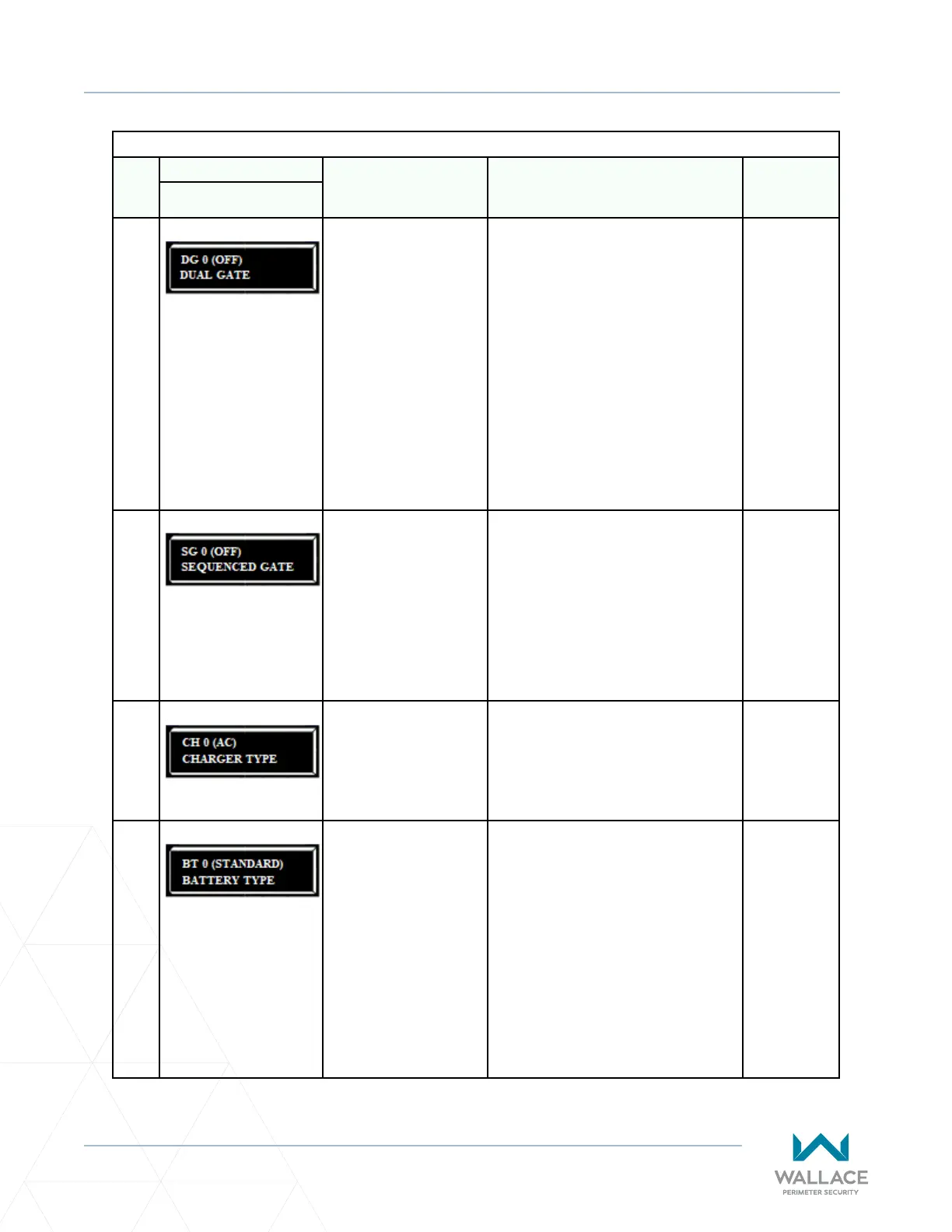
DG 0 (OFF)
DUAL GATE
0 = solo operator
1 = Secondary unit
2 = Primary unit
3 = Sally Port A
4 = Sally Port B
Congures gate operator as a Primary
or as a Secondary (or a Sally Port
conguraon) in a dual-gate installaon.
When you assign one unit as Primary (or
Sally Port A), you must congure the other
as Secondary (or Sally Port B) through
the Installer Menu. See “Primary and
Secondary Menu Setup” on page 136.
Note: Use a 2-pair, twisted, shielded
cable with one pair of wires used to
connect A-A and B-B terminals between
the two boards. The other pair will
connect the Common terminals. The
shield should then be grounded on one
end to one of the operators.
Shielded
cable to DUAL
GATE input
terminals.
Connect Dual
Gate COM
(Gate 1) to
Dual Gate
COM (Gate 2).
Pair wires:
A – A, COM
– COM, and
B – B.
11
SG 0 (OFF)
SEQUENCED GATE
0 = solo operator
1 = Loop View #1
2 = Loop View #2
3 = Loop View #3
4 = Loop View #4
Establishes communicaon aer wiring
two or more gate operators as sequenal
gates. This menu item only appears if the
Dual Gate (DG) is set to 0 (solo operator).
See note in above cell.
Note: Aer selecng SG sengs,
consider accessing the User Menu in each
gate operator to address the Close Timer
(CT) seng.
Shielded
cable to DUAL
GATE input
terminals
on both
operators. Pair
wires:
A – A, COM
– COM, and
B – B.
12
CH 0 (AC)
CHARGER TYPE
0 = AC powered charger
1 = solar powered charger
Assigns charger type.
Note: If a solar-powered unit is ordered
and delivered factory-ready, this menu
item will not appear.
(N/A)
13
BT 0 (STANDARD)
BATTERY TYPE
0 = standard (8Ah)
1 = extended (50Ah)
2 = maximum (110Ah)
Assign the baery type used by the
operator.
Note: Smaller baeries are charged with
less current to avoid overheang and
larger baeries are charged with more
current to supply a more rapid change.
Extended
(50Ah)
baeries
require wire
extensions
and shelf
installaon.
Maximum
(110Ah)
baeries
require
separate
housing and
wiring.



 To Next Page