Alpha/Delta (Kinetic Operator) Installation and Maintenance Manual Revision 1 - MAY 2023
95
USER MENU FUNCTIONS
Table 5. SmartDC Controller - User Menu Funcons
Ref.
No�
User Menu Seng Opons
(Bold = Factory
Sengs)
Menu Tasks and Explanaons
Associated
DC Controller
Connecons
Display
6
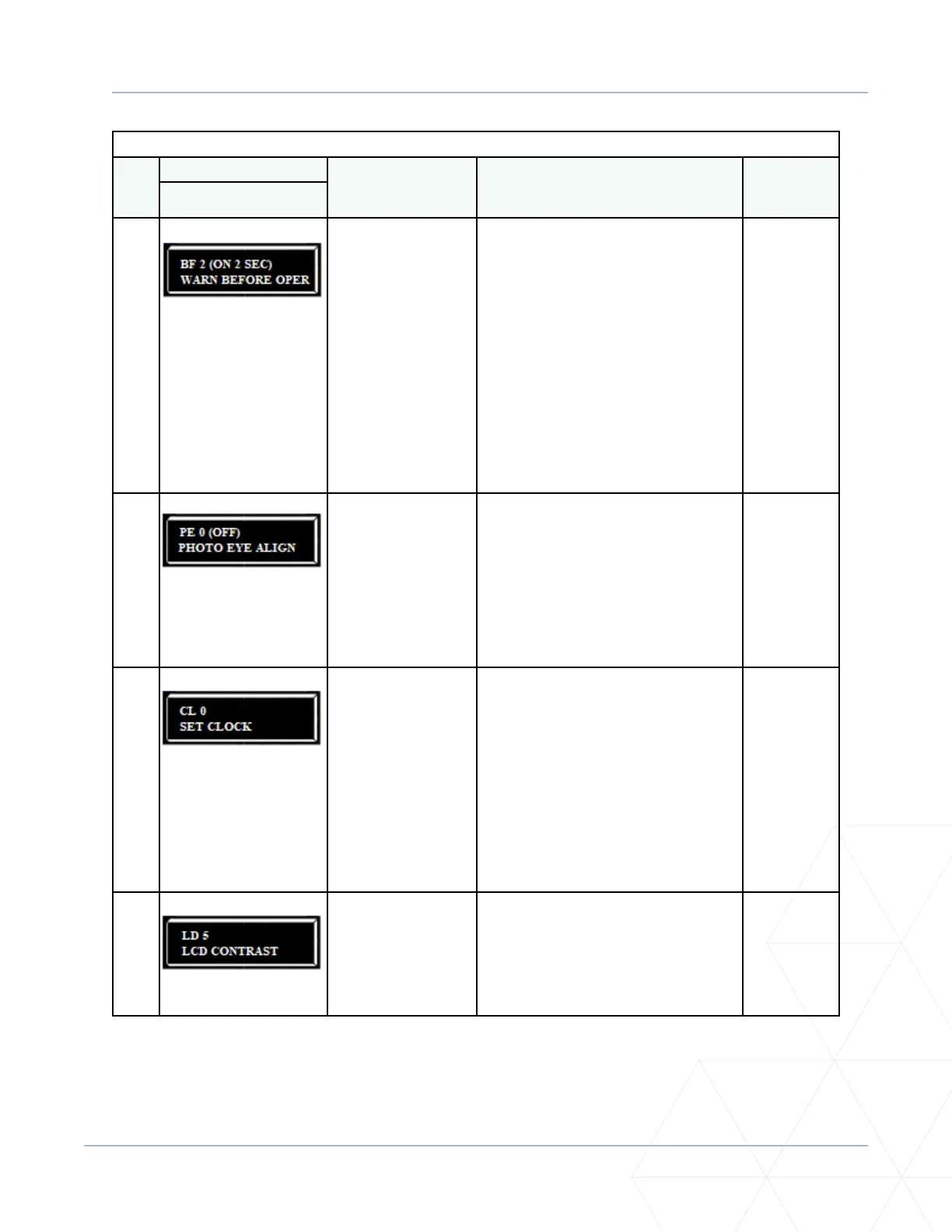
BF 2 (ON 2 SEC)
WARN BEFORE OPER
0 = o
1 = on
2 = on
Controls the warn-before-operate buzzer
and can be congured three ways:
Set to 0: Buzzer is disabled. Set at 0 the
buzzer will sll beep when alerts, faults,
errors, or entrapment are detected.
Set to 1: Buzzer beeps for 3 seconds before
gate moon begins and connues through
enre gate travel.
Set to 2: Buzzer beeps for 3 seconds before
gate moon begins and connues for 2
seconds of gate travel.
(N/A)
WARNING:
Do NOT cut
the wires to
the buzzer or
unplug it as
the operator
will not be in
compliance
with UL 325.
Failure to
comply may
result in
serious injury
or death.
7
PE 0 (OFF)
PHOTO EYE ALIGN
0 = o
1 = on
When set to 1, the operator serves as an aide
in photo-eye transmier/receiver alignment.
The buzzer chirps once when the emier
and the receiver are not aligned. When the
emier and receiver are aligned, the buzzer
chirps twice. If they go out of alignment
again, the buzzer will chirp once. The
Alignment Mode is reset with a close-limit
input or reset input.
Sensor
Common,
Sensor 1,
Sensor 2,
Sensor 3
8
CL 0
SET CLOCK
0 = Display
1 = Set Clock
To set or adjust minute, hour, day, month
or year, select 1. Once clock is set, display
automacally returns to 0 seng. Signicant
gate events are logged and stamped with
the me and date. This feature is useful to
read historical operaon data, which can
be accessed with a computer via the USB or
RS232 port or the LG seng in User Menu.
See “Seng the Time and Date” on page
91.
(N/A)
9
LD 5
LCD CONTRAST
5
0 through 9
Under some extreme high or low
temperature condions, it may be necessary
to adjust the contrast of the LCD display. The
display is adjustable from 0-9 with a factory
default seng of 5.
(N/A)



 To Next Page