PROFIBUS DP gateway
Wieland Electric GmbH | BA000970 | 11/2016 (Rev. F)
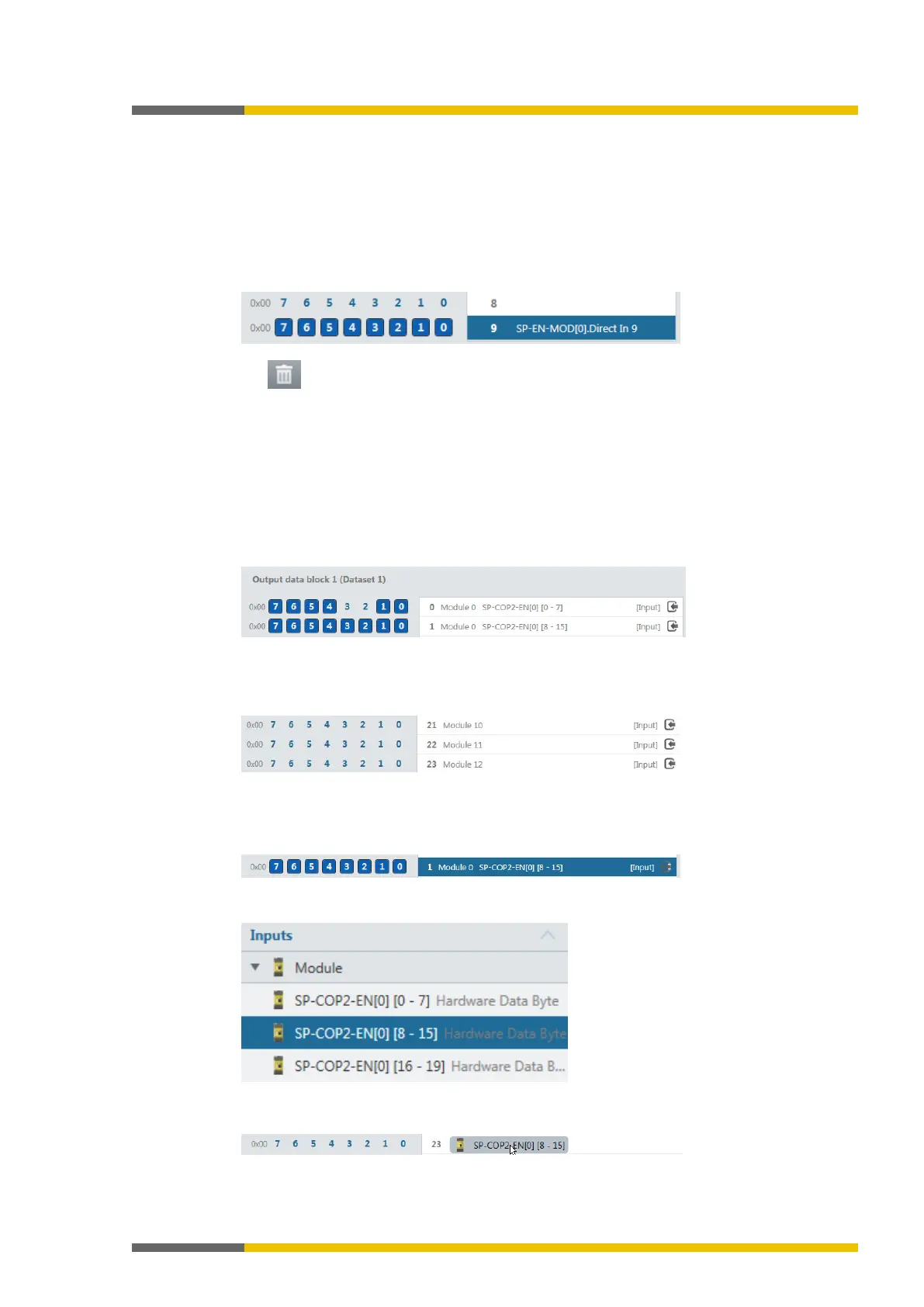
Delete any bytes not required
You can delete bytes pre-allocated by samosPLAN5+ that you do not require by clicking on
them with the mouse.
Launch samosPLAN5+.
Read in the hardware configuration, including the PROFIBUS-DP gateway.
Instructions: Software manual, chapter "Connect with the safety control"
Switch to the
view.
Click on the byte you do not need and wish to delete.
Click on the
icon in the command bar.
You will find further information about how to configure the process diagram here:
•
Configuration of gateways [ch. 5, p. 35]
• Software manual
Allocating bytes to other addresses
samosPLAN5+ allocates the addresses by default. You can manually change this address allo-
cation by moving bytes.
In our example, we have shifted
to
in
.
Illustration 39: Initial situation
Ensure that the desired address (
in our example) has not been allocated.
In our example,
has already been allocated to
. We therefore first have
to delete
.
Illustration 40: Byte 23
Delete the byte you wish to reallocated (
in our example).
To do this, click on the byte in the work area and click on the
symbol in the com-
mand bar.
Illustration 41: Delete the byte at its place of origin.
Choose the desired module under
.
Illustration 42: Module in the library
Use the mouse button to drag the module into the work area on
.
Illustration 43: Module on new byte



 To Next Page