Configuration of gateways
Wieland Electric GmbH | BA000970 | 11/2016 (Rev. F)
Sidebars
918250507
Left sidebar | Library
The
tab in the left side bar is only active when you have selected the first tab with the
output data in the work area.
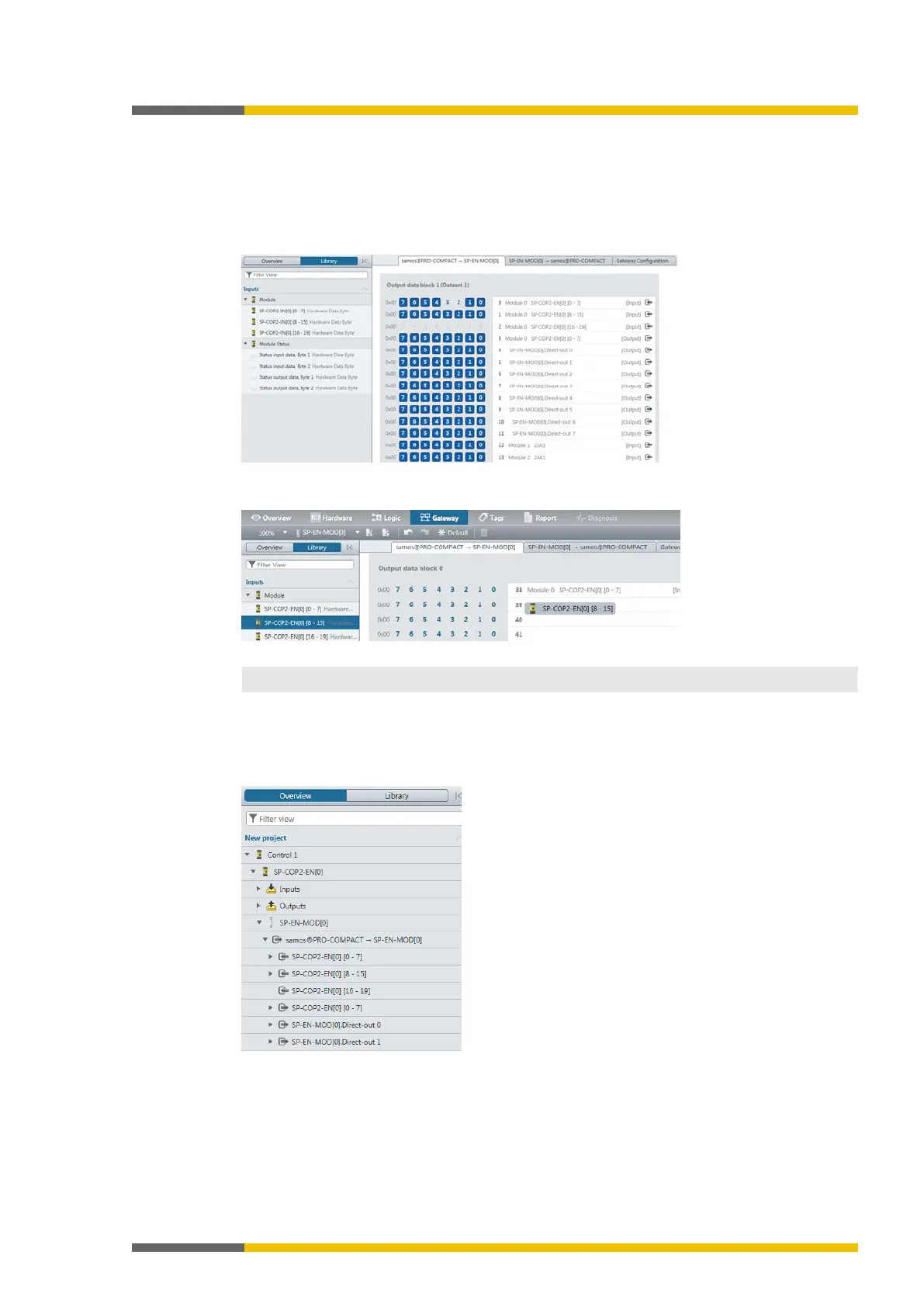
Illustration 7: Library in the "Gateway" view
Drag hardware data bytes from the library into empty fields in the routing table.
Illustration 8: Use drag&drop to move the data bytes to the routing table.
You can make use of the same data byte several times in the routing table.
Left sidebar | Overview
In the
tab of the left sidebar, you can see all of the project components used as a
hierarchical tree structure.
Illustration 9: Overview of the left sidebar



 To Next Page