EtherNet/IP gateway
Wieland Electric GmbH | BA000970 | 11/2016 (Rev. F)
Basic setup
1127321483
Basic configuration of PLC
1127323019
This chapter briefly describes the basic configuration of the PLC.
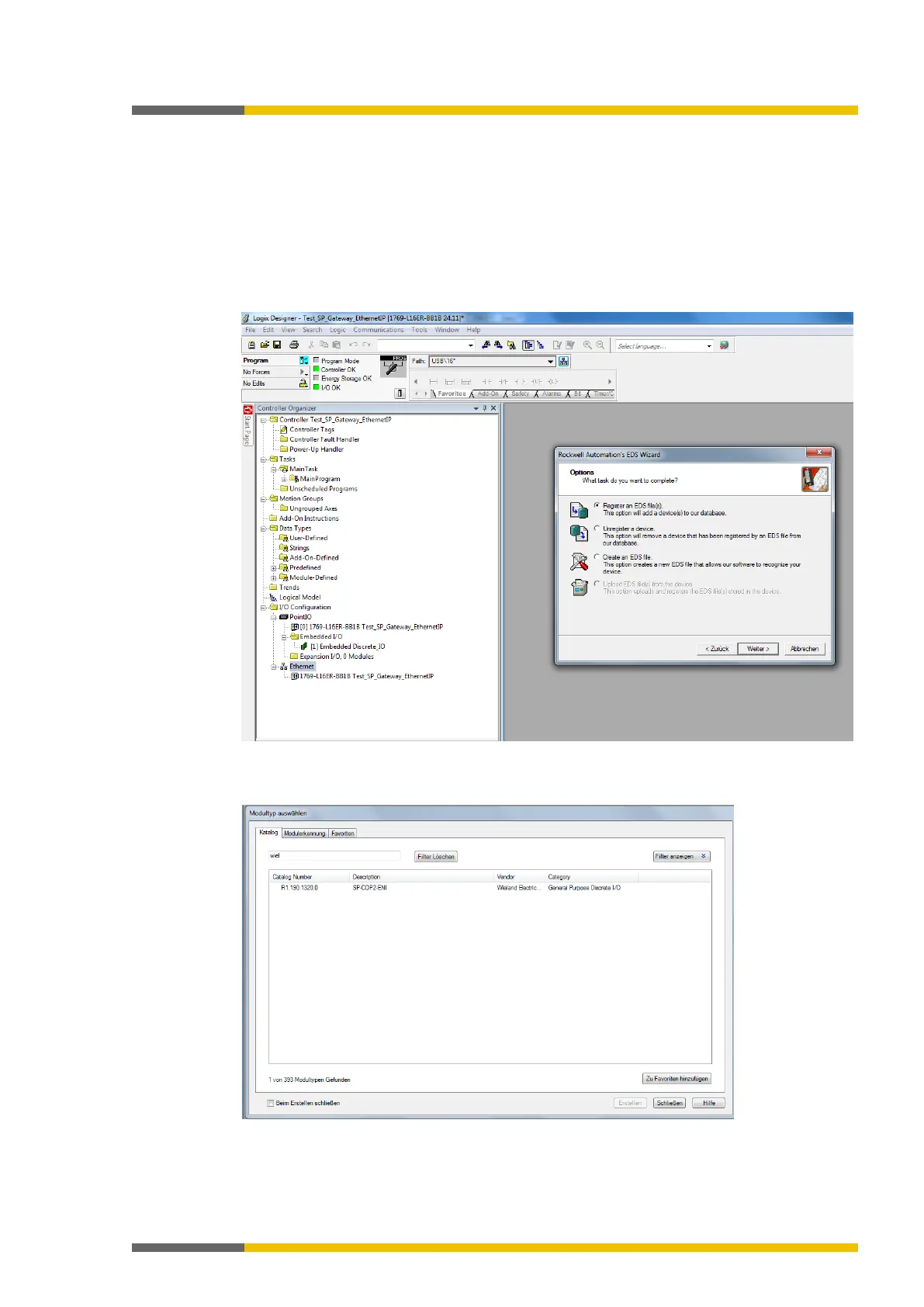
Firstly, install the current EDS file for the SP-COP2-ENI module in your PLC configuration pro-
gram. You can find the current EDS file on the Internet at https://eshop.wieland-electric.com/.
The following diagram shows you how you can make the setting using the Logix Designer.
Illustration 16: Register the EDS file using the ESD Wizard in the Logix Designer
The article number is "R1.190.1320.0" and can be filtered according to the vendor name "Wie-
land Electric" or a part of this name.
Illustration 17: Selection of the module type in the Logix Designer



 To Next Page