EtherCAT Gateway
Wieland Electric GmbH | BA000970 | 11/2016 (Rev. F)
Bus topology and cabling
1062651787
EtherCAT uses Ethernet as the transmission medium. Standard CAT5 cable is used. Cable
lengths of up to 100 m between 2 devices are possible.
Only EtherCAT components may be used in an EtherCAT network. To implement topologies
deviating from the linear structure corresponding EtherCAT components are required that sup-
port this. It is not possible to use hubs.
An EtherCAT network always consists of a master and any number of EtherCAT slaves (gate-
ways or couplers). Each EtherCAT slave has an RJ45 socket
and
. The incoming Ether-
CAT cable from the direction of the master should be plugged into the socket labeled
. The
RJ45 socket
is used to connect further EtherCAT devices in the same strand in or-
der to create so-called "daisy chains". In the last device the
socket remains free.
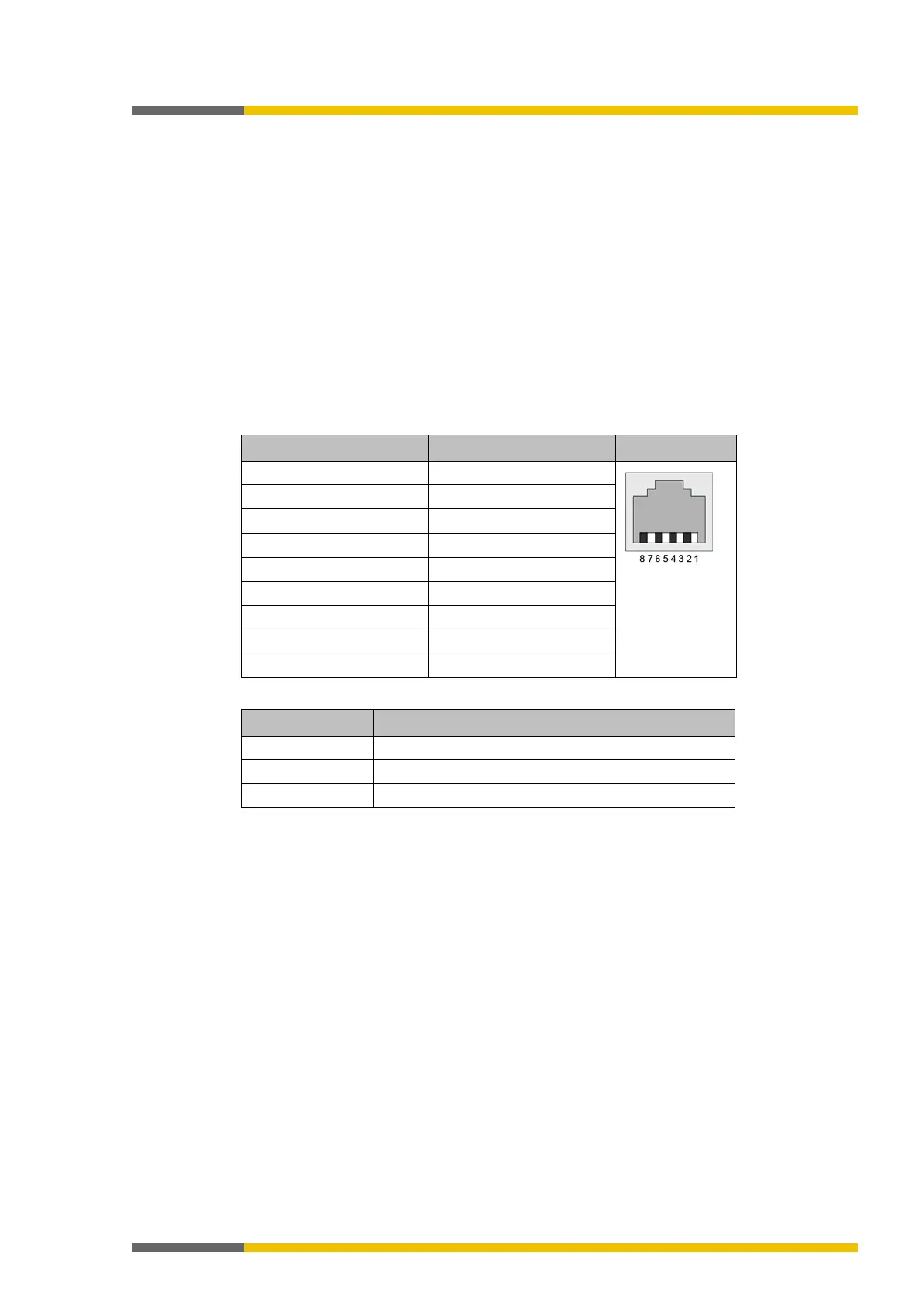
EtherCAT RJ45 bus interface
The device supports the Auto Crossover function.
Table 116: Ethernet connection data
2 x 2 pair twisted copper cable, CAT5 (100 MBit/s)
Important information
• Use of hubs:
Hubs are
in EtherCAT networks.
• Use of switches:
Switches in EtherCAT networks are only permitted between EtherCAT master and the first
EtherCAT slave (100 Mbit/s, full duplex). Wieland Electric GmbH offers its own switches
under the product family name "Ethernet Switch".
• Terminator:
If the gateway is the last device, the EtherCAT topology does not require a terminator.
• Recommendation
Take appropriate measures to protect the data cables and connectors against high mecha-
nical load. We recommend a fixed installation in conjunction with tension relief.



 To Next Page