PROFIBUS DP gateway
Wieland Electric GmbH | BA000970 | 11/2016 (Rev. F)
PROFIBUS configuration of the gateway - how the data are
transferred
910810635
The following steps are required to configure the communication between the PLC and the ga-
teway.
This documentation does not address the installation of the PROFIBUS-DP network or the
other components of the automation system project in the network configuration tool. It is
assumed that the PROFIBUS project in the configuration program, e.g. the SIEMENS SIMA-
TIC Manager, has already been set up. The examples presented are based on configurations
created with the help of the SIEMENS SIMATIC Manager.
Step 1: Install the device master file (GSD)
Before the SP-PROFIBUS-DP can be used for the first time as part of the network configuration
tool, e.g. the SIEMENS SIMATIC Manager, the device master file (GSD) of the gateway must
first be installed in the hardware catalog of the tool.
Download the GSD file and the equipment symbol from the product site of the SP-
PROFIBUS-DP module (https://eshop.wieland-electric.com/).
Follow the instructions for the installation of GSD files in the online help section or in the
user manual for the PROFINET network configuration tool.
If you are using SIEMENS SIMATIC Manager (HW Config), the gateway will subsequently
appear in the hardware catalog under >>
>
>
>
> samosPRO COMPACT.
Step 2: Add the gateway to the project
To make the system of the samosPRO system available in the process diagram of the PLC, the
gateway must first be added to the hardware configuration. The procedure to be used depends
on the hardware configuration software of the PLC used. Please also read the documentation
for the corresponding software in this regard.
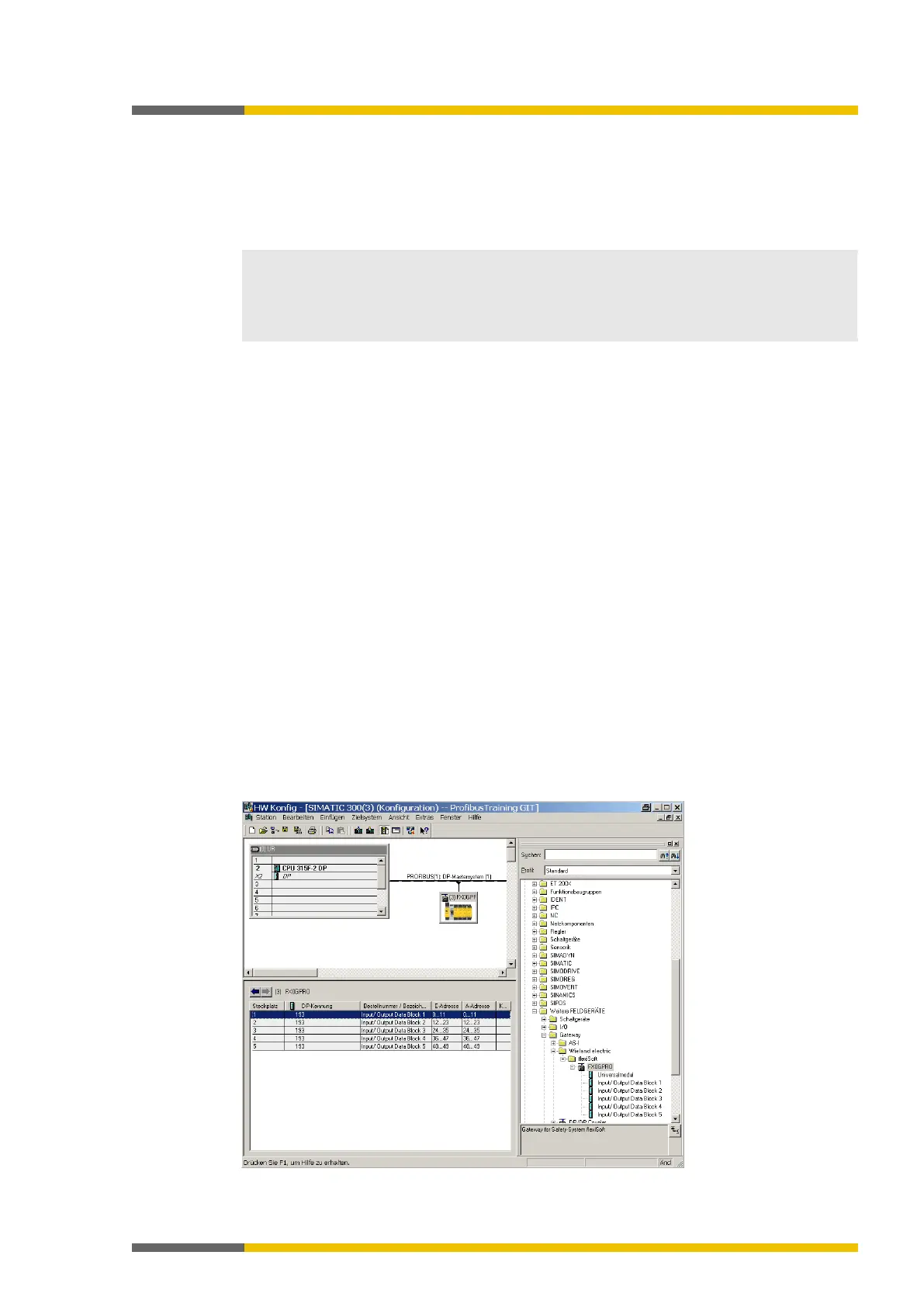
The example below shows how the gateway is added to a SIEMENS SIMATIC manager pro-
ject.
In the SIEMENS SIMATIC hardware manager, you will find the gateway in the hardware ca-
talog under >>
>
>
>
> samosPRO
COMPACT.
Use the drag&drop function to pull the equipment into the PROFIBUS network. Example:



 To Next Page