PROFINET IO-Gateway
Wieland Electric GmbH | BA000970 | 11/2016 (Rev. F)
Basic configuration - Assigning a device name and an IP address
1031277323
Configuration and diagnostics of the SP-COP2-ENI is possible both with the help of the sa-
mosPLAN5+ configuration software and the PROFINET IO network programming tool (e.g.
SIEMENS TIA Portal).
Configuration using PROFINET IO
In the delivery state, a MAC address is stored in every PROFINET IO field device such as the
SP-COP2-ENI module. The symbolic name (NameOfStation)
is stored on the SD
card in the delivery state.
• In accordance with IEC 61158-6-10 no capital letters are permitted for the symbolic name
(NameOfStation).
•
This NameOfStation is used by the I/O controller (e.g. the PLC) to assign an IP address to
the field device.
• If the IP address is also used for other communication via Ethernet, such as TCP/IP or for
the configuration via Ethernet, please note that the PLC changes the IP address and can
thus interrupt the other communication.
The IP address is assigned in two steps.
Assign a unique system-specific name to the Gateway, using either the network configura-
tion tool such as SIEMENS TIA Portal, or using the samosPLAN5+ software. In samos-
PLAN5+, this is the connection name which can be edited in the
view.
A (unique) system-specific name can be used by the I/O-Controller (i.e. the PLC) to assign
the IP address to the gateway now before the system is booted.
The MAC address of the SP-COP2-ENI module is printed on the device's nameplate (Example:
00:07:17:02:03:05).
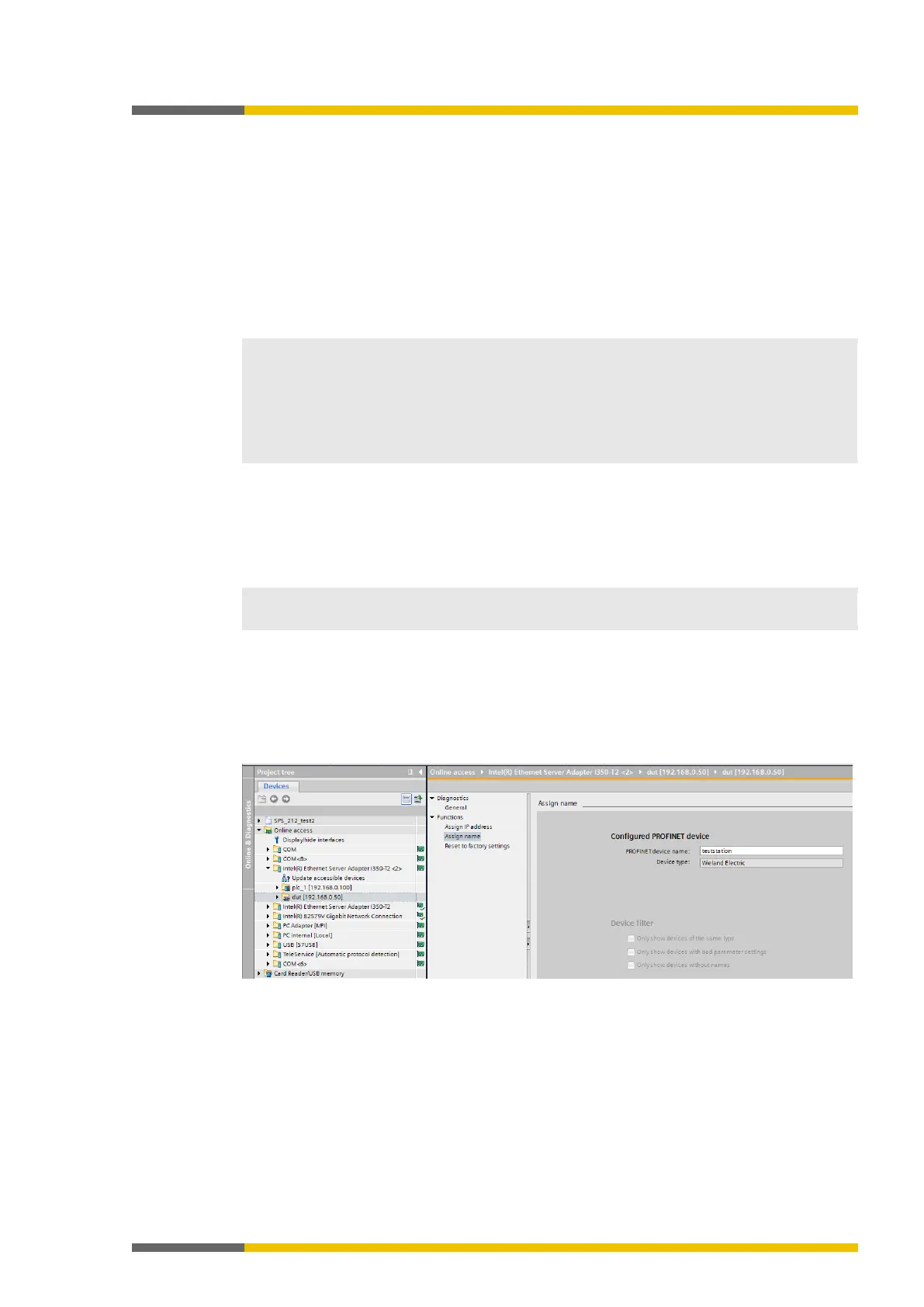
Using the Siemens TIA Portal to assign device names
In the
area, select the network card connected to the network which can be
used to access the SP-COP2-ENI device. In the
function area, edit the
field and then select
.
This will permanently assign the new device name to the SP-COP2-ENI device.
Illustration 13: Assigning device names with the TIA portal



 To Next Page