Configuration of gateways
Wieland Electric GmbH | BA000970 | 11/2016 (Rev. F)
Configuring the gateway output values (tab 1)
910862987
You can use the following settings for the output values of a gateway in tab 1:
Basic setting
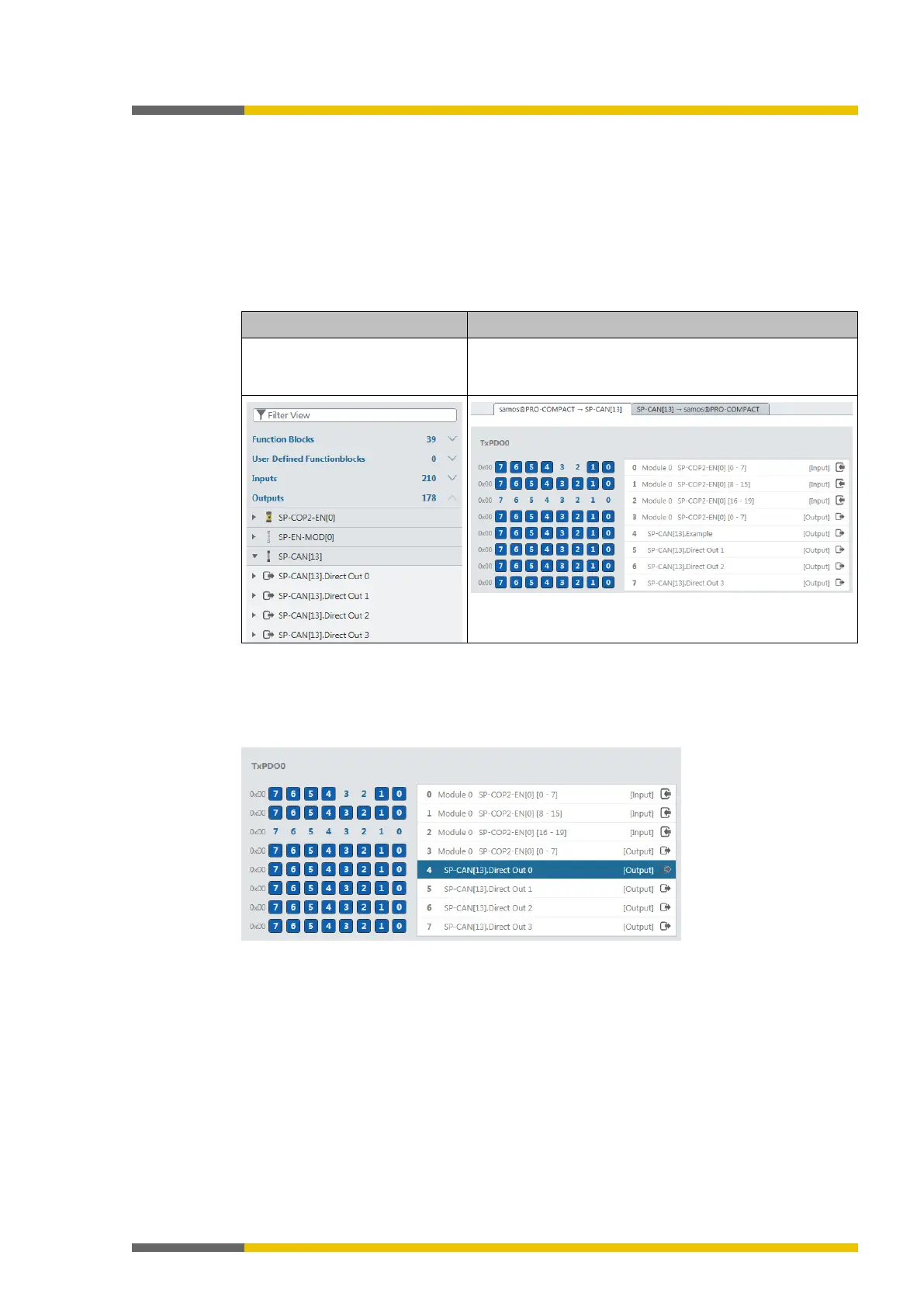
Depending on the gateway function selected, you will find four or eight bytes in tab 1, which
are reserved as direct gateway output values. You can also see these bytes in the
view.
Example: SP-CANopen module with four predefined outputs for gateways:
In the
view, you will see
these four bytes in the left side
bar under Library | Outputs:
In the
view, these four outputs appear in the
work area of the first tab:
Change tag names of a predefined output value
Tag names have already been pre-assigned to the predefined output values (bytes). You can
change these tag names:
In the work area, click on the byte for which you want to change the tag names.



 To Next Page