EtherNet/IP gateway
Wieland Electric GmbH | BA000970 | 11/2016 (Rev. F)
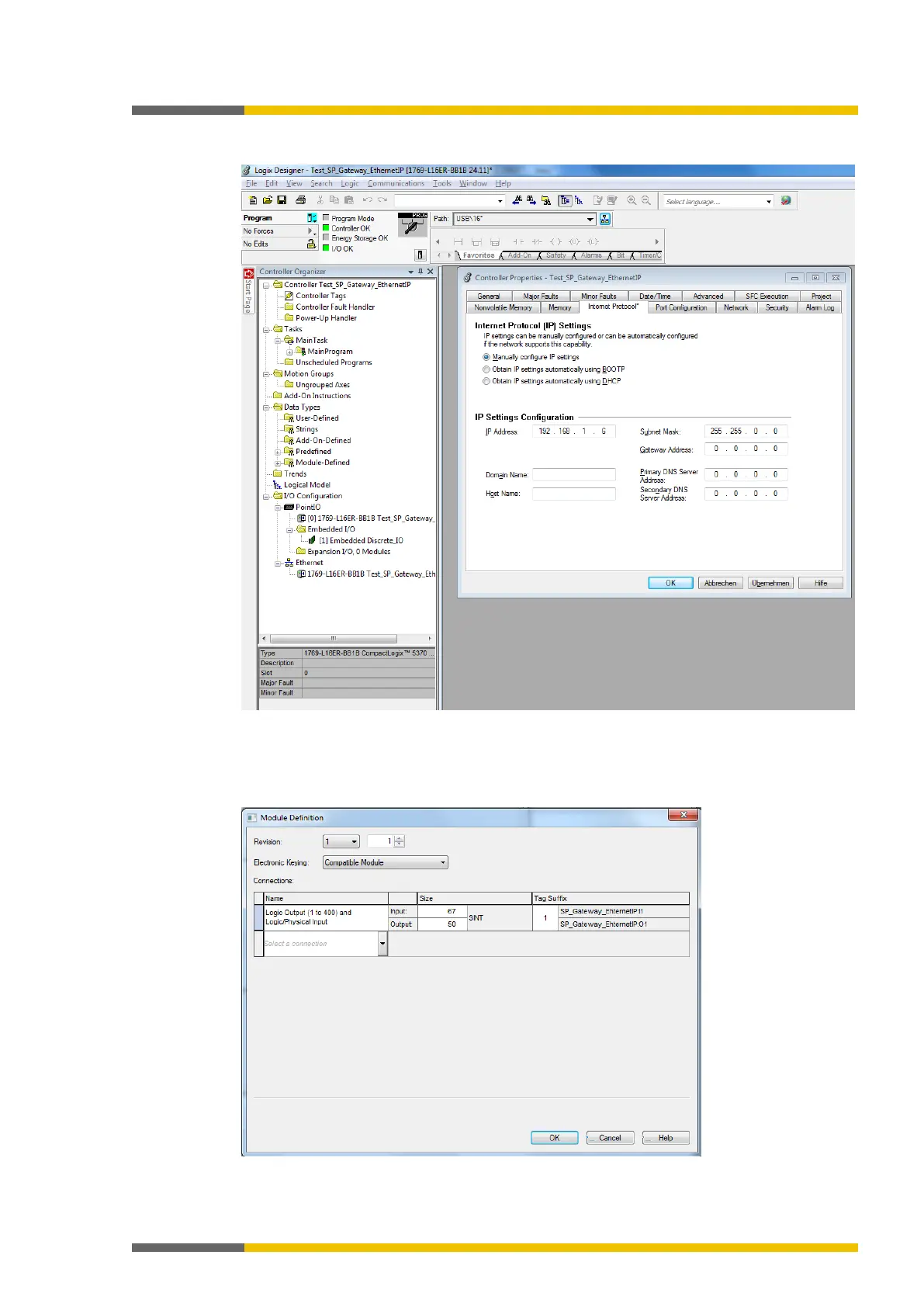
In the
tab in the Logix Designer, select
Manually configure IP settings
. Sel-
ect the required IPv4 address and the appropriate network mask.
Illustration 18: IPv4 setting for the device in the Logix Designer
The SP-COP2-ENI module is a
General Purpose Discrete I/O Device.
For quick installation,
use the connection
Logic Output (1 to 400) and Logic/Physical Input
, if your PLC supports
implicit message transmission. The following figure shows the appropriate dialog in the Logix
Designer.
Illustration 19: Basic connection selected in the Logix Designer



 To Next Page