PROFINET IO-Gateway
Wieland Electric GmbH | BA000970 | 11/2016 (Rev. F)
Step 2: Add the gateway to the project
To make the system of the samosPRO system available in the process diagram of the PLC, the
gateway must first be added to the hardware configuration. The procedure to be used depends
on the hardware configuration software of the PLC used. Please also read the documentation
for the corresponding software in this regard.
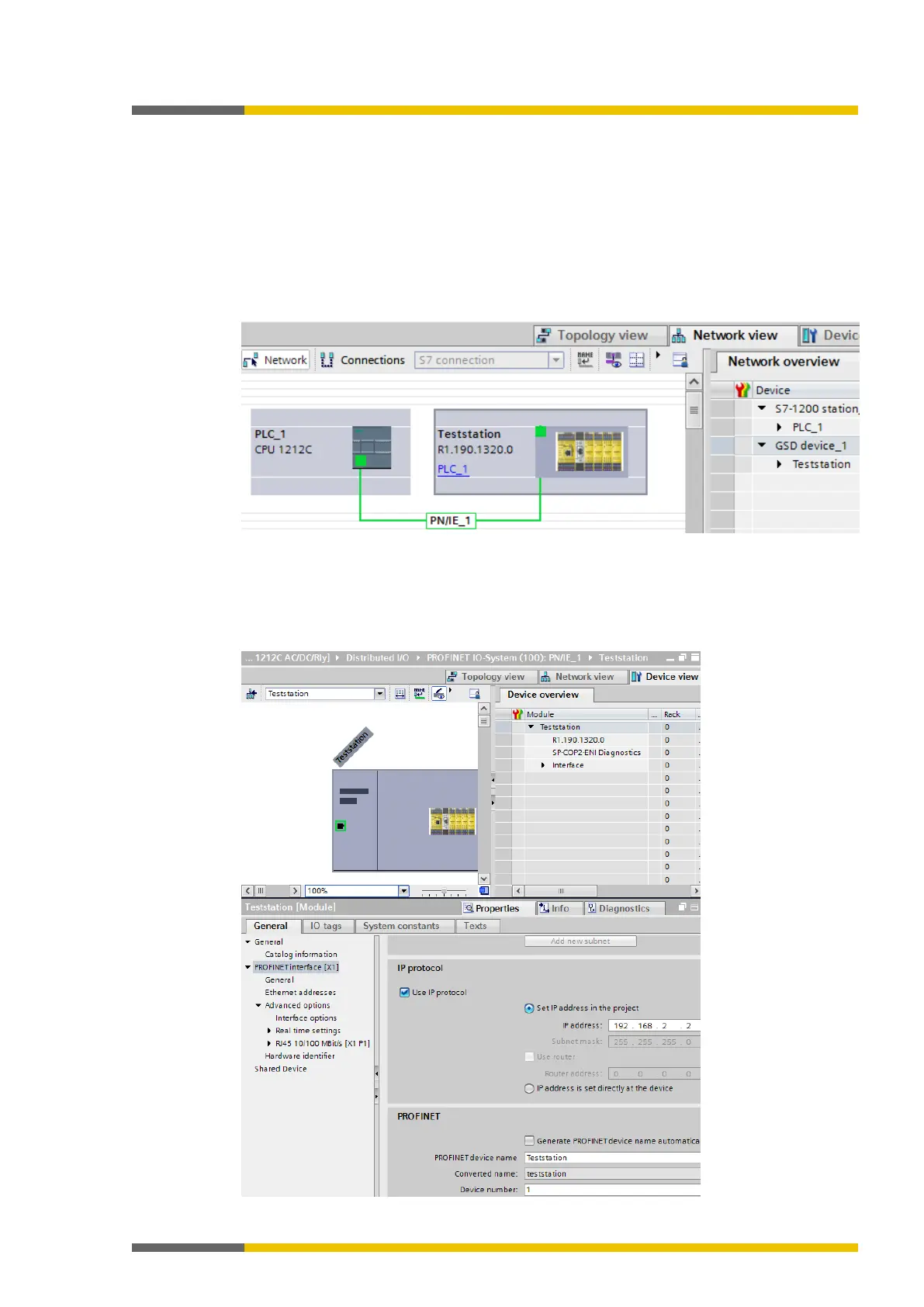
The example below shows how the gateway is added to a SIEMENS TIA Portal project.
Use Drag & Drop in the
to drag the device to the Ethernet PROFINET IO
network.
Example:
Step 3: Configure the gateway properties
Double-click the hardware symbol of the SP-COP2-ENI module.
Configure the IP address, the device name, and the update interval of the cyclical I/O data
exchange. Select the
tab for this.



 To Next Page