Operation
4002−2/A1
Winterthur Gas & Diesel Ltd.
5/ 37
3.2 User Guide
The LDU-20 shows different pages for each application. After boot-up, or when you
push the HOME button, the MAIN page is shown.
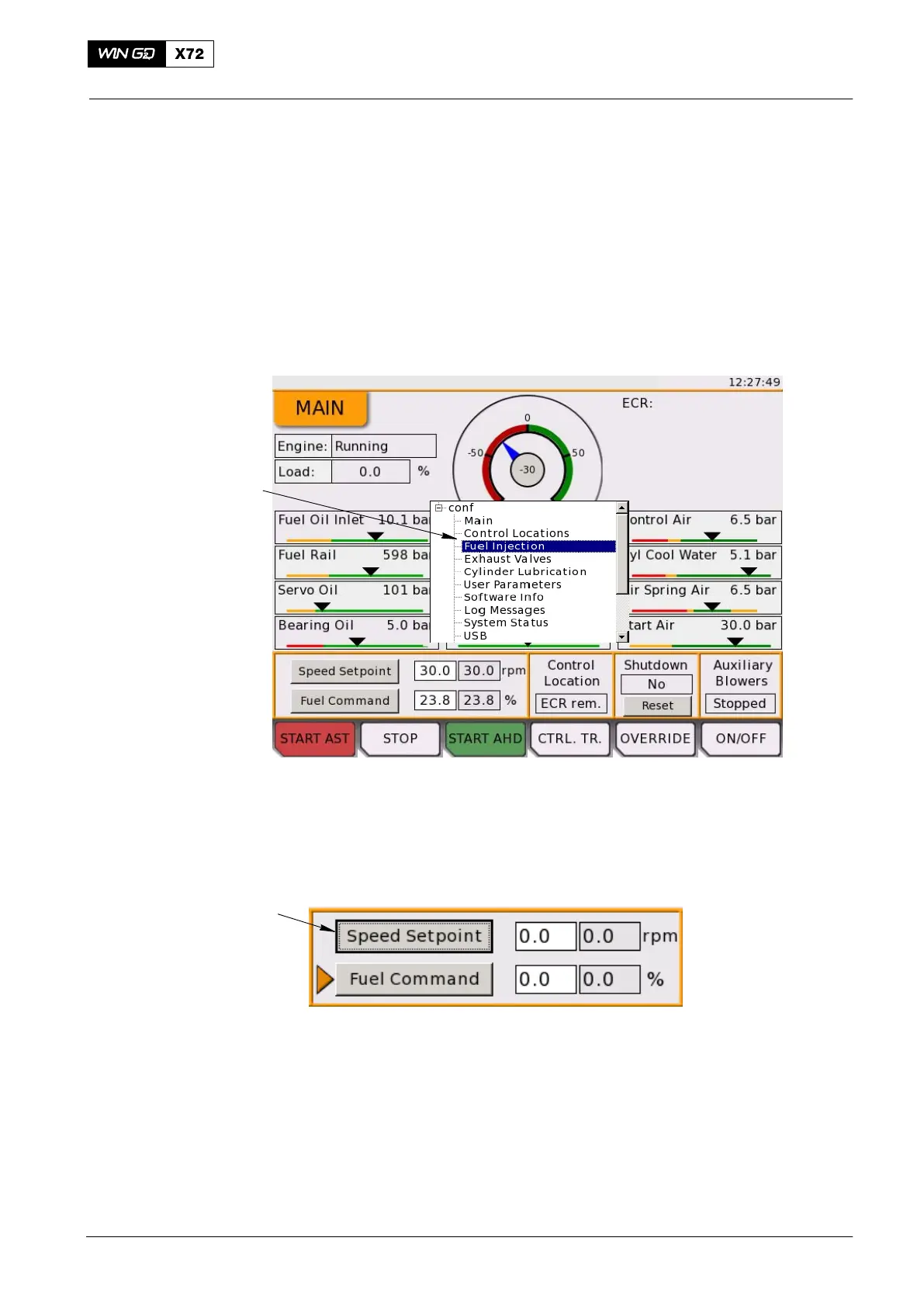
1) To show other pages, push and hold the rotary button for 3 seconds.
The navigation menu shows on the display. You use the rotary button to select a
page.
When you push the rotary button, the navigation menu closes and the selected page
is shown.
2) If no more pages are necessary, push the BACK button to close the navigation
menu.
NAVIGATION MENU
WCH03164
Fig. 3: User Guide
On all pages, you use the rotary button to navigate through the on-screen items. A
black cursor frame around the item (Fig. 4) shows that the item is active. You turn the
rotary button one step clockwise to highlight / access the next item. You turn the
rotary button counterclockwise to highlight / access the item before.
CURSOR FRAME
Fig. 4: Cursor Frame
Some elements are shown on all pages:
D In the top, right-hand corner, the system time is shown above the title bar.
D Below the system time, the identifier for the LDU is shown (Local or ECR). If the
LDU is the active control location, the words ’In Control’ are shown after the
identifier.
D The bottom of the screen has some reserved space to show the function of the
multi-function buttons.
Local Control Panel / Local Display Unit (LDU−20)
2015-12



 To Next Page