Operation4002−2/A1
Winterthur Gas & Diesel Ltd.
14/ 37
3.7 Fuel Injection
2 3 41
WCH03167
9
6
5
7
8
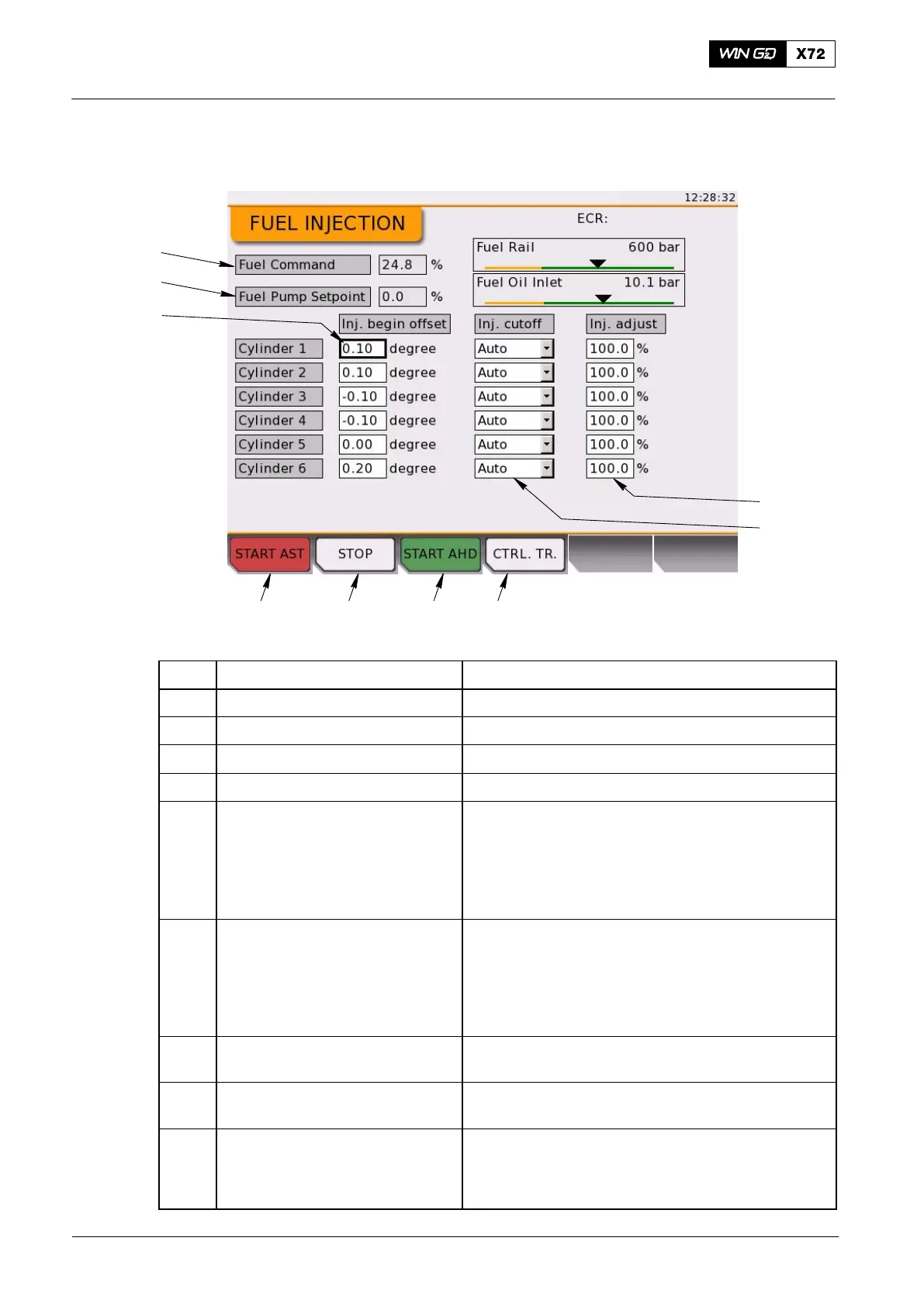
Fig. 9: Fuel Injection Page
Item Function Effect / Procedure
1 START AST button Start the engine in astern direction
2 STOP tab Stop the engine
3 START AHD button Start the engine in ahead direction
4 CTRL. TR. button Request a control transfer to this LDU
5 Injection cutoff 0 = normal operation
1 = cylinder cutoff (no injection)
Can be used to stop fuel injection to a specified
cylinder if necessary (e.g. liner/piston ring
problems or damaged injection system).
The exhaust valve stays in normal operation.
6 Injection adjust Used to fine-tune the total amount of injected fuel
per cylinder. Can be adjusted from 80% to 110%
100% = usual injection quantity
Can be decreased to 80% for each cylinder
Used to operate in one cylinder or if there are
operation problems in more than one cylinder
7 Fuel Command Shows the used fuel command value
for injection in percent (0% to 150%)
8 Fuel Pump Setpoint Shows the capacity at which the fuel pumps must
operate in percent (0% to 100%)
9 Injection begin offset Adjustable parameter; ±1.5 degrees
Cylinder pressure fine tuning in service: Lets you
adjust the injection begin offset to balance the firing
pressure (bar).
Local Control Panel / Local Display Unit (LDU−20)
2015-12



 To Next Page