Operation
4002−2/A1
Winterthur Gas & Diesel Ltd.
35/ 37
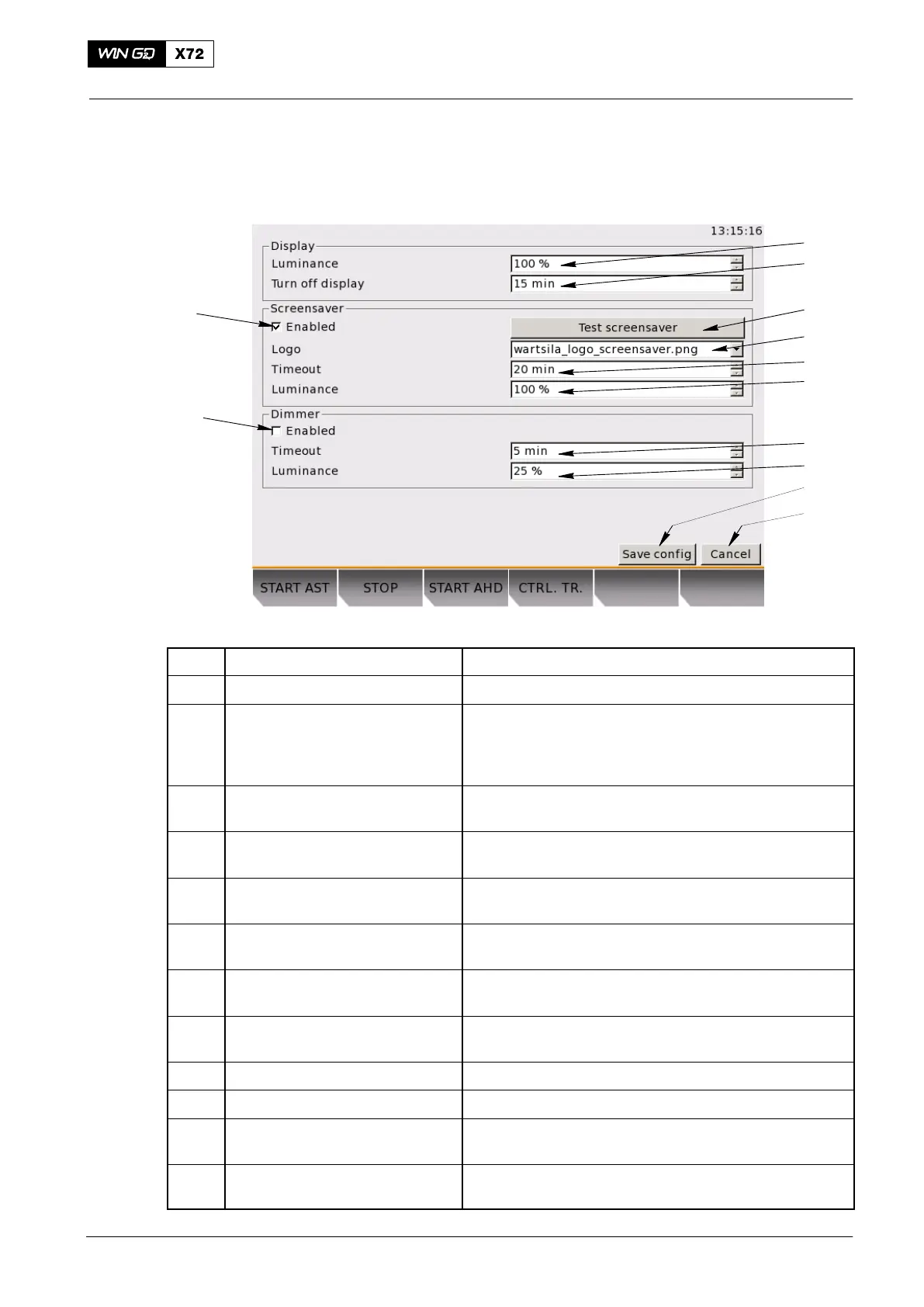
3.18 System Settings
This page contains three sub-pages to adjust the LDU-20 system settings
(see Fig. 20).
1
3
12
11
10
9
2
4
5
6
7
8
Fig. 22: System Settings Page
Item Function Effect / Procedure
1 Display luminance setting Adjusts the brightness of the display: 1% to 100%
2 Turn off display Adjusts the time period to turn off the display after
inactivity
Set to between 0 minutes and 100 minutes
Set to 0 to never turn off the display
3 Test screensaver Select to see the screensaver. Push a button to leave
the test mode
4 Logo Browse for picture selection. Select the picture to use
in screensaver mode
5 Timeout Adjusts the time period to turn off the display after
inactivity. Set to between 1 min and 100 min
6 Screensaver luminance Adjusts the display brightness for the screensaver
mode from 1% to 100%
7 Timeout Adjusts the time period to dim the display after
inactivity. Set to between 1min and 100 mins
8 Dimmer luminance Adjusts the display brightness for the dimmer mode
from 1% to 100%
9 Save config button Saves the configuration settings
10 Cancel button Reject changes and go back to the last saved settings
11 Enable/Disable dimmer Used to decrease the display brightness after a
specified period of inactivity.
12 Enable/Disable screensaver Put a check mark in the check box to enable the
screensaver. Remove the check mark to disable.
Local Control Panel / Local Display Unit (LDU−20)
2015-03



 To Next Page