Operation4002−2/A1
Winterthur Gas & Diesel Ltd.
26/ 37
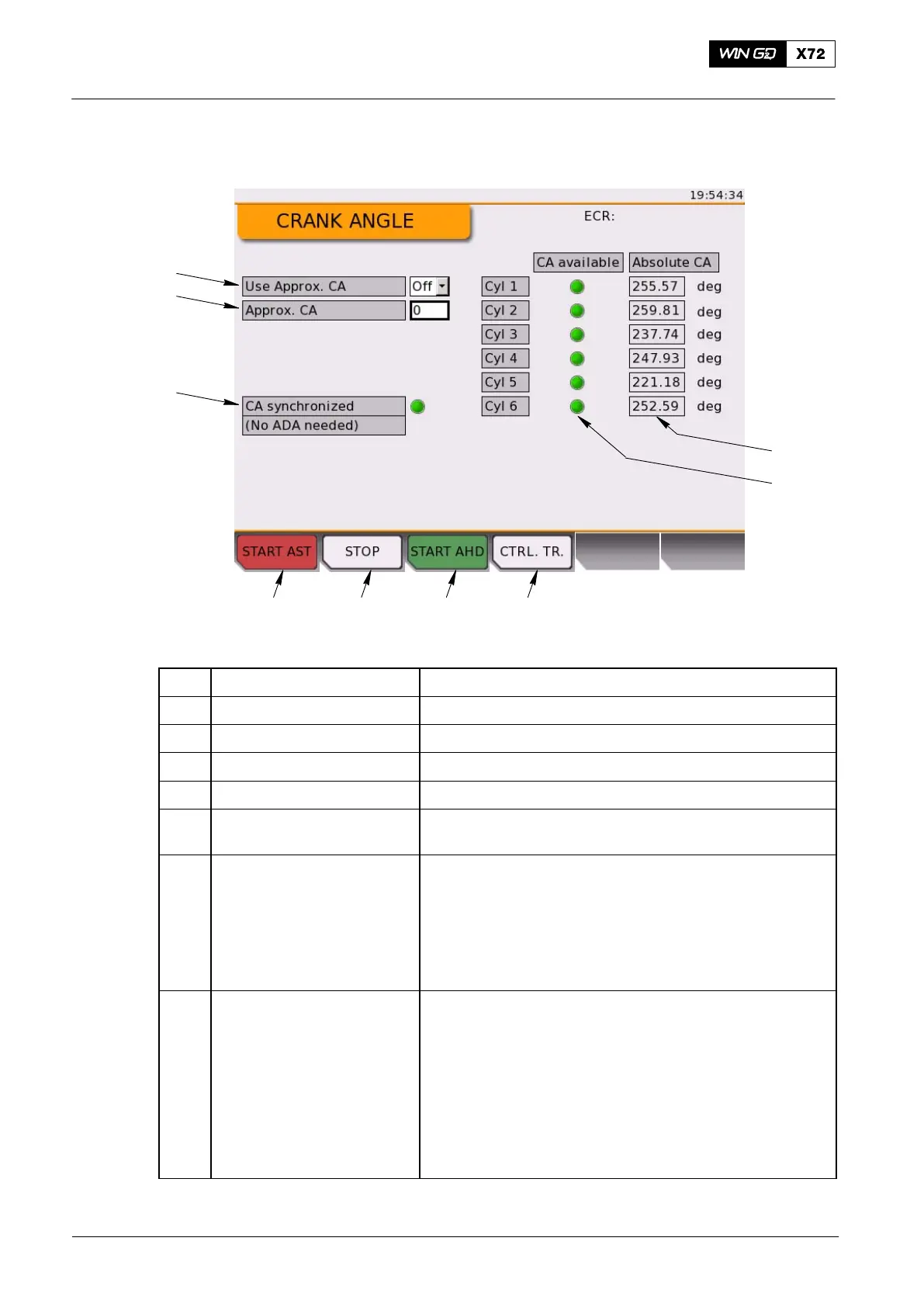
3.13 Crank Angle
2 3 41
7
8
9
6
5
WCH03480
Fig. 15: Crank Angle Page
Item Function Effect / Procedure
1 START AST button Start the engine in astern direction
2 STOP tab Stop the engine
3 START AHD button Start the engine in ahead direction
4 CTRL. TR. button Request a control transfer to this LDU
5 CA available Shows if the crank angle value for the related cylinder is
available. A green indicator shows which item is available.
6 Absolute CA Shows the absolute crank angle value for each cylinder in
degrees (deg).
Note: The absolute crank angle value shown is only
correct when the engine is stopped. When the engine
operates, the data shown on the LDU-20 page can be
incorrect. The correct data is shown after a short
period.
7 Use approximate CA When the engine is stopped and the CA value is not
available after system/module start, use the approximate
crank angle (CA) value. Set the field (see item 7) to ON
and set the approximate value (see item 8) manually to the
related flywheel position. This gives the best results for the
ADA process at engine start.
Use the cursor to select the drop-down menu. Push the
rotary button to list the available values.
Set to ON to activate the approximate CA mode.
Set to OFF to deactivate the approximate CA mode.
Local Control Panel / Local Display Unit (LDU−20)
2015-12



 To Next Page