Operation4002−2/A1
Winterthur Gas & Diesel Ltd.
20/ 37
3.10 User Parameters
2 3 41 5 6
WCH03171
7
8
9
10
12
13
14
15
16
11
17
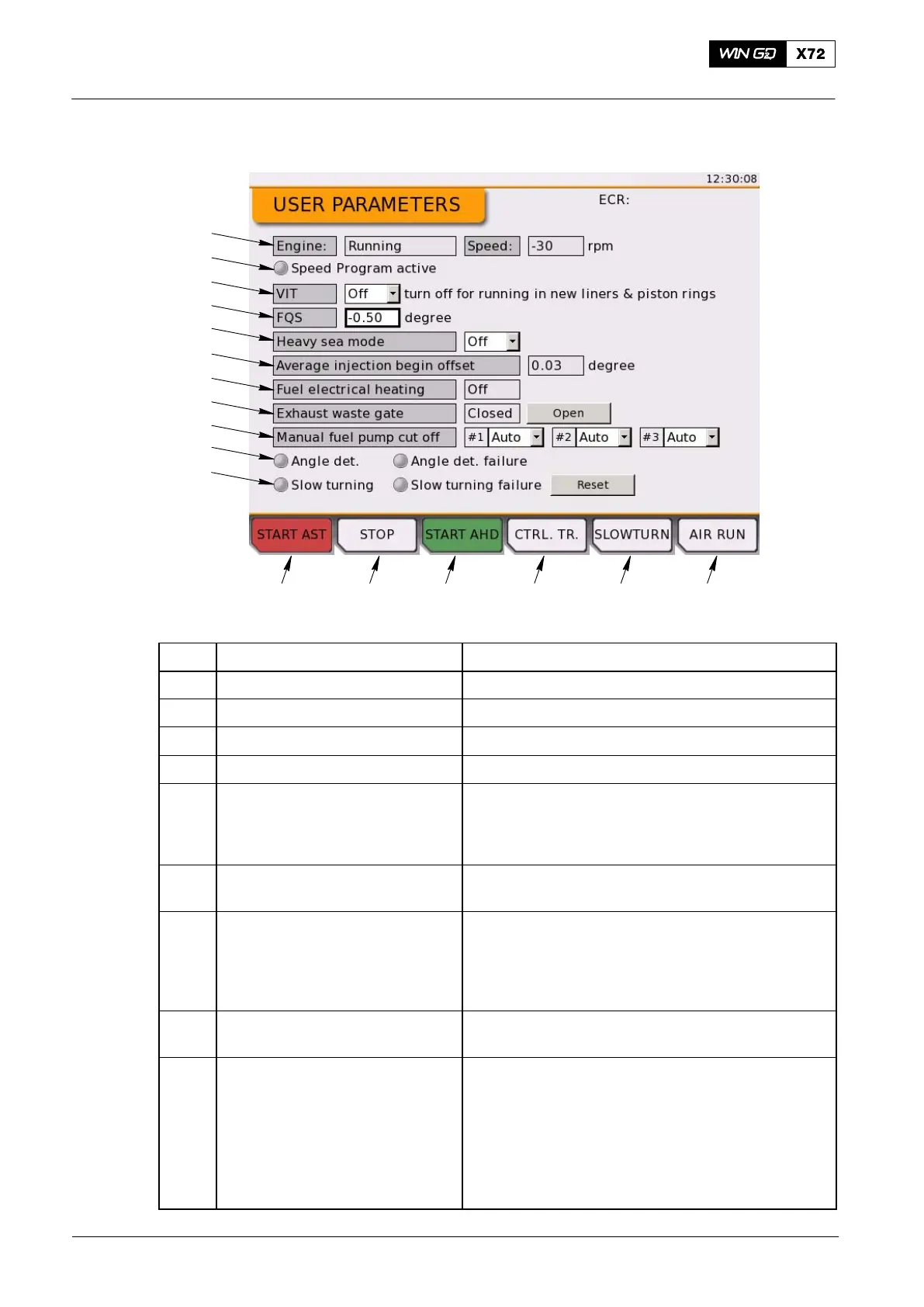
Fig. 12: User Parameters
Item Function Effect / Procedure
1 START AST button Start the engine in astern direction
2 STOP button Stop the engine
3 START AHD button Start the engine in ahead direction
4 CTRL. TR. button Request a control transfer to this LDU
5 SLOWTURN button Put the engine in slow turning mode
Push the button once to start slow turning
Engine goes back to stopped mode after it has
turned for some revolutions
6 AIR RUN button Put the engine in air run mode
Air run is active while the button is pushed
7 Engine status Shows the engine status and the engine speed in
revolutions per minute (rpm)
Shows: Start interlock, Stopped, Slow turning,
Air Run, Starting, Heavy Start, Running or
Shutdown
8 Speed program indicator Shows the speed program status. When the speed
program is active, the green indicator is on.
9 Variable Injection Timing (VIT) Use the cursor to select the drop-down menu. Push
the rotary button to list the available values.
Set to ON to activate the VIT.
Set to OFF to deactivate the VIT.
VIT must be deactivated for running-in of new
cylinder liners or piston rings.
Deactivate means the injection starts at the nominal
angle independently of the engine power.
Local Control Panel / Local Display Unit (LDU−20)
2015-12



 To Next Page