January 2010
2-351
Phaser 7760 Color Laser Printer
024-926
Status Indicator RAP’s
Revised
024-926 Finisher Punch Dust Box Miss Set
The Puncher Waste Bin Sensor detected Off (No Puncher Waste Bin).
Initial Actions
• Check the Puncher Waste Bin Set Sensor for improper installation.
• Check the Puncher Waste Bin Set Sensor connectors for connection failure.
• Check the Puncher Waste Bin Actuator part for deformation and damage.
• Check the Guide for deformation.
• Check the Guide for a foreign substance.
Procedure
Enter Service Diagnostics Menu: Printer Menu > Troubleshooting > Service Tools > Printer
Status Page > hold the Up and Down buttons simultaneously > Run Service Diagnostics >
OK.
Actuate the Puncher Box Set Sensor (PL 21.5). Remove and insert the Puncher Waste Bin
manually. The display changes.
YN
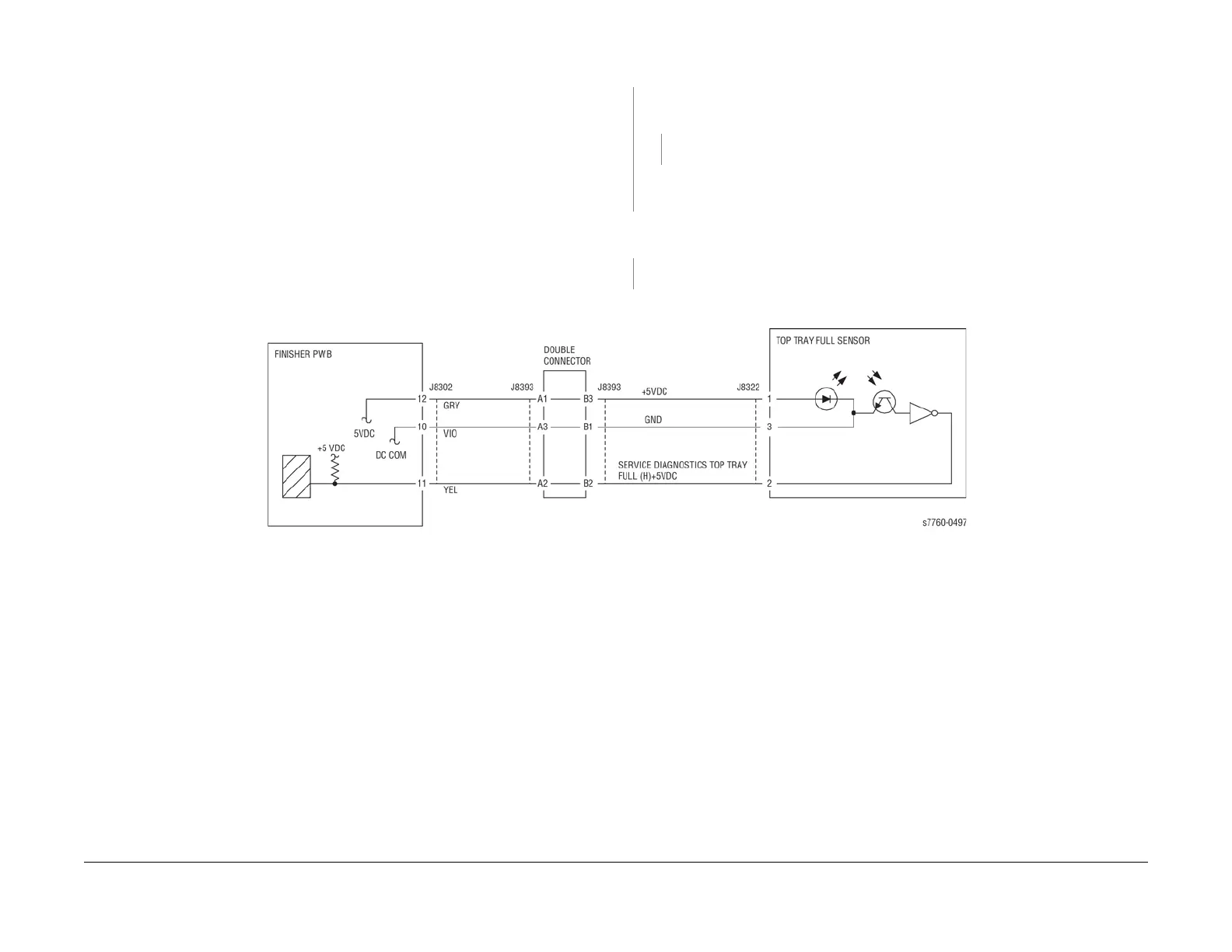
Check continuity between the Puncher Box Set Sensor and Finisher Main PWB (Figure
1). The continuity check is OK.
YN
Repair the open circuit or short circuit.
Replace the Puncher Box Set Sensor (PL 21.5). If the problem continues, replace the Fin-
isher PWB (PL 21.12).
Check the Puncher Waste Box Actuator and Guide for deformation. The Puncher Waste Bin
can be removed and inserted properly.
YN
Repair or replace the Puncher Waste Bin (PL 21.5).
If the problem continues, replace the Finisher PWB (PL 21.12).
Figure 1 024-926 Finisher Punch Dust Box Miss Set

















 To Next Page