Stratus OCT User Manual PN 2660021134133 A
Configuration Guide
B-5
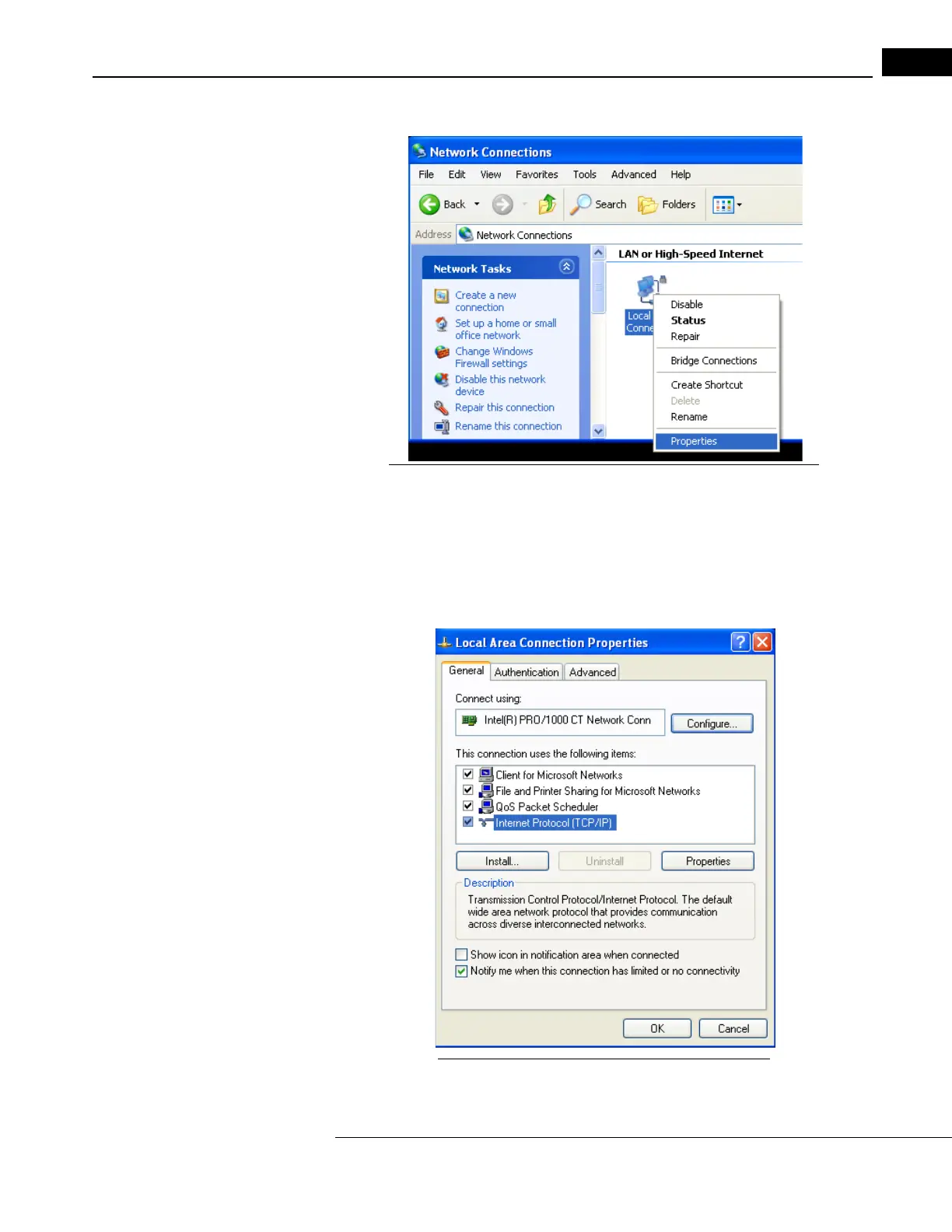
2. The Network (and Dial-up) Connections dialog appears (Figure B-1).
Figure B-1 Local Area Connection: Right-click and select Properties
3. Right-click the Local Area Connection icon, and then select Properties.
Note: Some computers have multiple network connections. It is important to select
the Local Area Connection corresponding to the port where the network cable is
connected. These settings will not affect other ports.
The Local Area Connection Properties dialog appears (Figure B-2).
Figure B-2 Double-click Internet Protocol (TCP/IP)



 To Next Page