Using a Network Storage Device
Stratus OCT User Manual PN 2660021134133 A
E-4
configuration is complete and the NAS device is ready to use. In other cases, you must map
a drive on the Stratus OCT to the proper folder of the NAS device using Windows Explorer,
as instructed below:
1. Back on the Windows desktop, open W
indows Explorer: right-click on Start and select
Explore.
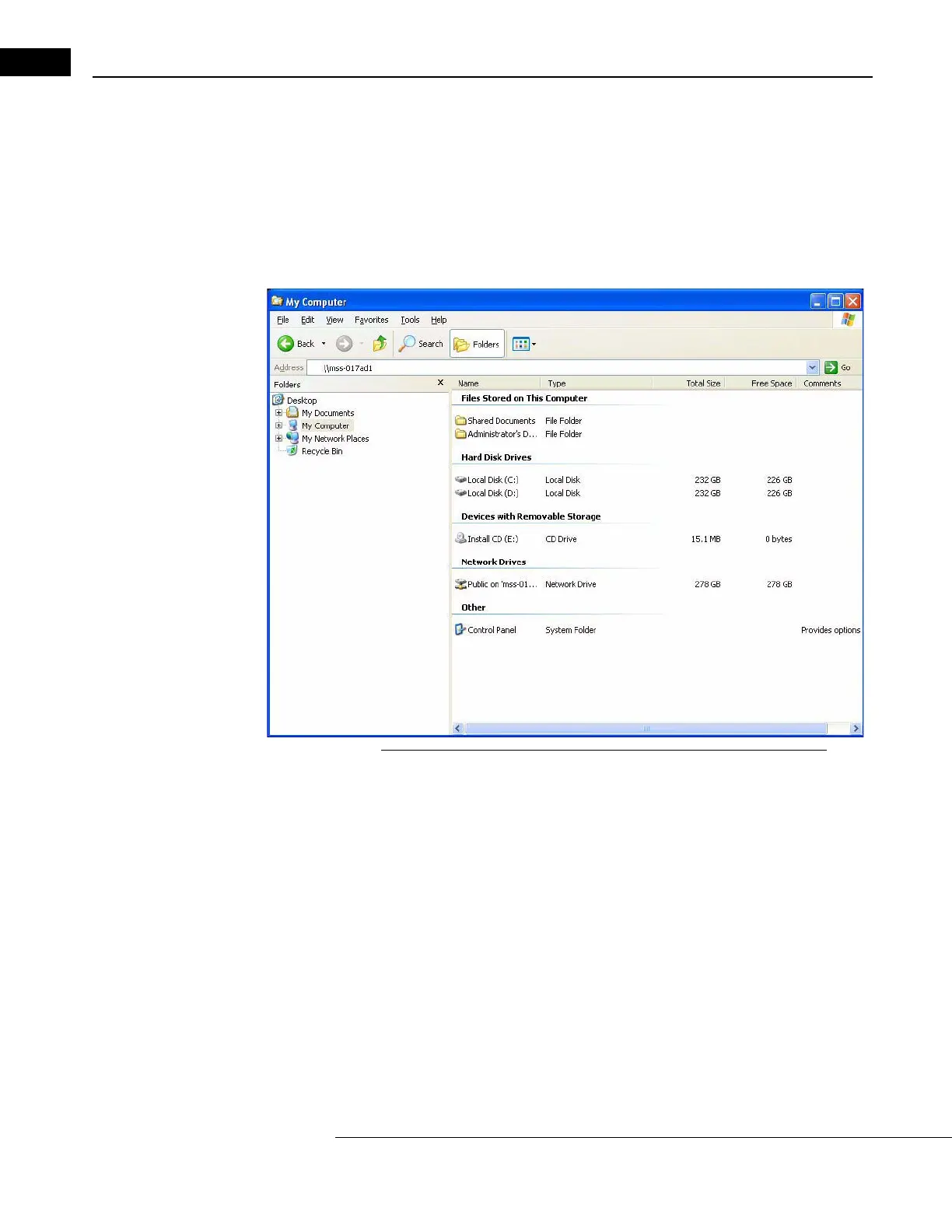
2. In the Explorer Addr
ess field, type two backlashes and then the NAS device name
you recorded in step 4.B. above, and press En
ter. See the example below.
Figure E-1 Entering Device Name in Windows Explorer Address Field
Note: If you failed to record it properly, note that you can often find the NAS device
name on a label on the back of the NAS device. The device name, for this purpose,
may be presented as the Network ID. Enter the entire network ID/device name
after the two backslashes, with no spaces.


 To Next Page