Stratus OCT User Manual PN 2660021134133 A
Analysis Protocols
6-9
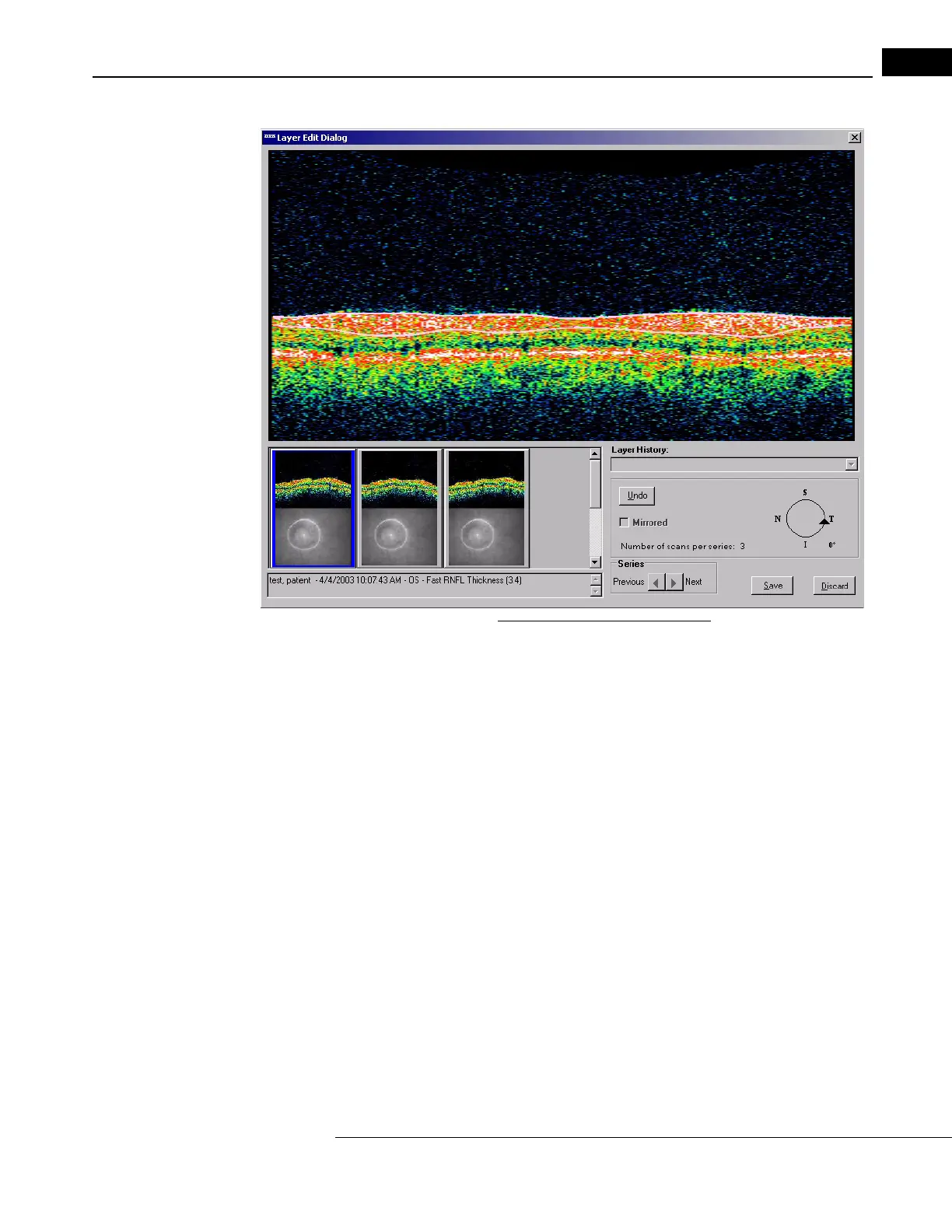
Figure 6-1 The Layer Edit Dialog
If the analysis includes multiple scan groups and/or scans from more than one eye, initially
it displays the first scan in the first group for the right eye. The currently selected scan is
open for editing in the large pane at the top; its thumbnail is highlighted in blue at lower
left and it is identified by the text below the thumbnails at bottom left. The layer
boundaries are white (by default) until edited. (They are also white if you leave a scan
without saving your edits and later return to it.) While editing, the layers are pink, until
saved. Layers already edited and saved are yellow when you open them for editing again.
By default, the last set of layer edits are displayed for each scan, unless another set of layer
edits has been set as the default--see Working with Saved Layer Edits on page 6-11.
Note: The line colors mentioned are the default colors. You can Adjust the Edit
Layer Line Colors, as explained on page 6-10 below.
Note: After saving, Stratus treats all scans in a series as a group, with respect to
whether they have been edited or not. Therefore, all layers of all scans in a series
will appear yellow after saving, as if all scans had been edited and saved, even if
only one of the scans in that series has been edited. This does not apply between
series.
The scan orientation marker appears at lower right, along with the number of scans in the
curr
ent series just to its left. The Layer History field is empty and grayed out (unavailable)
until you edit and save new layers. If edited layers are already saved, the Layer History



 To Next Page