Internal sounder wiring (12V)
IN– IN– (SPC controller)
IN+ IN+ (SPC controller)
9.8 Wiring Glassbreak
SPC supports the RI S 10 D-RS-LED glassbreak interface in combination with GB2001 glassbreak
detectors.
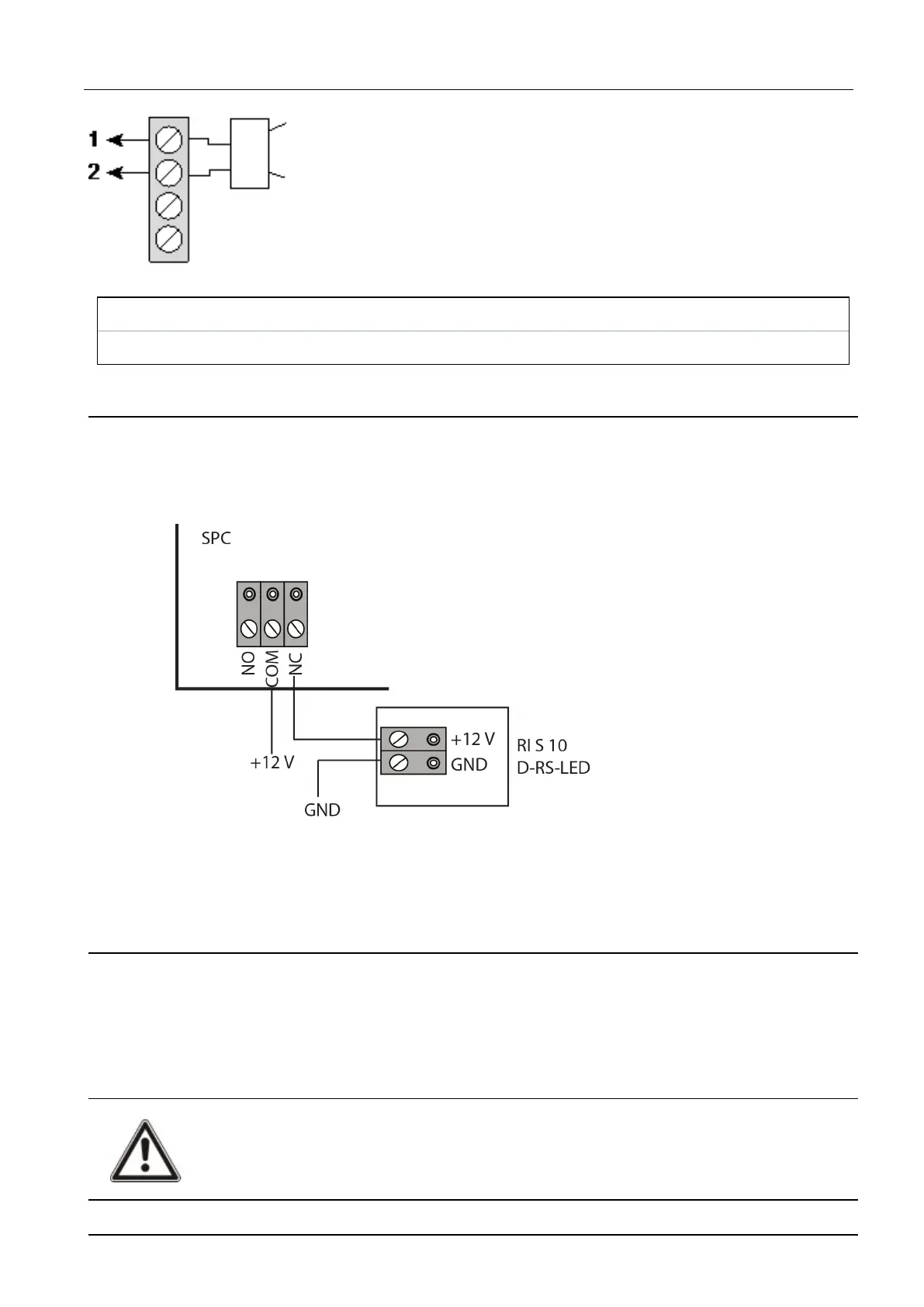
The following diagram shows how the glassbreak interface is wired to the SPC controller for power,
or to an 8-in/2-out expander:
For information on wiring the glassbreak interface to a zone, see the product-specific documentation.
For information on wiring the glassbreak sensors to the glassbreak interface, see the product-specific
documentation.
9.9 Installing plug-in modules
2 modems (PSTN or GSM) may be installed on the controller board to increase functionality. The
picture below shows the 2 slots available for each modem, the primary (left) slot and the back-up
(right) slot.
If both modem slots are available, always install the plug-in module in the primary slot; the system
always attempts to make PSTN or GSM calls on a modem installed on the primary slot before
attempting to use the back-up slot.
WARNING: Modems are not plug and play. You must log on to the panel as Full Engineer, then
power the controller board down before installing, removing or moving modems from one
position to the other. After completing the modem task, reconnect the system to the power
supply and log on to the controller as Full Engineer again. Configure and save the configuration.
Failure to follow this process may result in a CRC error.
SPC42/52/53/63 – Installation & Configuration Manual Wiring the system
© Vanderbilt 2023 49 I-200572
08.12.2023



 To Next Page