Number Name Description
7 Proximity
device receiver
area
If the keypad has been fitted with a proximity device receiver (see ), users should
present the Portable ACE Fob to within 1 cm of this area to SET/UNSET the
system.
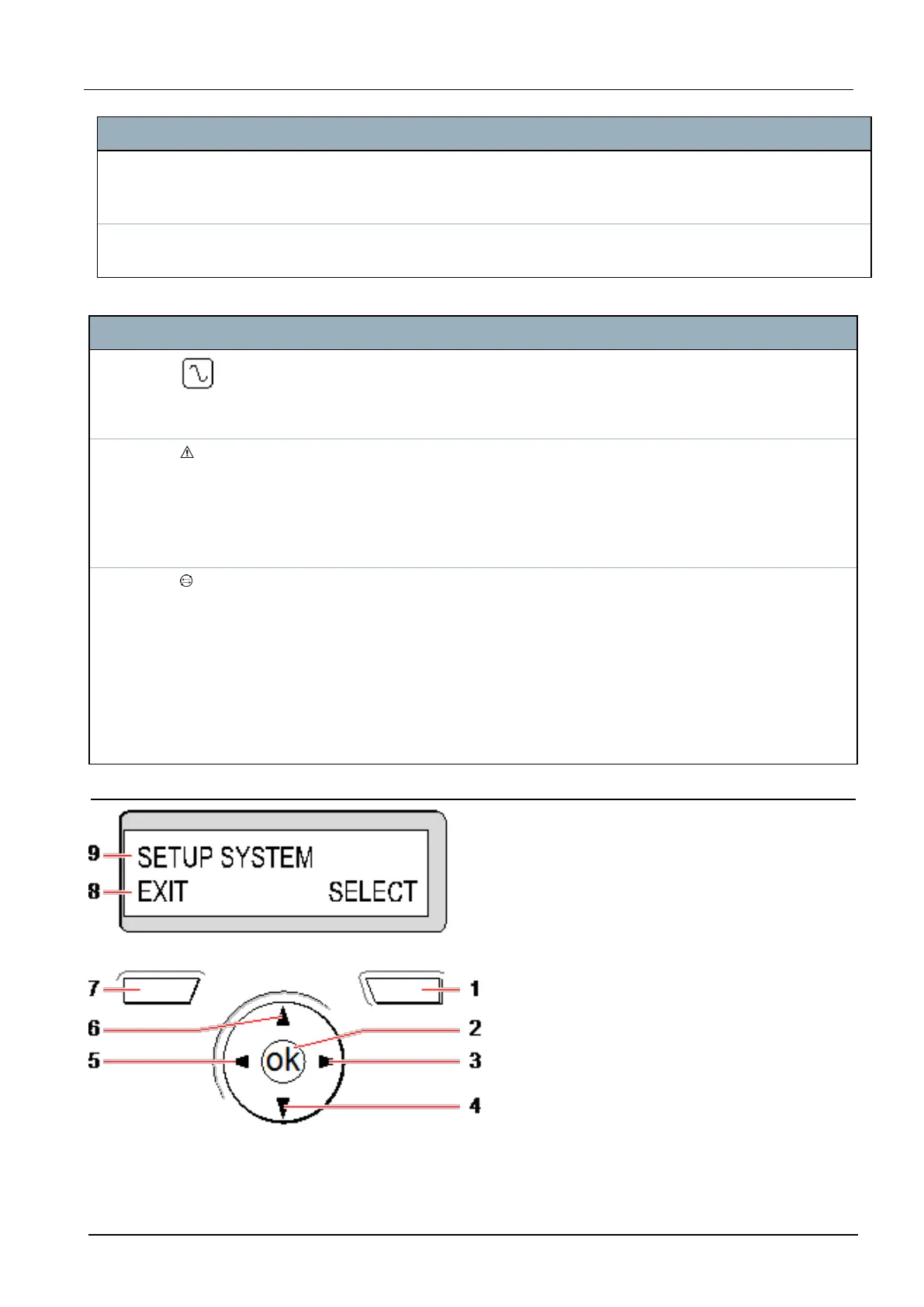
8 Multi-functional
navigation Key
The multi-functional navigation key in combination with the keypad display
provides an interface for programming the system.
LED Status
AC mains
(Green)
Indicates the presence or failure of the mains supply
FLASHING: AC mains fault detected
STEADY: AC mains OK
System
alert
(Yellow)
Indicates a system alert
FLASHING: System alert detected; display indicates the location and nature of alert. If the
system is SET, then NO indication is given of system alerts
OFF: No alert detected; If a keypad is assigned to more than one area, LED does not
indicate an alert condition if any of those areas is SET
X-BUS
Status
(Red)
Indicates the status of the X-BUS communications when in FULL ENGINEER
programming
Flashes regularly: (once every 1.5 seconds approx) indicates communications status is
OK
Flashes quickly: (once every 0.25 seconds approx) indicates the keypad is the last
expander on the X-BUS
If the keypad is being installed for the first time and power is supplied to it before a
connection to the controller X-BUS interface is made, the LED remains in the ON state
11.1.2 Using the LCD keypad interface
Keypad display
SPC42/52/53/63 – Installation & Configuration Manual Keypad user interface
© Vanderbilt 2023 54 I-200572
08.12.2023



 To Next Page