6253 DC Voltage Current Source/Monitor Operation Manual
2.5.3 Sweep Measurement
2-20
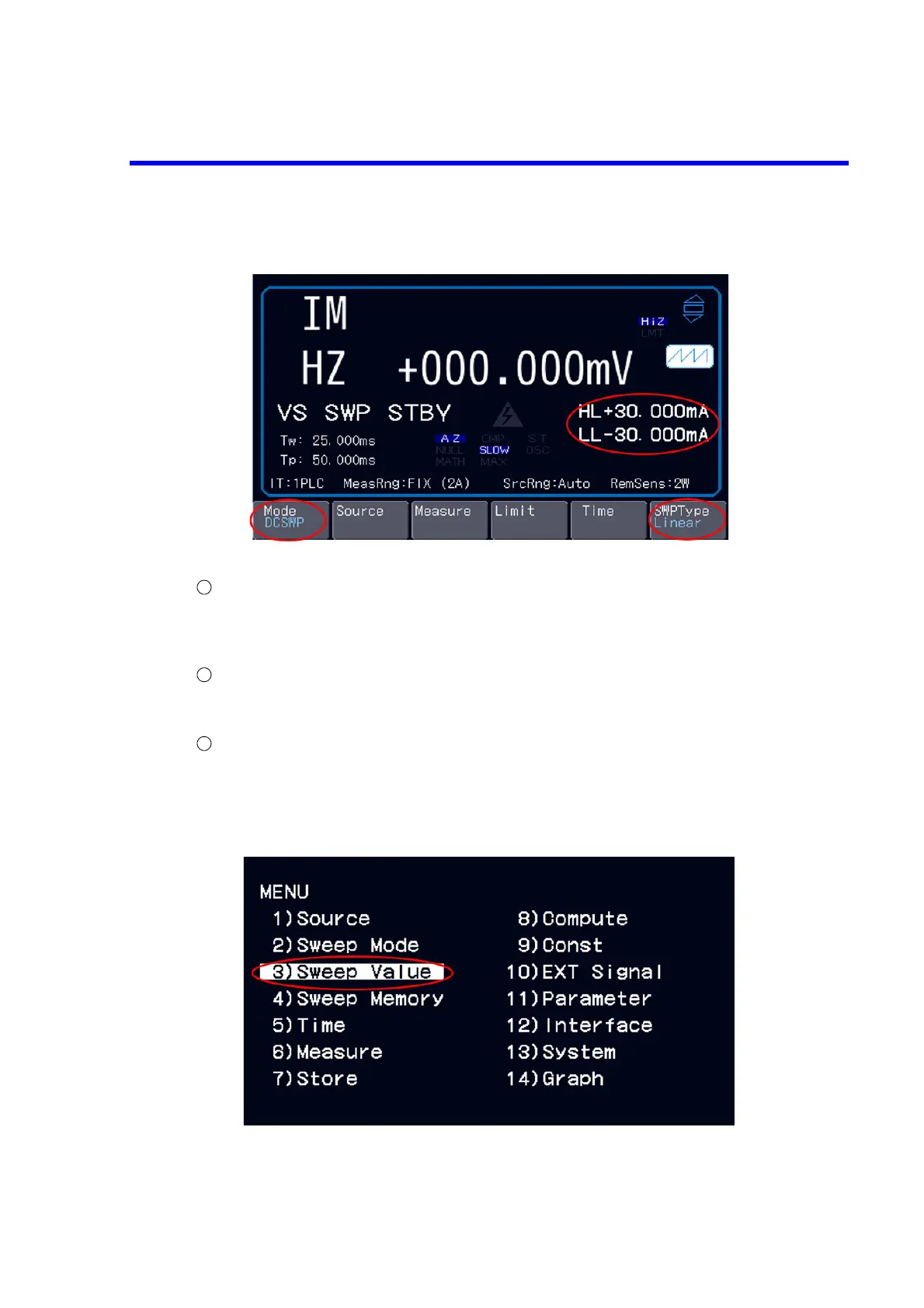
Selecting the source mode
Choose “DC sweep” with the soft key Mode.
Press the soft key RETURN to return to the top layer. The soft key SWPType is displayed.
Choose “Linear” with the soft key: SWPType.
Selecting the source and measurement functions and setting the limit values.
Choose “VS” with the soft key: Source, choose “IM” with the soft key Measure, and set the IL
value with the soft key Limit.
Setting the sweep value (The sweep value setting is available only by MENU operation.)
Press the MENU key to develop the MENU hierarchy.
Select “3) Sweep value” with the rotary knob, and display the Sweep Value layer with the ENTER
key.



 To Next Page