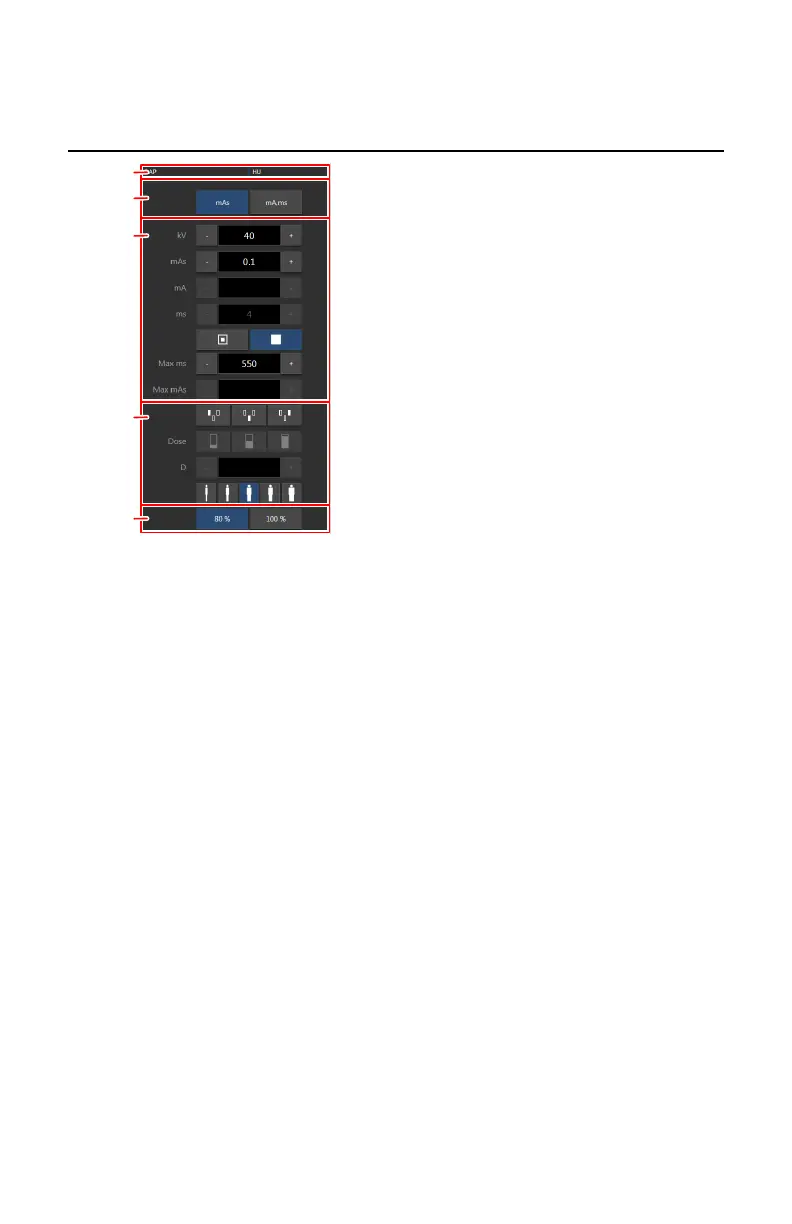
Generator controls
1.
Heat units and DAP value
2.
Radiographic working mode
3.
Radiographic parameters
4.
Automatic exposure control
5.
X-ray tube load
Figure 63: Operation controls
To change a value, use the + and - buttons. The values increase or decrease
step by step each time the corresponding button is pushed. To change a value
without repeatedly pushing the buttons, push the value twice. The buttons
change into fast-forward and fast-backward buttons. Push and hold the
button to change the value.
After exposure all values reflect the settings actually used by the generator.
The tube head display only has a subset of the generator controls.
Topics:
• One point, two point and three point working modes
• Radiographic Parameters
• Focal Spot Indicator
• Automatic Exposure Control (AEC)
• X-Ray Tube Load
• DAP Value
• Heat Units
142
| DR 600 | Software Console and Tube Head Display
3261K EN 20210708 0808



 To Next Page