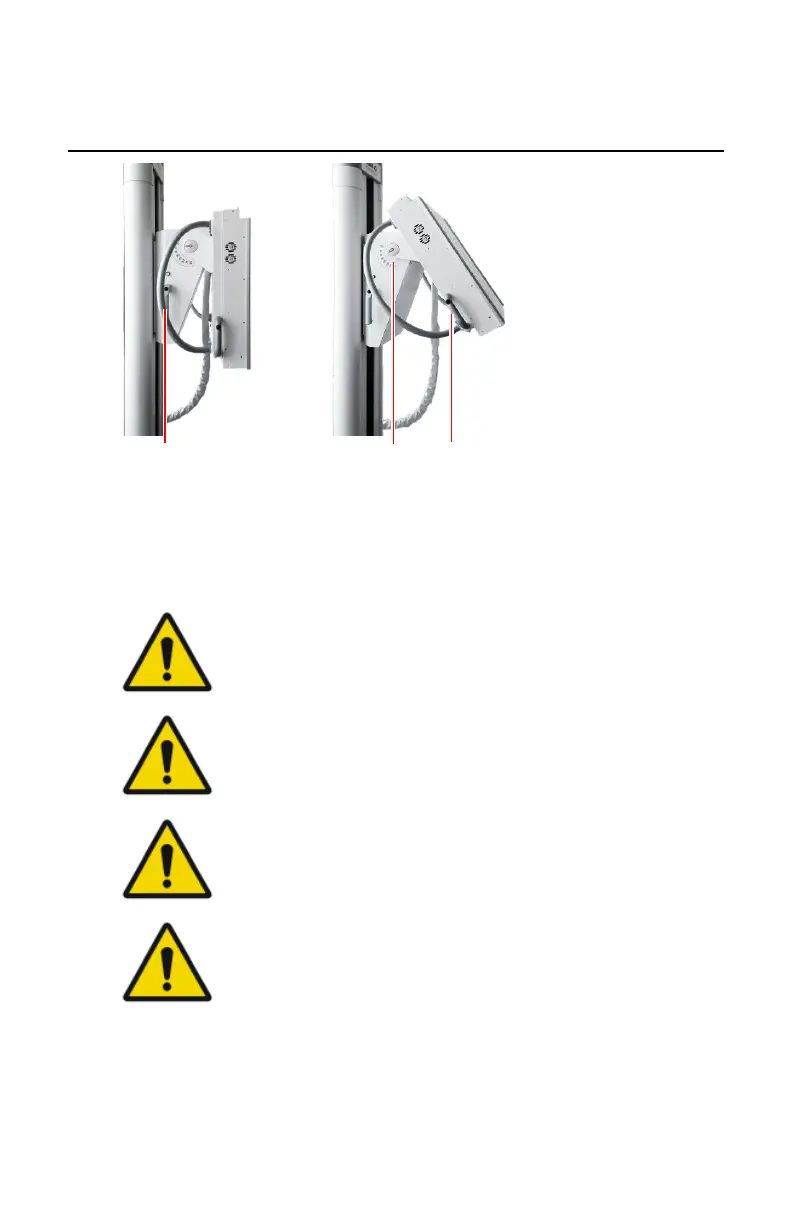
Positioning the Radiographic Wall Stand
1.
Vertical movement handle with brake switch
2.
Tilting angle scale
3.
Tilting handle
Figure 96: Positioning controls
DANGER:
Make sure that no persons or objects are within the movement
area of the system where they can collide with moving parts of
the system.
WARNING:
Maintain visual contact with the patient while moving the
equipment close to the patient in order to detect hazardous
situations (e.g. collisions) early and to avoid them.
WARNING:
Be careful not to squeeze your finger or hand. Keep your hands
at the handles while positioning the system.
WARNING:
If the tilting bucky is out of vertical position, do not use auto
collimation. In this case switch the collimator to manual mode.
When using automatic collimation on a tilting bucky, make sure
that the bucky is in vertical position.
Vertical movement
To release the brake for vertical movement, press the switch that is integrated
at the upper side of the handle located at the left and right side of the
radiographic wall stand. The bucky can be moved up and down.
DR 600 | Radiographic Wall Stand |
211
3261K EN 20210708 0808



 To Next Page