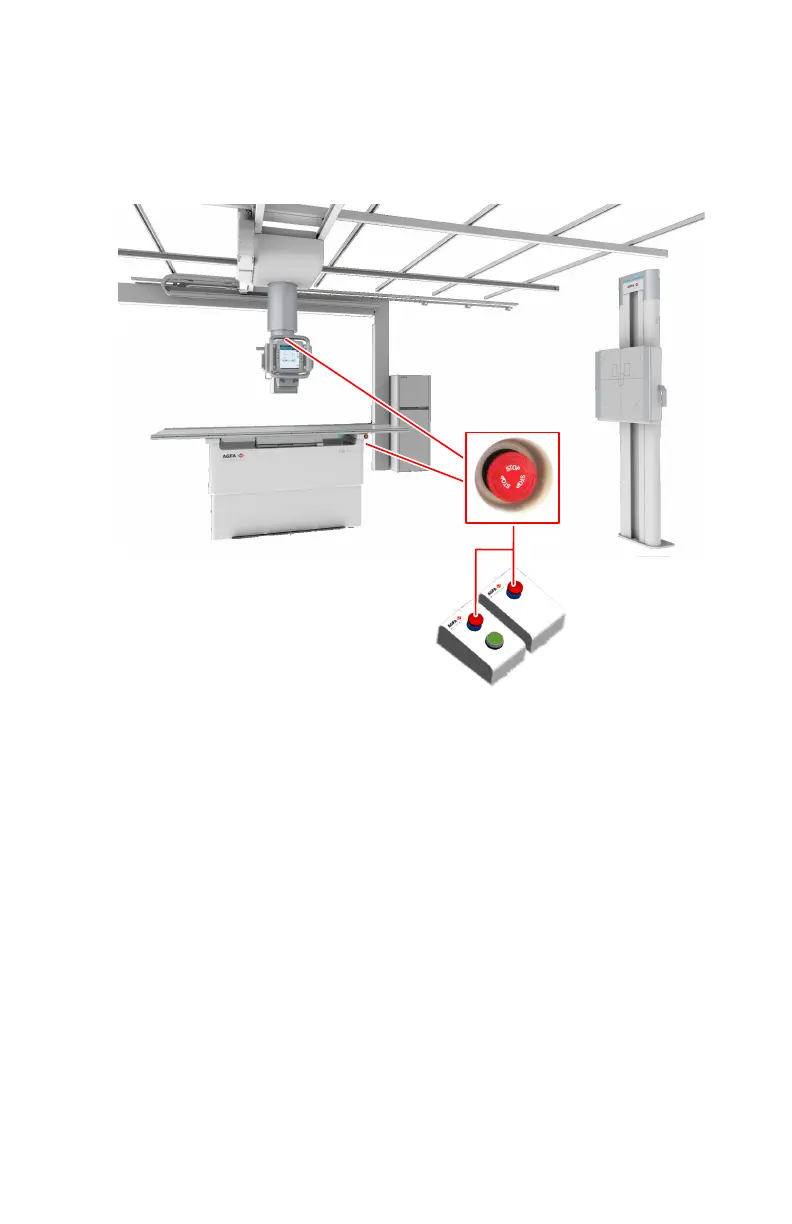
Emergency stop button
If a system malfunction causes an emergency situation involving the patient,
operating personnel or any system component, activate the emergency stop
button.
• On the front side of the radiographic table (right)
• On the rear side of the radiographic table (left)
• On the top side of the X-ray tube cover
• Close to the radiographic wall stand
• In the operator room
Figure 16: Multiple emergency stop buttons are available on the system
All motor driven movements will be stopped. Motor driven movements:
• Radiographic table
• Radiographic wall stand
• Ceiling suspension
To allow motorized movements again, turn the cap of the emergency switch in
clockwise direction (default position) and restart the system using the X-ray
generator mini console.
40 | DR 600 | Introduction
3261K EN 20210708 0808



 To Next Page