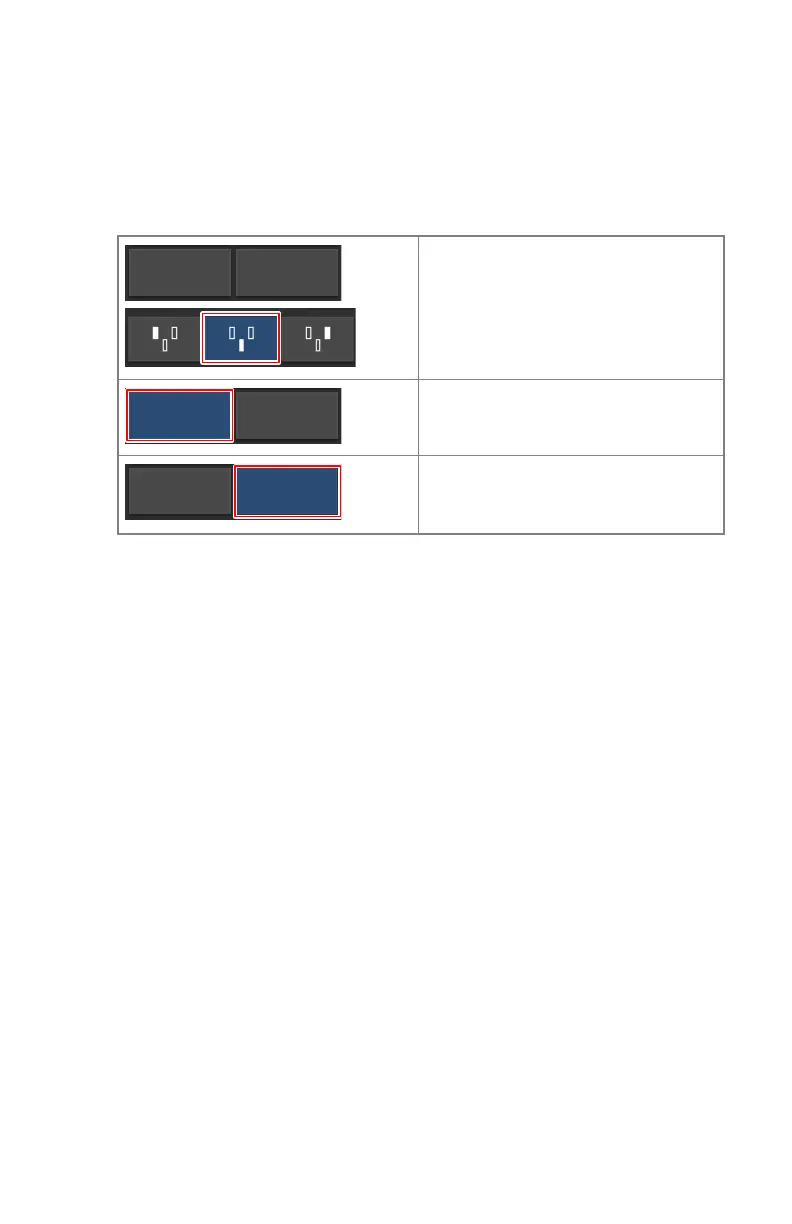
One point, two point and three point working modes
You can select following radiographic working modes according to the
parameters to be controlled and the degree of automation:
Table 14: Radiographic working modes
One point mode, by selecting kV. The
exposure is controlled by AEC.
Two point mode, by selecting kV and
mAs. AEC is disabled.
Three point mode, by selecting kV,
mA and exposure time independent-
ly. AEC is disabled.
To switch to one point mode, activate one or more AEC fields.
Depending on the radiographic working mode, some of the generator controls
will be disabled.
Topics:
• One Point Mode (1P)
• Two Point Mode (2P)
• Three Point Mode (3P)
One Point Mode (1P)
By selecting one of the AEC field buttons, the one point mode is activated.
The value of kV, mA, max ms, max mAs, the setting of focal spot, density,
dose, patient size and the selected AEC fields can be adjusted.
The value for mAs and ms is not available.
For accurate AEC operation it may be needed to lower the mA value in order
to obtain longer exposure times. The smallest exposure step is 1 ms.
Disabling all AEC fields will switch to two point mode.
After exposure all values reflect the settings actually used by the generator.
Two Point Mode (2P)
The value of kV, mAs, max ms, the setting of focal spot and X-ray tube load can
be adjusted.
DR 600 | Software Console and Tube Head Display |
143
3261K EN 20210708 0808



 To Next Page