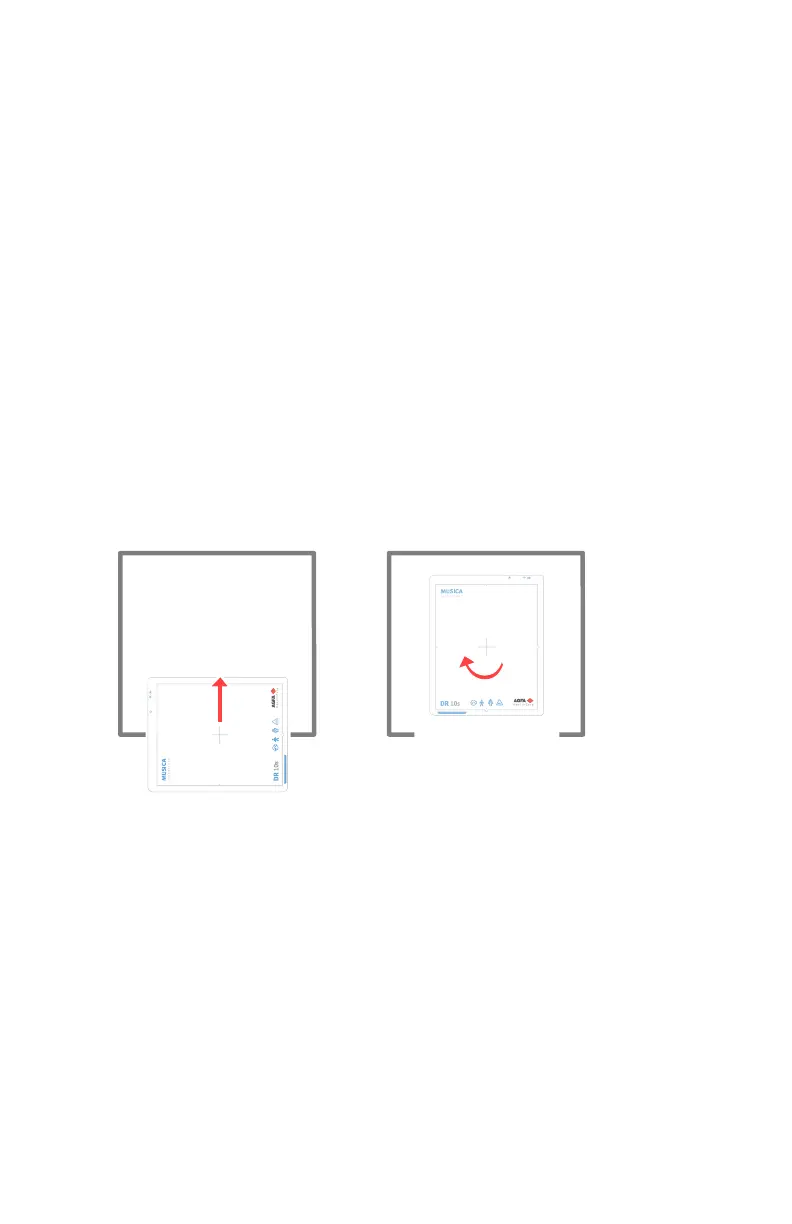
Orientation of DR 10s in the bucky
The clamps of the bucky may trigger the DR 10s power switch.
To avoid switching off the detector when inserting it in the bucky, apply the
orientation as described below.
Topics:
• Orientation in the radiographic table
• Orientation in the radiographic wall stand left loading
• Orientation in the radiographic wall stand right loading
Orientation in the radiographic table
To use the detector in portrait orientation, insert the detector in portrait
orientation.
To use the detector in landscape orientation:
1. Insert the detector in portrait orientation.
2. Rotate the detector in the bucky.
Figure 105: Landscape orientation in the radiographic table
Orientation in the radiographic wall stand left loading
• To use the detector in landscape orientation, insert the detector in
landscape orientation.
• To use the detector in portrait orientation:
1. Insert the detector in landscape orientation.
2. Rotate the detector in the bucky.
DR 600 | Bucky | 233
3261K EN 20210708 0808



 To Next Page