Adjusting the reconstruction settings for digital tomosynthesis
An acquisition sequence can be used to create more than one digital
tomosynthesis reconstruction. Different reconstruction parameters can be
used than those used for the initial reconstruction, e.g. to adjust the region of
interest or the processing quality.
1. In the Image Overview pane of the Examination window or of the
Acquisition window, select a digital tomosynthesis group.
2. Inside the digital tomosynthesis group, select the acquisition sequence.
The DTS button is displayed.
3. Click the DTS button.
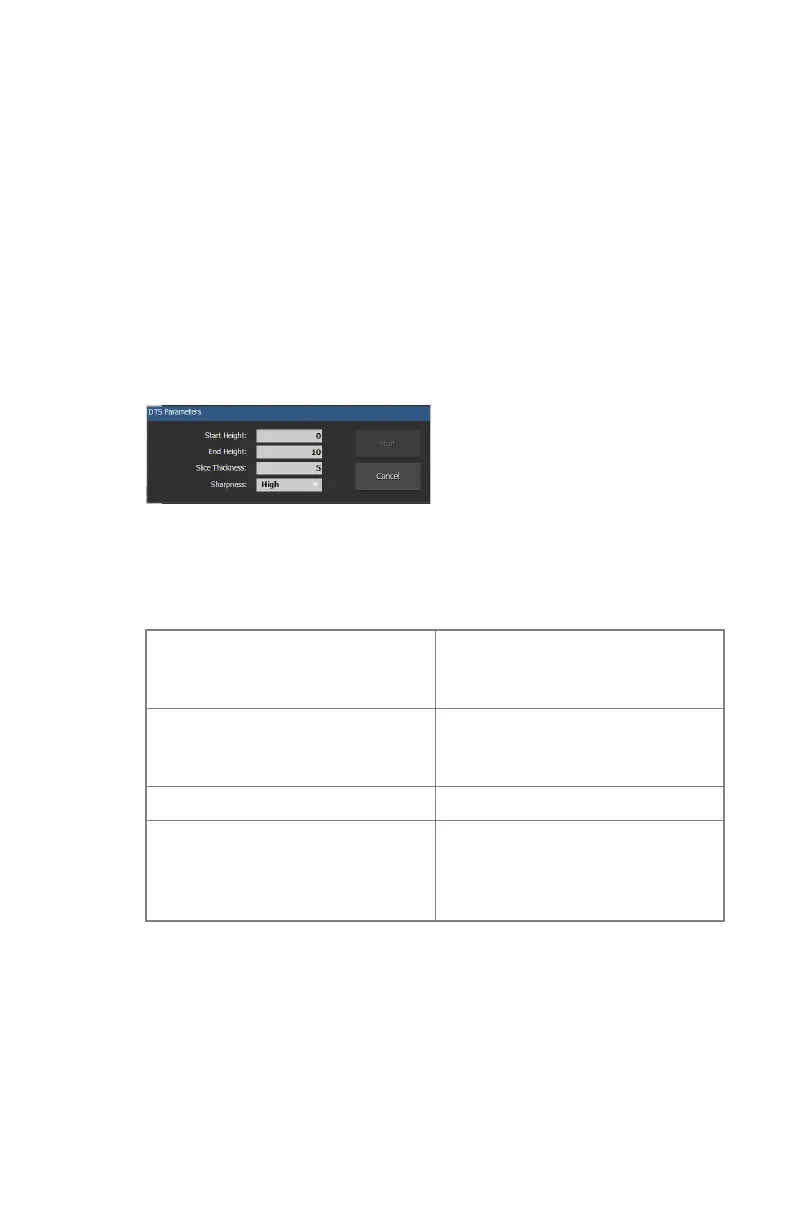
The DTS Parameters dialog is displayed.
Figure 74: DTS Paramters
4. Fill in the parameters for the reconstruction.
Table 36: DTS Parameters
Start Height (cm) The height of the first slice of the
reconstruction sequence, relative
to the tabletop.
End Height (cm) The height of the last slice of the
reconstruction sequence, relative
to the tabletop.
Slice Thickness (mm) The thickness of the slides.
Sharpness Increasing the sharpness will im-
prove the quality of the image but
the image processing will take lon-
ger
5. Click Start
A new reconstruction sequence is added to the digital tomosynthesis group.
DR 600 | Software Console and Tube Head Display | 177
3261K EN 20210708 0808



 To Next Page