Automatic positions
WARNING:
Collision with objects within the movement area of the system.
Do not activate automatic movement if extraneous objects are in
the allowed movement area of the system.
Each exposure has a default automatic position configured in the workstation.
The default X-Ray system position for the selected exposure is sent to the
modality and displayed on the software console and on the tube head display,
for automatic positioning of the X-Ray system.
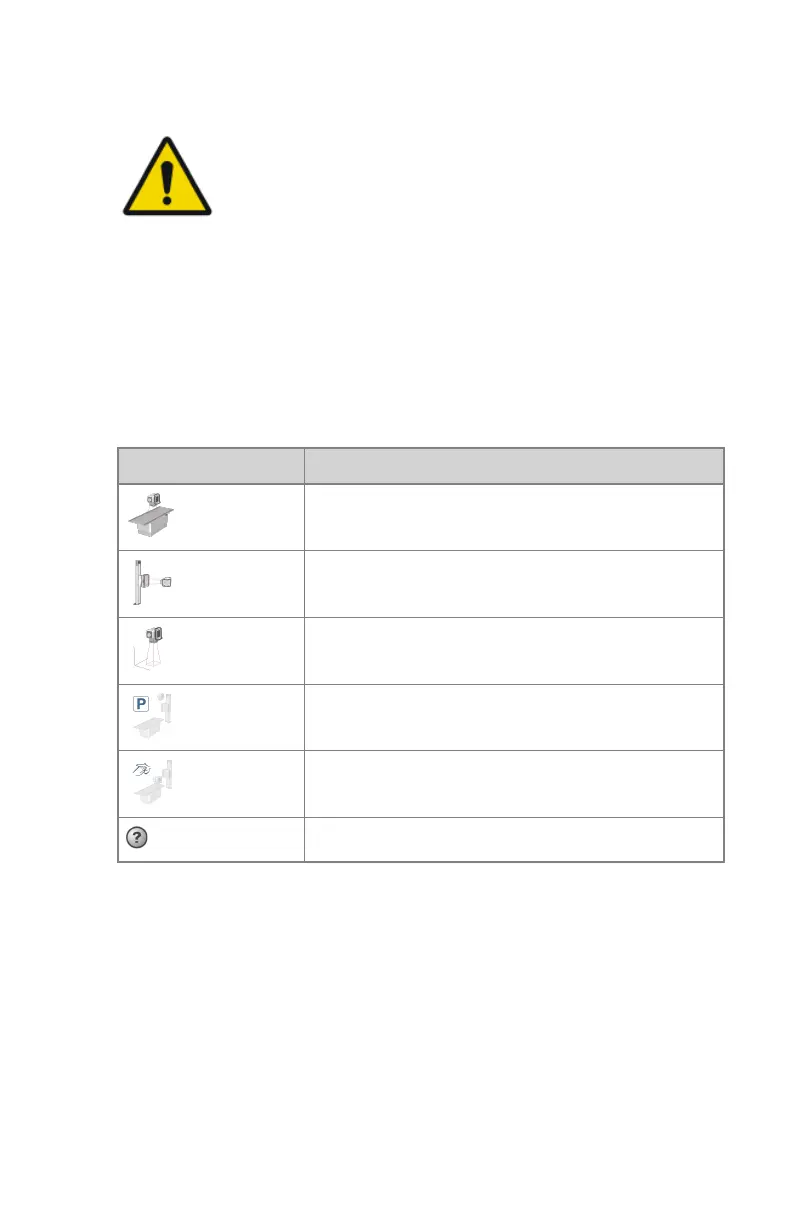
The symbol in the Positioner button indicates the selected modality position.
To view the detailed position values, click the Positioner button.
Table 23: Example symbols indicating the selected modality position
Symbol Modality position
Table
Wall stand
Free exposure
Parking position
Cleaning position
No position selected
Up to 30 auto-positions per modality type (table, wall stand, free) can be
configured.
Topics:
• Automatic position
• Moving to an Automatic Position
• Selecting an automatic position
• Moving the system to parking position
• Moving the system to cleaning position
162 | DR 600 | Software Console and Tube Head Display
3261K EN 20210708 0808



 To Next Page