3. On the software console, go to the screen with modality controls.
Figure 39: Navigation button for modality controls
4. Click the button to start the automated workflow for warming-up of the X-
ray tube.
Figure 40: Button to start the automated workflow for warming-up of the
X-ray tube
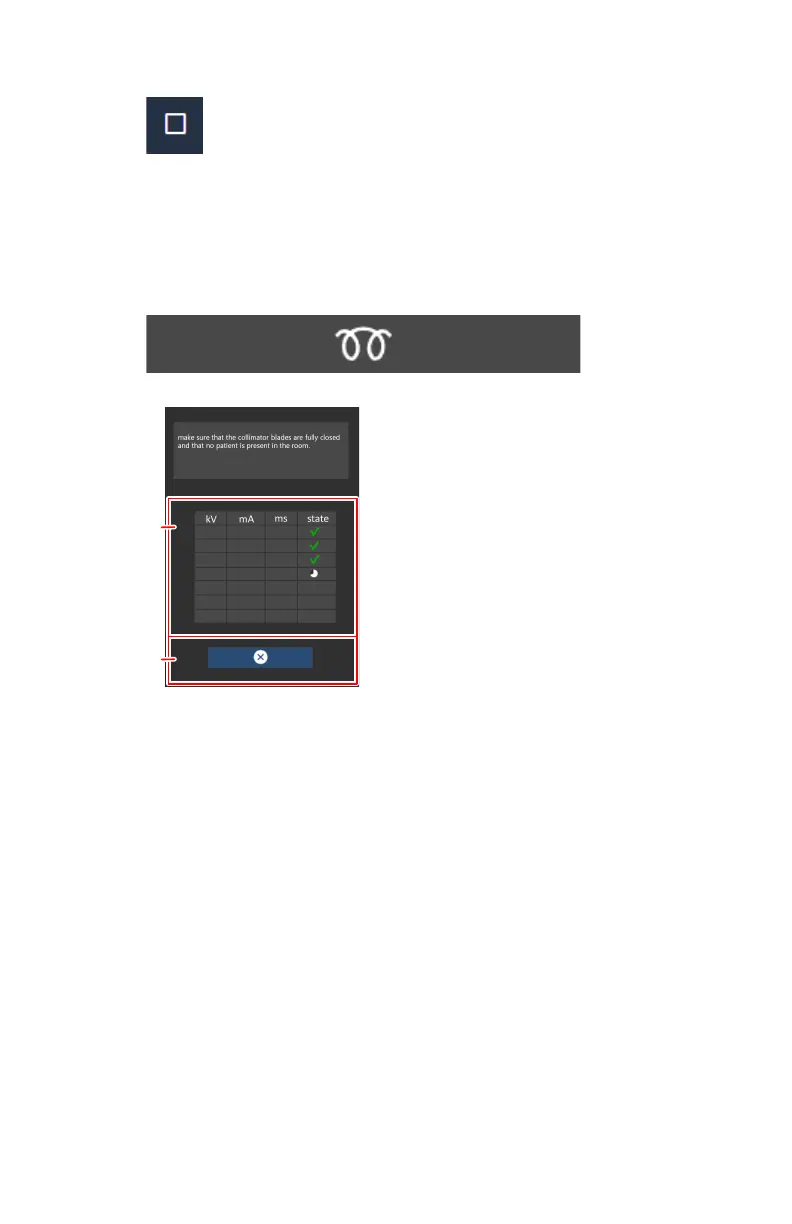
A table is displayed with a list of exposures.
1
2
xx
xx
xx
xx
xx
xx
xx
xx
xx
xx
xx
xx
1.
Table with list of exposures
2.
Button to cancel the warming-up procedure
Figure 41: List of exposures for warming-up of the X-ray tube
5. Make sure that the collimator blades are fully closed and that no patient is
present in the room.
To avoid radiation on a DR detector, remove the detector, turn the tube
away from the detector, or cover the detector with a lead apron.
6. Perform the exposures and wait for the timer icon to finish between
exposures.
The exposure parameters are set automatically.
DR 600 | Basic Workflow | 93
3261K EN 20210708 0808



 To Next Page