1756-6.5.3 - December 1999
PLC-5C to Logix5550 Controller: Scheduled Communications 8-3
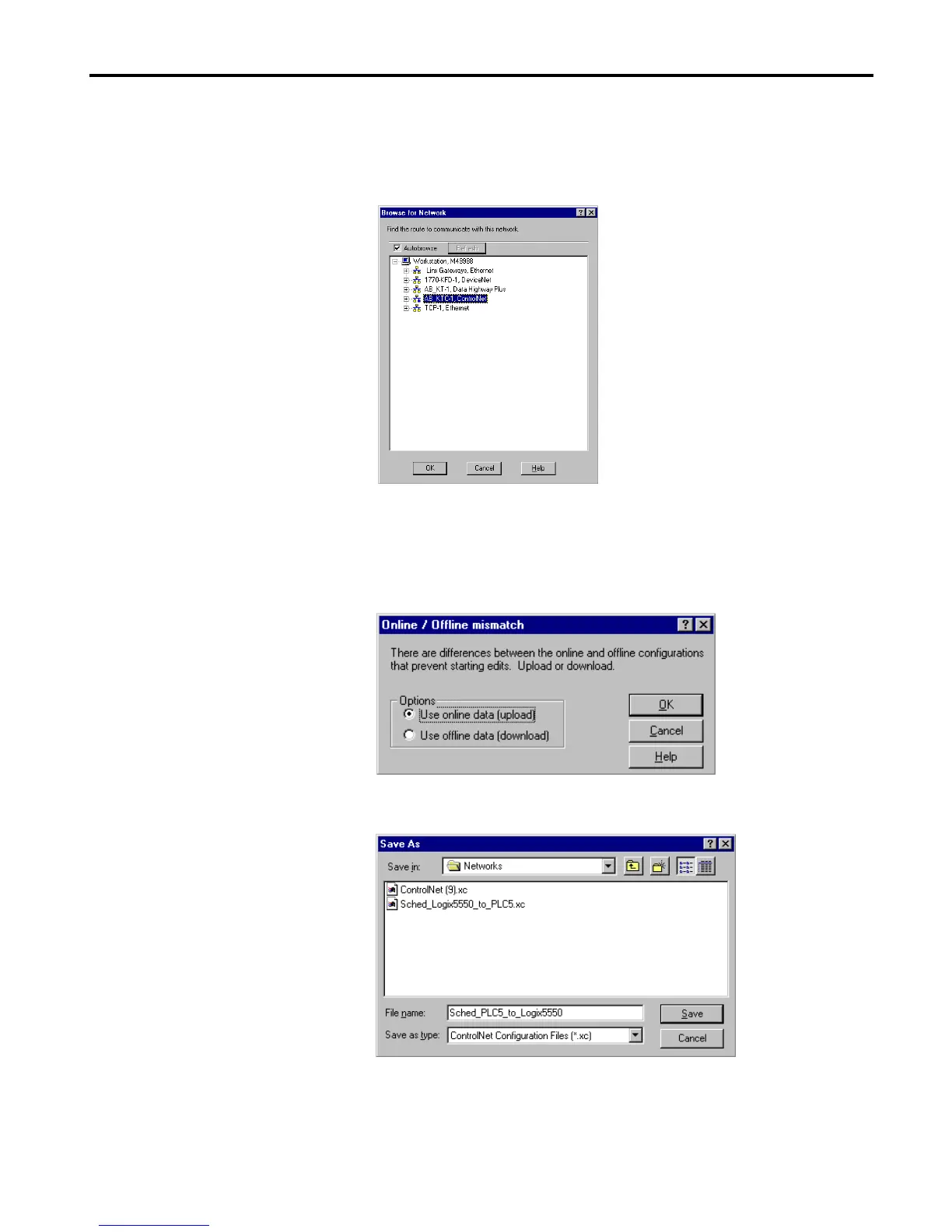
The Browse for Network window will appear with a list of available
drivers. (Your list may appear different from that shown below, but you
should have the AB_KTC-1 driver configured as described in
chapter 2.).
4. Select the AB_KTC-1 driver and click on OK.
5. If you receive a message that there is an Online/Offline mismatch, select
the Use online data (upload) option and click on OK.
The Save As window will appear:
6. Enter an appropriate name for the network (e.g.,
“Sched_PLC5_to_Logix5550”) and click on Save.


 To Next Page
 Loading...