1756-6.5.3 - December 1999
Appendix
D
Setting Paths for Downloads in
RSLogix5000, Version 2.10
Communications Path
Software versions of RSLogix5000 prior to version 2.25 do not incorporate
the Who Active feature. To download a program to the controller you must
manually specify the path. In the example applications in this manual, the
controller is always in slot 0 and the 1756-CNB module through which it is
communicating is either node 1 or node 6.
Use the following procedure:
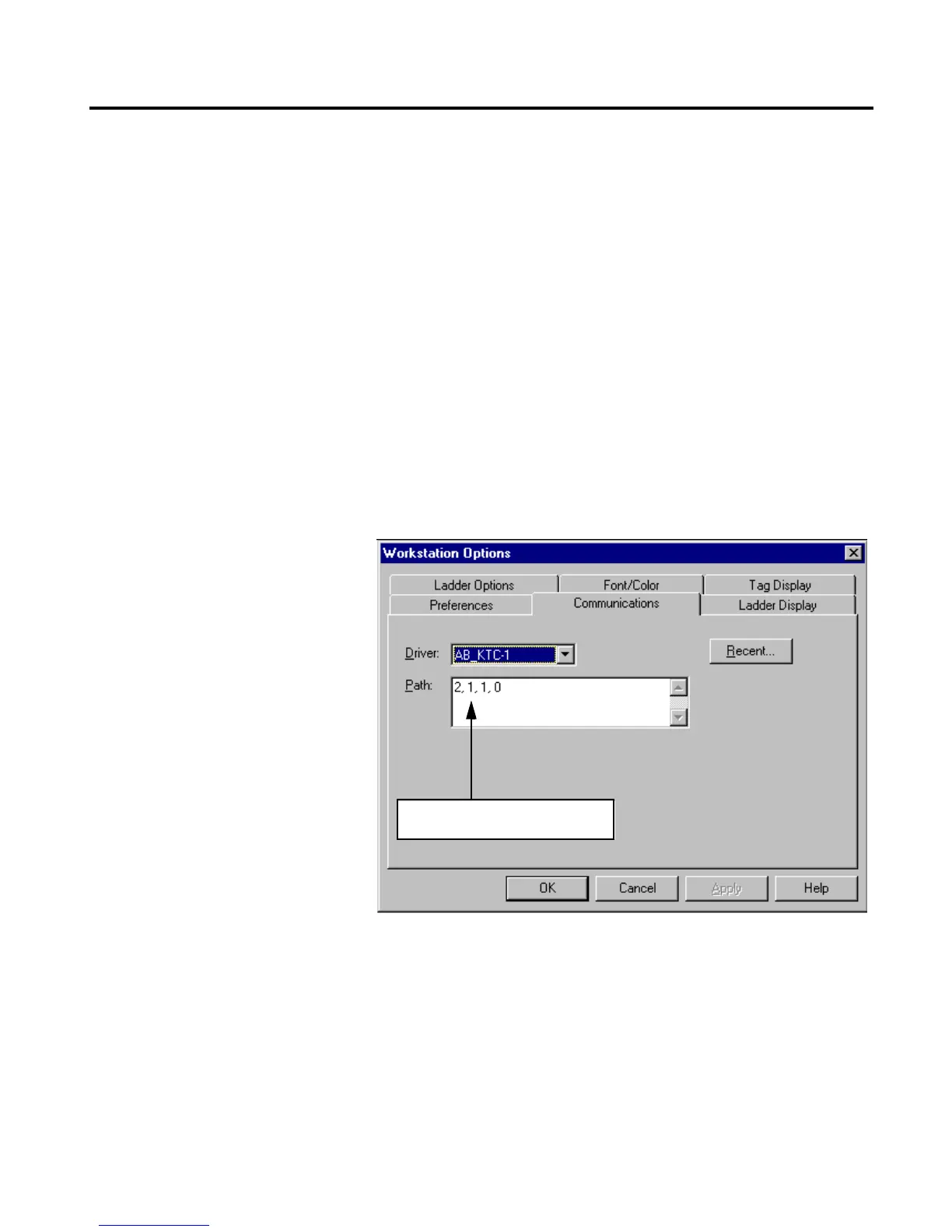
1. Click on the Communications menu and select Configure. The
Workstation Options window will appear.
“2” indicates a connection to the ControlNet
wire.
“1” indicates a connection to the CNB module
at ControlNet node 1.
“1” indicates a connection to the backplane of
the ControlLogix chassis.
“0” indicates a connection to the module at
slot 0 (the Logix5550 controller).
Change the first “1” to “6” to download
via the CNB module at node6.


 To Next Page
 Loading...