1756-6.5.3 - December 1999
10-2 Controlling I/O Over a ControlNet Network
Set Up the Example Application
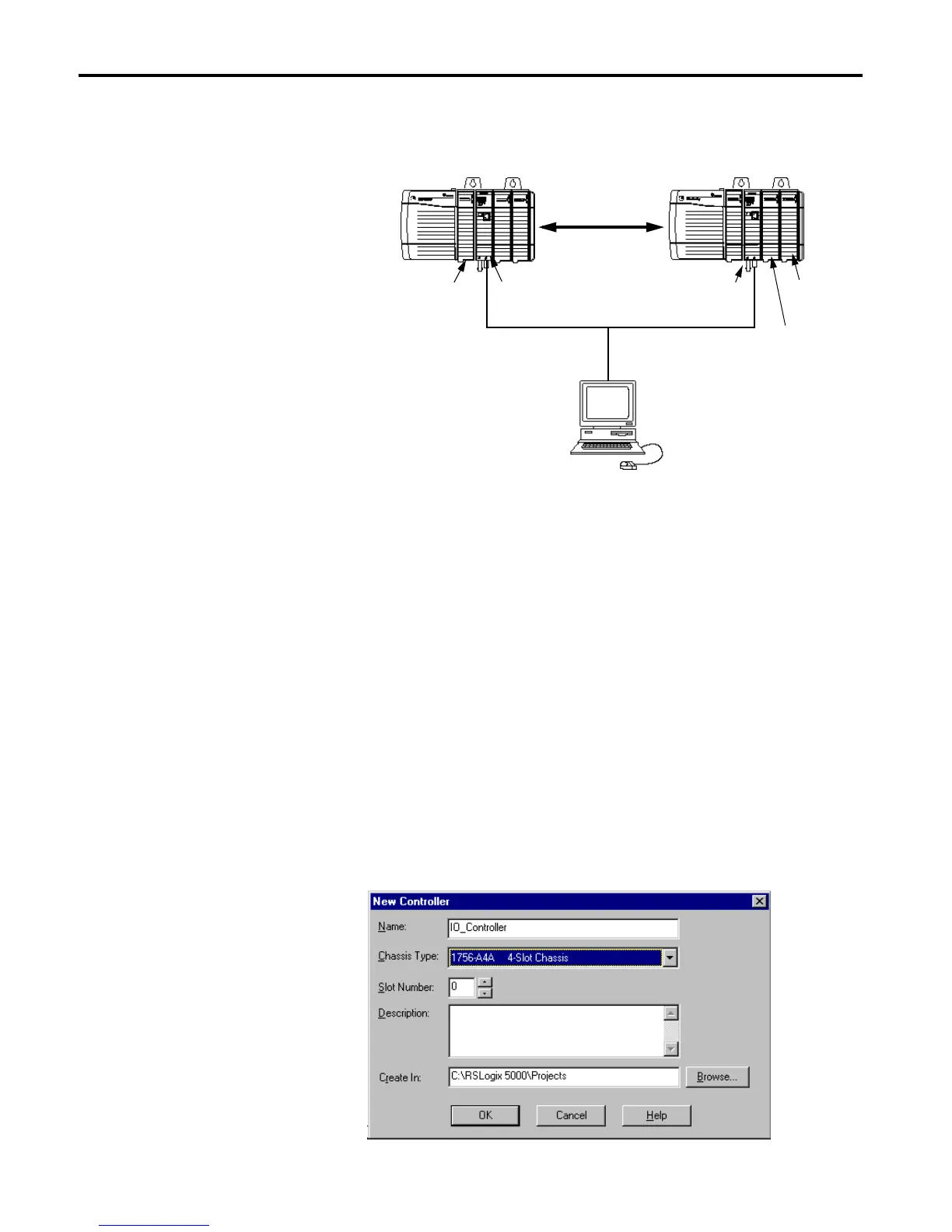
Change your system configuration to that shown below:
• Verify that the Logix5550 controller, I/O modules, and the 1756-CNB
modules are in the correct slots as shown above.
• Verify that the node addresses for the 1756-CNB modules are 1 and 6 as
shown.
• Verify that the KTCX15 driver card is configured as described on
page 2-3.
• Verify that all wiring and cabling is properly connected.
Create the Example Application
Perform the following steps to create the example application:
1. Open the RSLogix5000 software.
2. From the File menu, select New. The New Controller pop-up window
will appear.
ControlNet Network
Logix5550
1756-CNB
(Node 1)
1756-CNB
(Node 6)
Local
Chassis
Remote
Chassis
PC with
1784-KTCX15
Interface
Data
Slot 0 1 Slot 1 2 3
1756-IB16
Digital Input
1756-OB16I
Digital Output
Controller


 To Next Page
 Loading...