GSM/GPRS/EDGE Signal Analyzer 2-6 GSM/GPRS/EDGE Mode Pass/Fail
3GPP MG PN: 10580-00234 Rev. T 2-7
2-6 GSM/GPRS/EDGE Mode Pass/Fail
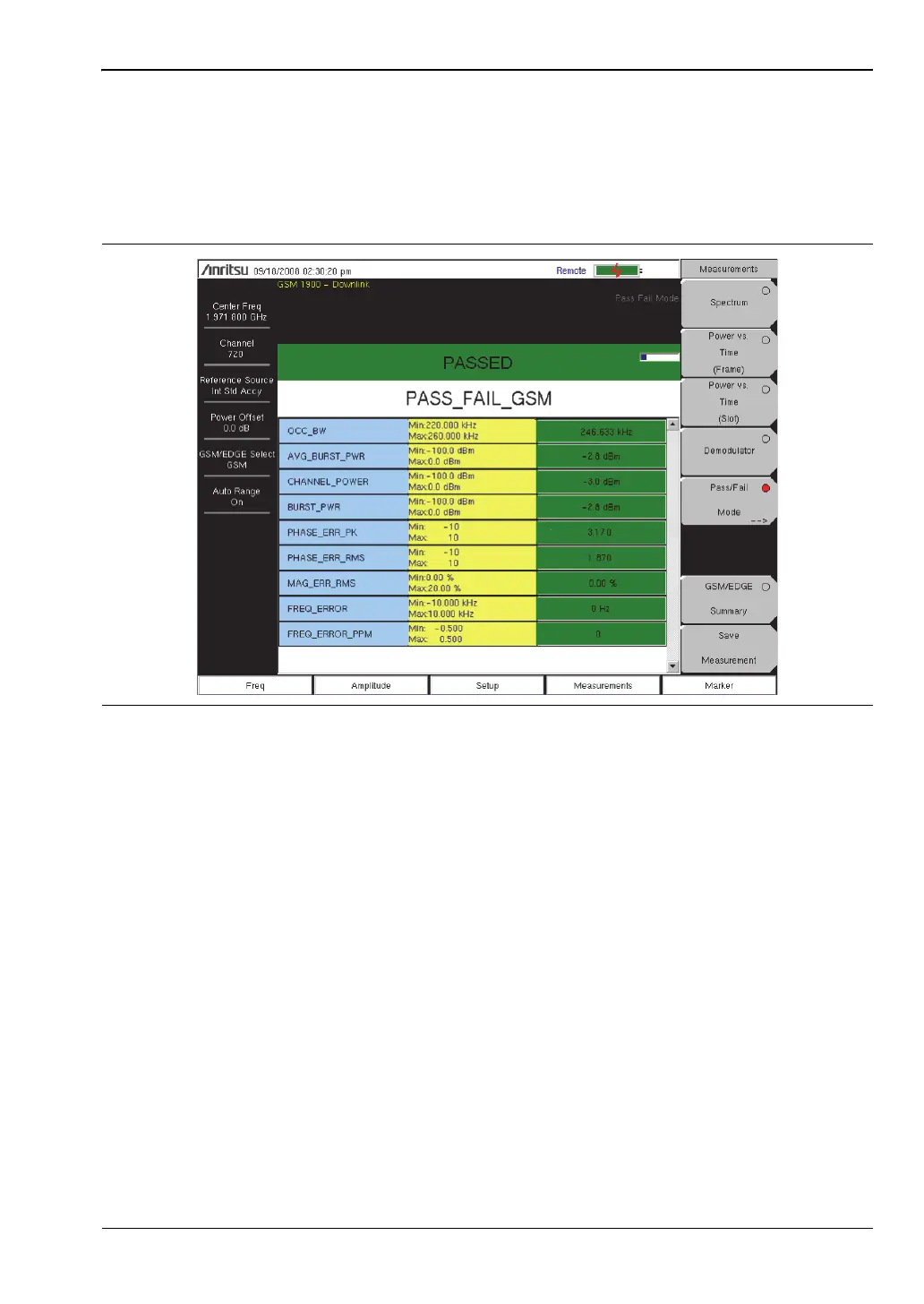
The unit can store test sets for testing base station performance and can recall these test sets
for quick, easy measurements. These test sets are for reference only and can be edited using
Master Software Tools. When a test set is selected, the unit displays the test results in a
tabular format with PASS or FAIL indications that include min/max thresholds (Figure 2-8).
Using Master Software Tools, a custom test set can also be created and downloaded to the
instrument. All measurement parameters can be selected for pass/fail testing.
Pass/Fail Mode Procedure
1. Set the frequency as described in the User Guide.
2. Press the Measurements main menu key.
3. Press the Pass/Fail Mode submenu key to activate Pass/Fail Mode.
4. Press the Pass/Fail Mode submenu key to display the Pass/Fail Mode menu and then
press the Select Pass/Fail Test submenu key to display the available test sets.
5. Use the rotary knob or Up/Down arrow keys to select the applicable test set and to
activate the measurement.
Refer to the Master Software Tools documentation for information on creating a custom
pass/fail test set.
Figure 2-8. Pass/Fail Mode














 To Next Page