6-4 TD-LTE Modulation Measurements TD-LTE Signal Analyzer
6-12 PN: 10580-00234 Rev. T 3GPP MG
Modulation Measurement Setups
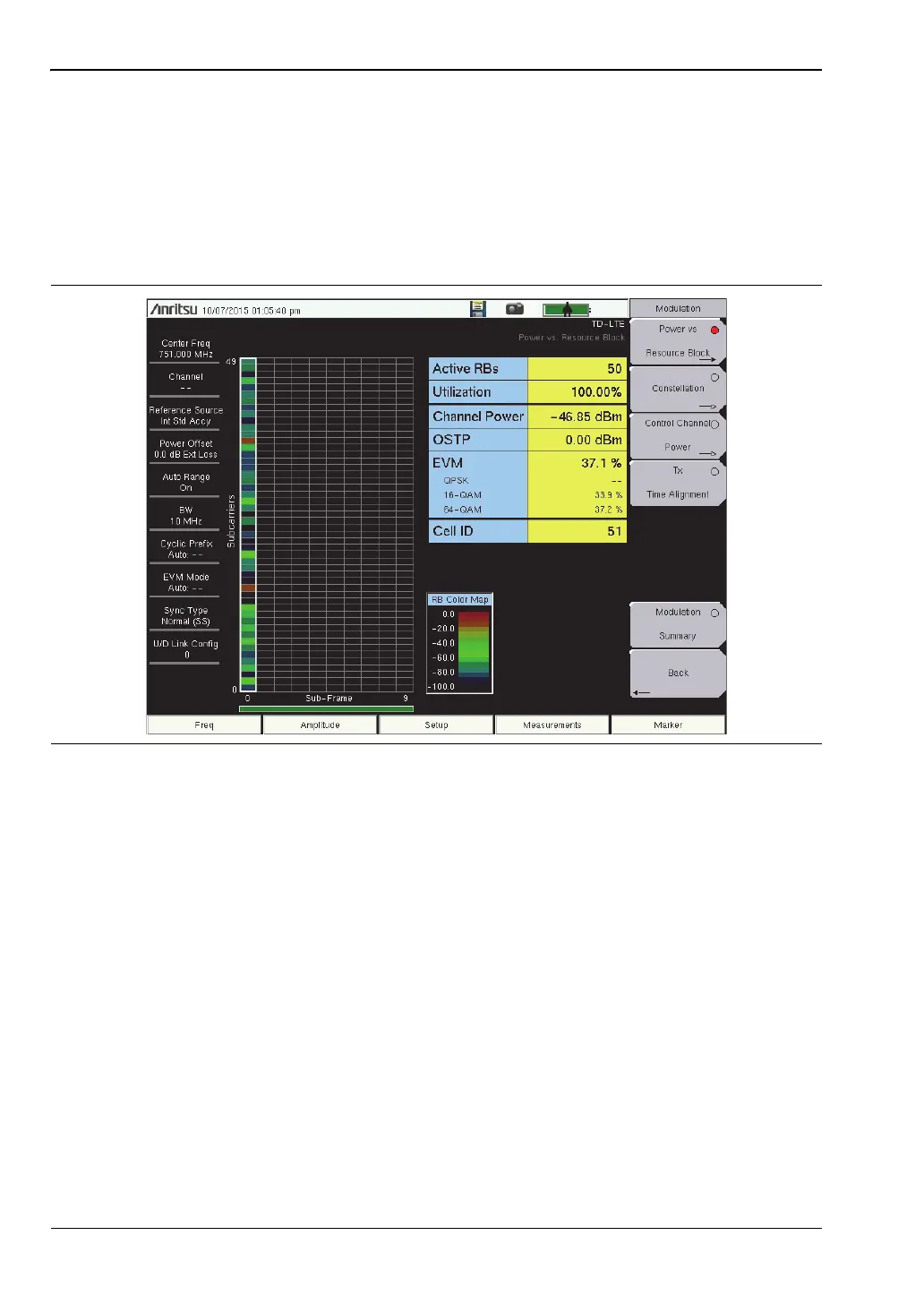
Power vs Resource Block
1. Press the Measurements main menu key.
2. Press the Modulation submenu key.
3. Press the Power vs Resource Block submenu key to activate the Power vs Resource
Block measurement view.
4. Press the Power vs Resource Block submenu key again to list the Power vs RB Menu
and set up the RB Color Map max value and range. Press the submenu key to change
the desired parameter, or, press the Autoscale Color Map submenu key to automatically
set the Max and Range values.
5. Press the Back submenu key to return to the Modulation menu.
Markers
1. While in the Power vs Resource Block measurement, press the Marker main menu key.
The RB Marker submenu opens. The Marker State button default value is On, so the
markers highlight a row of sub-frames and a column of sub-carriers.
2. To immediately find the strongest subcarrier within the sub-frame, press the Peak
Search button.
3. To choose a specific RB #, press the Marker RB # submenu key and move it to the desired
RB# using the arrow buttons, knob or enter the RB number and press Enter.
4. To choose a specific sub-frame, press the Marker Sub-frame submenu key and move it to
the desired Sub-frame using the arrow buttons, knob or enter the sub-frame number
and press Enter.
Figure 6-7. Power vs Resource Block Measurement View














 To Next Page