3GPP MG PN: 10580-00234 Rev. T 8-1
Chapter 8 — EMF (Option 444)
8-1 Introduction
Option 444 adds the EMF Measurement menu to the Over-the-Air LTE and TD-LTE
measurement modes. It must be used in conjunction with the Anritsu isotropic antenna, at a
frequency range that is within specification of the instrument and antenna used. Refer to the
isotropic antenna and signal analyzer technical data sheets.
8-2 Connecting the Antenna
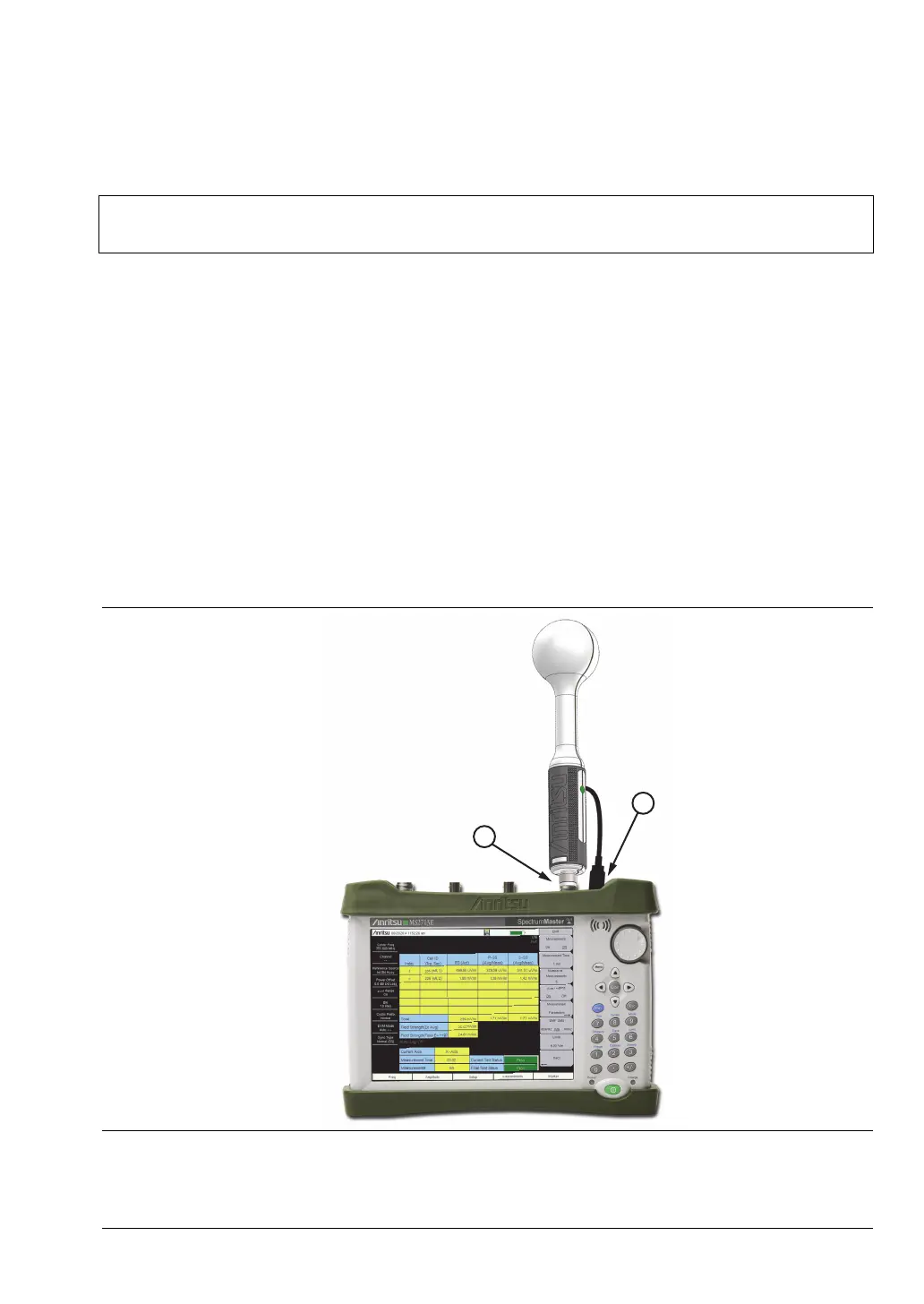
1. Connect the antenna RF connector to the Analyzer/RF In port on the instrument. See
Figure 8-1. The antenna connector must be finger tight.
2. Connect the antenna USB connector to one of the USB Type A ports on the instrument.
Note
Not all instrument models offer every option. Please refer to the Technical Data
Sheet of your instrument for available options.
Figure 8-1. Connecting the Anritsu Isotropic Antenna














 To Next Page