Calibration 3-5 Calibration Procedures
Cable & Antenna Analyzer MG PN: 10580-00241 Rev. B 3-3
3-5 Calibration Procedures
In Cable and Antenna Analyzer Mode, calibration is required when the “Not Calibrated”
message is displayed or when the test port cable has been changed. The following sections
detail how to perform OSL and InstaCal calibration.
OSL Calibration Procedure (Standard and FlexCal)
1. Press the Freq/Dist main menu key and enter the appropriate frequency range
2. Press Shift then Cal (2) key.
3. Select Standard or FlexCal.
4. Press Start Cal and follow instructions on screen.
5. Connect Open to RF Out and press the Enter key.
6. Connect Short to RF Out and press the Enter key.
7. Connect Load to RF Out and press the Enter key.
8. Verify that the calibration has been properly performed by checking that the Cal
Status message is now displaying “ON, Standard” or “ON, FlexCal”.
Note
If a Test Port Extension Cable is to be used, it must be connected to the
Site Master before calibration. Follow the same calibration procedures with
the OSL components or the InstaCal module in place at the end of the test port
extension cable.
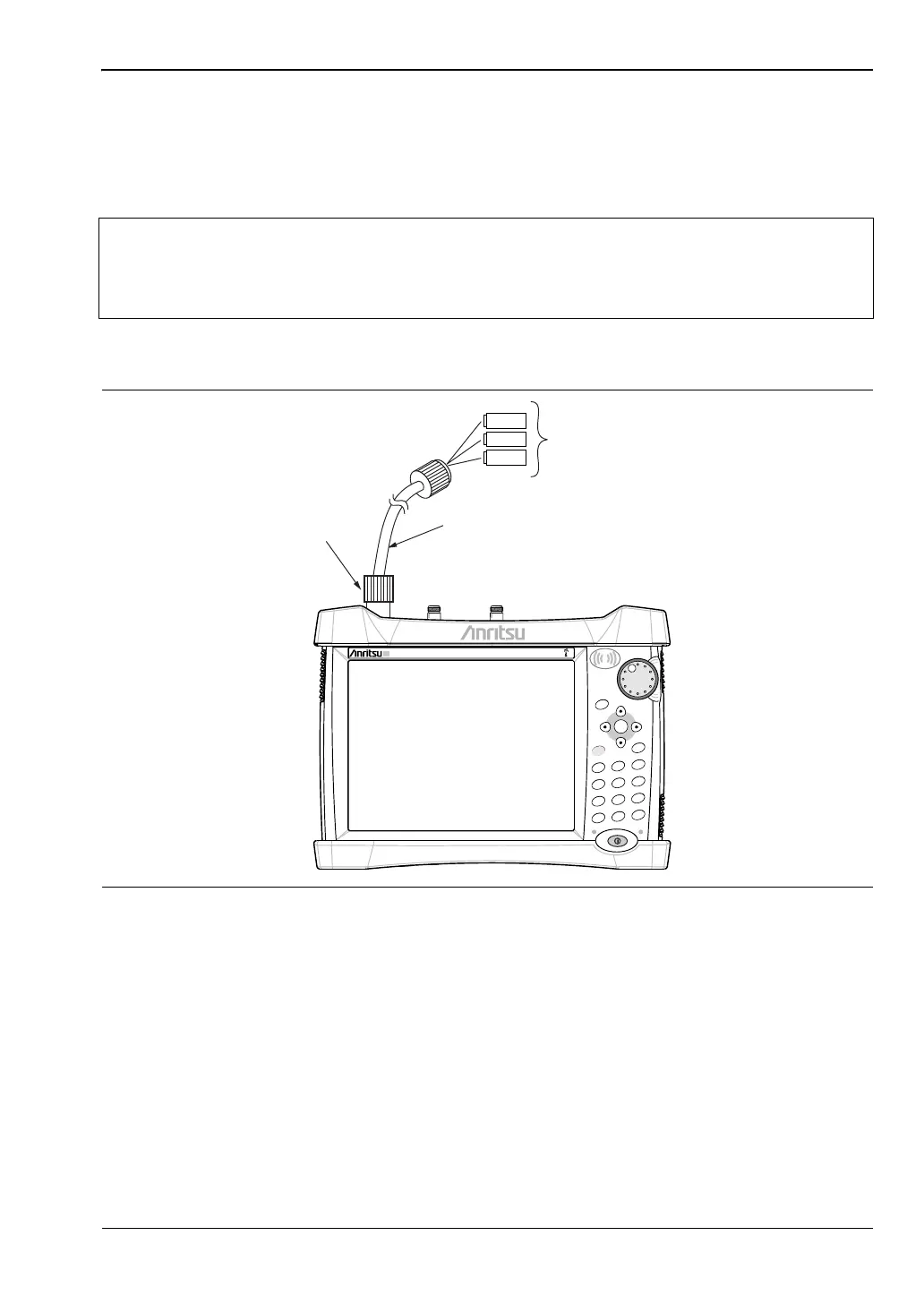
Figure 3-1. Calibration Setup OSL Cal
Power Charge
+/-
.
0
3
Sweep
2
Calibrate
1
Preset
6
Limit
5
Trace
4
Measure
9
Mode
8
System
7
File
Shift
Esc
Enter
Menu
SiteMaster
S331E
OPEN
LOAD
SHORT
CALIBRATION
RFOUT/REFLECTION
TEST PORT
TEST PORT CABLE (OPTIONAL)














 To Next Page