Power Meter Verification 4-1 Power Meter Level Accuracy
MT8212E and MT8213E MM PN: 10580-00255 Rev. J 4-3
Power Meter Measurement Accuracy Procedure
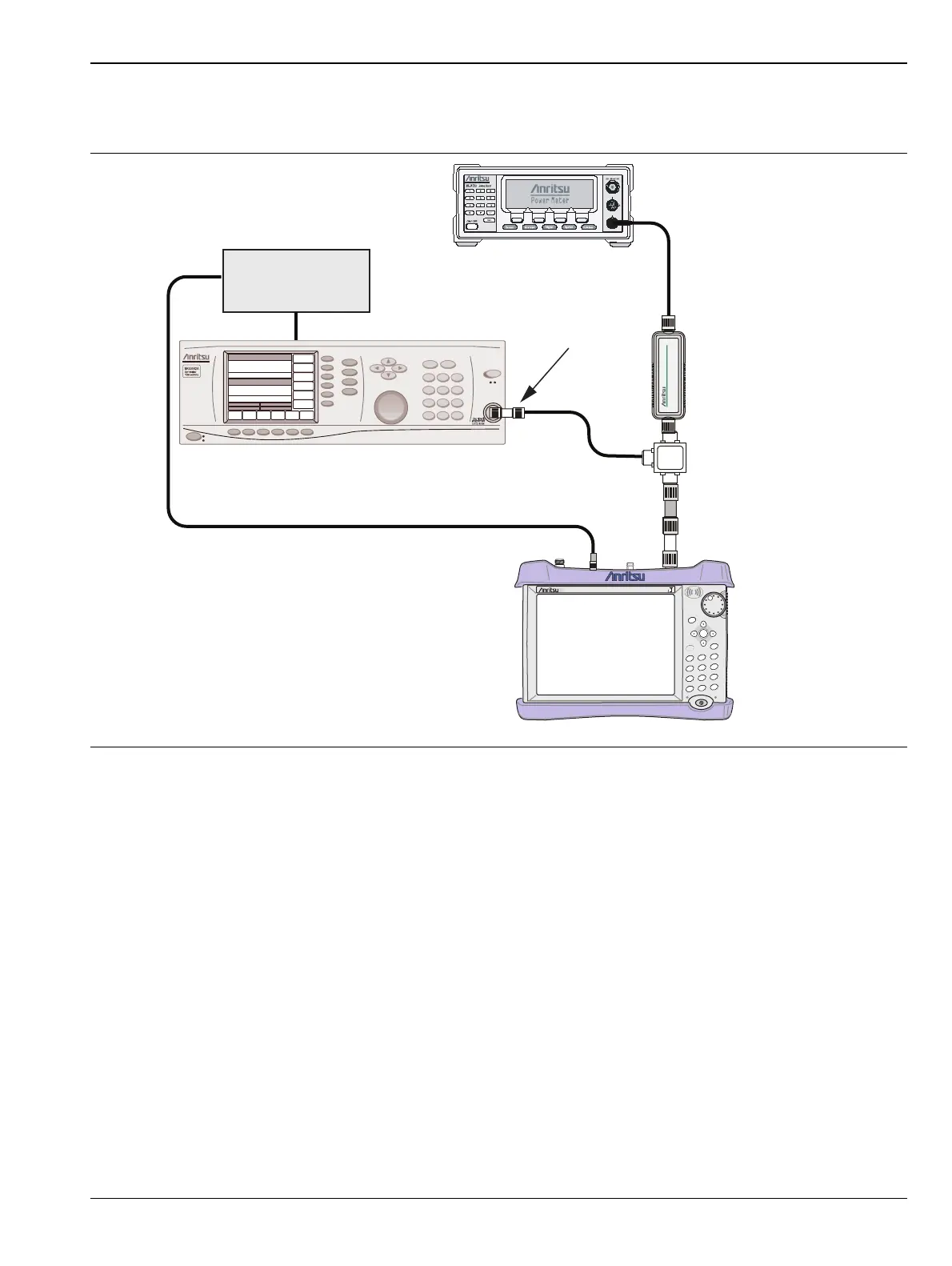
1. Connect the equipment as shown in Figure 4-2.
2. Verify that the MT821xE is in the Power Meter mode and preset the instrument.
3. Set the MT821xE span to 3MHz.
4. Set the MT821xE center frequency to 50 MHz.
5. Adjust the MG3692A/B power so that the power meter Sensor B matches the Sensor B value shown in
Table A-16, “Characterization Chart for Power Meter Verification” on page A-14.
6. Record the reading on the MT821xE display in Table A-17, “Internal Power Meter Accuracy Verification”
on page A-14.
7. Repeat Step 5 through Step 6 for the next test power level in Table A-16.
8. Repeat Step 4 through Step 6 for the next test frequency in Table A-16.
Figure 4-2. Power Meter Measurement Accuracy
MT821xE Cell Master
Power Charge
+/-
.
0
3
Sweep
2
Calibrate
1
Preset
6
Limit
5
Trace
4
Measure
9
Mode
8
System
7
File
Shift
Back
Enter
ESC
CellMaster
MT8212E
MG3692x Synthesized Signal Generator
10 MHz
Reference
ML2438A Power Meter
MA2442D
Sensor B
1870A
Power Splitter
Adapter
N(m) to N(m) Adaptor
10 dB Attenuator














 To Next Page