5-9 WCDMA/HSDPA Signal Analyzer Verification, Options 44, 45, 65, Option Verification
5-36 PN: 10580-00255 Rev. J MT8212E and MT8213E MM
Setup
Procedure
1. Connect the power sensors to the power meter and then calibrate the sensors.
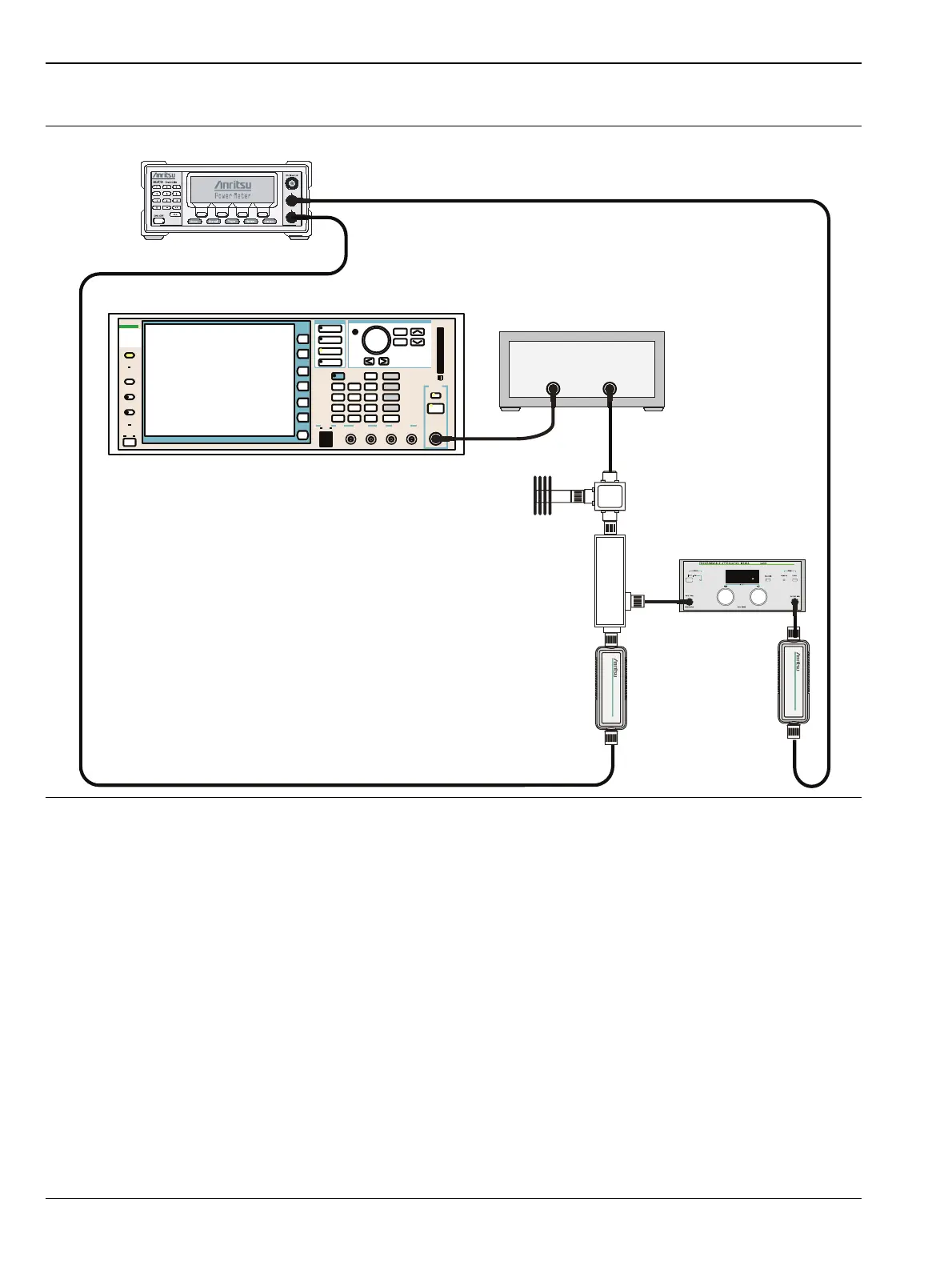
2. Connect the MG3700A, RF power amplifier, attenuator, power meter, and sensors as shown in
Figure 5-8.
3. Turn On the MG3700A, RF amplifier, attenuator, and the power meter.
4. Press the On/Off key to turn On the MT821xE and wait until the measurement display appears. Then
press the Shift key and press the Mode (9) key to activate the mode selection menu.
5. Use the Up/Down arrow keys to select WCDMA and press the Enter key.
6. Press the Shift key, the Preset (1) key, and then the Preset submenu key.
7. On the MG3700A, press the Preset key (Yellow key on the upper left hand side).
8. Press the Down Arrow key to select Yes.
Figure 5-8. WCDMA Signal Analyzer Option Verification (Setup 1)
Function
Ethernet
Control Input
Modulation Input
Cursor/Edit
RF Output
3
MG3700
Vector Signal
Generator
250kHz-6GHz
3
MG3700A
RF Power Amplifier
MA2482D
Sensor B
MA2482D
Sensor A
Circulator
MN63A
ML2438A Power Meter
High Power
Load
Coupler














 To Next Page