CPS100 SERIES OPERATION MANUAL
SECTION 6:
Front Panel Operation
Entire Contents Copyright 2018 by Adaptive Power Systems, Inc. (APS) • All Rights Reserved • No reproduction without written authorization from APS.
APS CPS100 Series Power Source Operation Manual Page 103 of 231
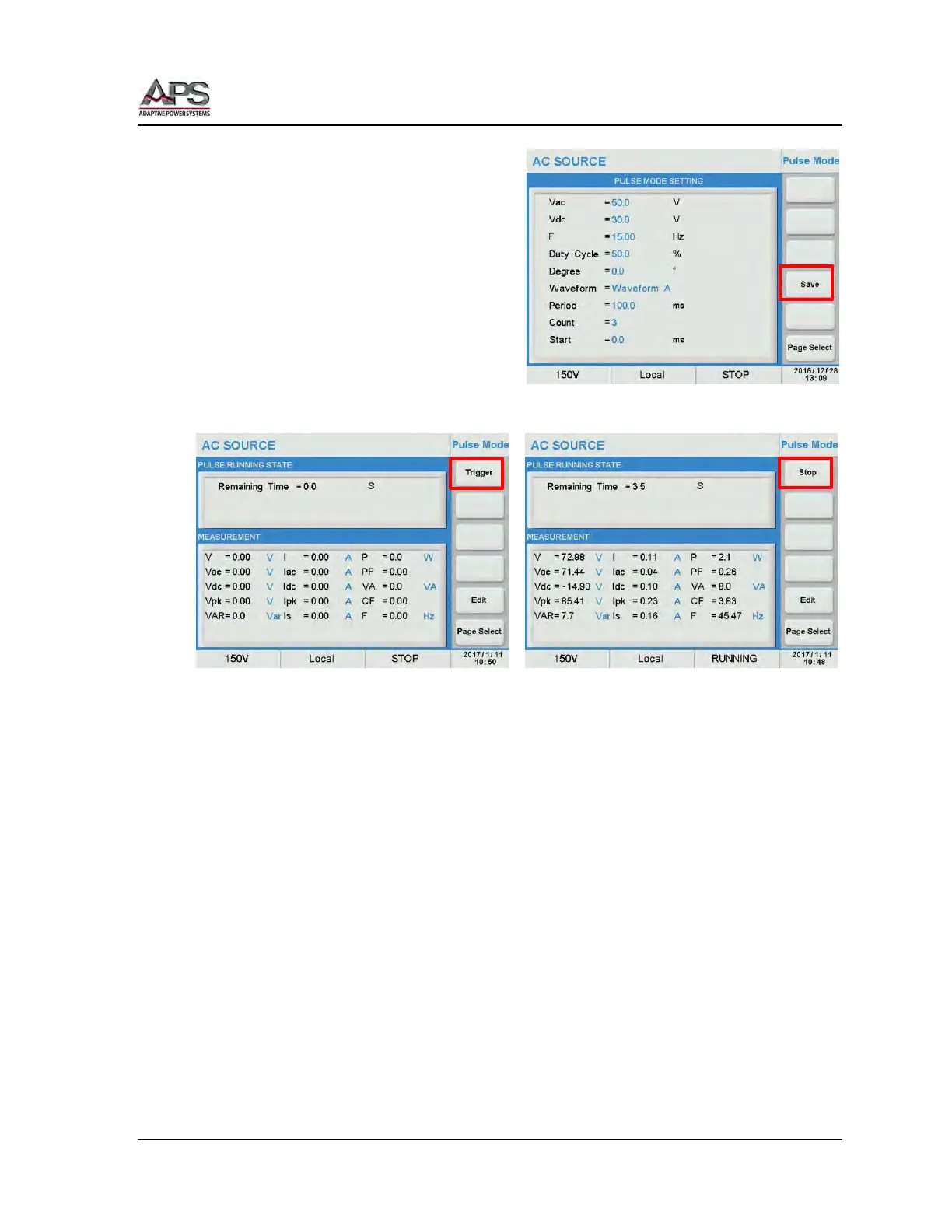
When the Pulse edits are complete, press the
[Save] soft key to save all changes made to
the list.
Warning: Failure to Save a Pulse transient
setup will cause it to be lost
when the power source is turned
off.
To execute a Pulse Transient, press the
[Trigger] soft key. As the [Trigger] soft key is
pressed, its label changes to [Stop]. Use the
[Stop] soft key to abort a transient in
progress.
During execution, the remaining period time is shown in the top part of the display. This
value updates regularly while the pulse transient is running.
The Pulse transient can be interrupted by pressing the [Stop] soft key at any time.



 To Next Page