CPS100 SERIES OPERATION MANUAL
SECTION 6:
Front Panel Operation
Entire Contents Copyright 2018 by Adaptive Power Systems, Inc. (APS) • All Rights Reserved • No reproduction without written authorization from APS.
APS CPS100 Series Power Source Operation Manual Page 150 of 231
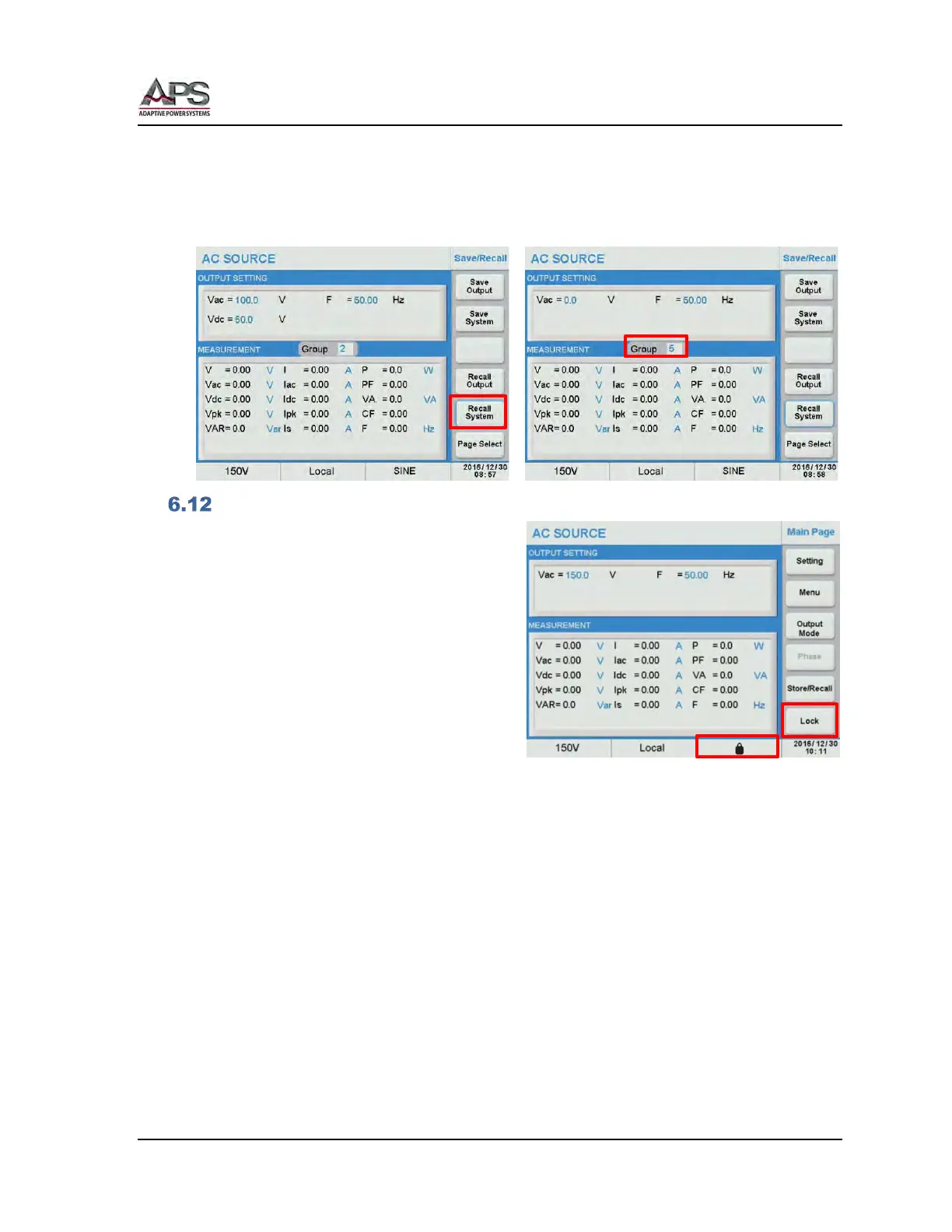
6.11.1.4 Recall System
To recall an existing System setting, press the [Recall System] soft key. . Select the Group
field and use the [0] ~ [9] keys to enter the group number.(1~9). Press [Enter] to recall the
system settings.
LOCK Screen
The front panel keys and touch screen
function can be locked to prevent unwanted
changes to output settings and power source
configuration. A LOCK symbol will be
displayed in the status bar on the right hand
side to indicate this key board lock state.
To unlock the keyboard and touch screen,
press the decimal key [.] on the numeric key
pad.



 To Next Page