CPS100 SERIES OPERATION MANUAL
SECTION 8:
Master Slave Operation
Entire Contents Copyright 2018 by Adaptive Power Systems, Inc. (APS) • All Rights Reserved • No reproduction without written authorization from APS.
APS CPS100 Series Power Source Operation Manual Page 174 of 231
8 Master Slave Operation
Overview
Two or more CPS100 power sources can be configured in one of three possible
configurations:
• Parallel Mode Max. no of units = 4 Increases output power & current
• Series Max. no of units = 2 Increases output voltage
• Three Phase Max. no of units = 3 Delta or Wye load applications
Restrictions
The following restrictions apply and should be considered at all times:
• DO NOT connect units in both series and parallel mode at the same time.
• DO NOT connect different models in series or parallel mode. All units must be the
same model number.
• DO NOT exceed the number of maximum units listed above for each mode.
• Set up all Slave units first, then set up the Master in Master/Slave configurations.
• There can only be ONE Master unit in any Master/Slave configuration.
• Each Slave unit’s number MUST be unique or the Master/Slave mode cannot be set.
Setting up a Unit as a Slave
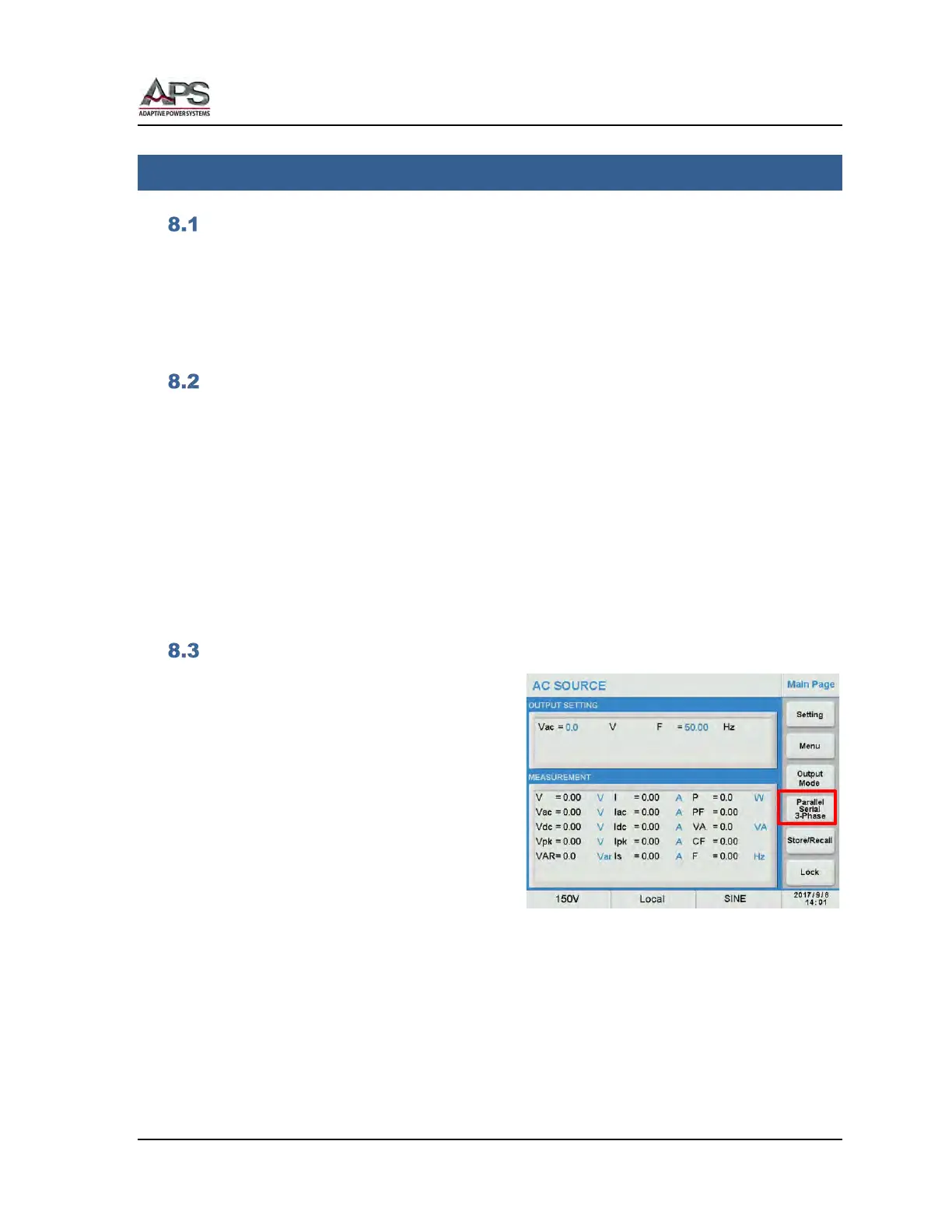
Multi-unit configurations require the use of
one or more Slaves. The first step to
configuring a multi-unit system is to set up
one more slave units. This done from the
MAIN menu
Press the Parallel / Series / 3-Phase soft key
to display the multi-unit menu.



 To Next Page