CPS100 SERIES OPERATION MANUAL
SECTION 6:
Front Panel Operation
Entire Contents Copyright 2018 by Adaptive Power Systems, Inc. (APS) • All Rights Reserved • No reproduction without written authorization from APS.
APS CPS100 Series Power Source Operation Manual Page 97 of 231
6.8.5 Other
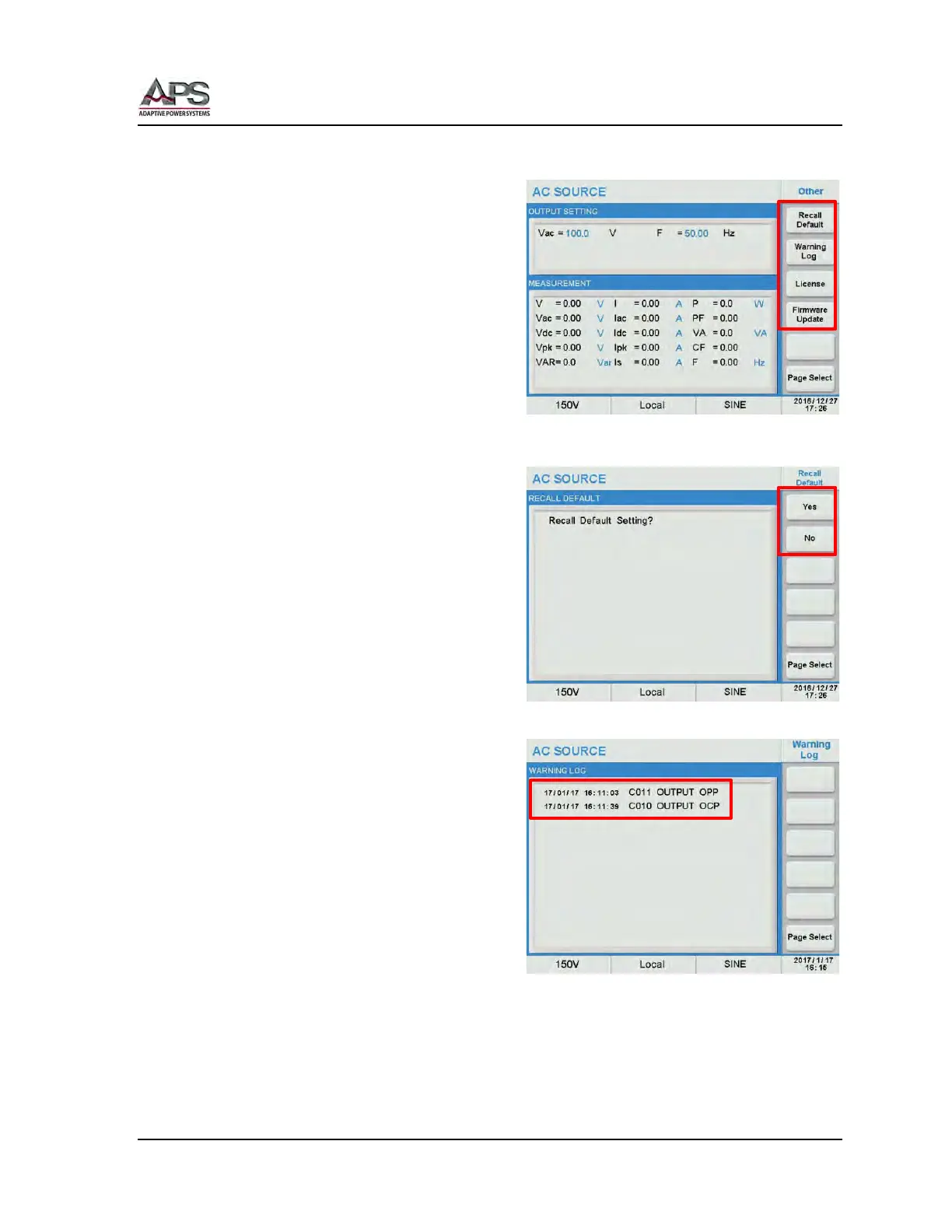
The Other setting screen contains
miscellaneous system settings.
The following items can be configured from
this screen:
• Recall Default
• Warning Log
• User License
• Firmware Update
6.8.5.1 Recall Default
The Recall Default screen can be used to
recall original factory (default) settings.
Doing so will erase the current setup and
replace it with default values.
Select this screen by pressing the [Recall
Default] in the Other screen.
Press the [Yes] soft key to restore the factory
default setting.
6.8.5.2 Warning Log
The warning log keeps track of any error or
warning messages that have been generated
by the power since it was last turned on. For
each event, the log contains a date stamp,
error code and a short description of the
event.
6.8.5.3 User License
Displays license information.
6.8.5.4 Firmware Update
This screen is used to perform a firmware update.



 To Next Page