CPS100 SERIES OPERATION MANUAL
SECTION 6:
Front Panel Operation
Entire Contents Copyright 2018 by Adaptive Power Systems, Inc. (APS) • All Rights Reserved • No reproduction without written authorization from APS.
APS CPS100 Series Power Source Operation Manual Page 70 of 231
on screen to enter a value and press the [Enter] key when done. To abort, press the [Esc]
key instead and the previous value will re-appear.
6.4.2 Soft Keys
There are six soft key located along the right hand side of the LCD screen. The labels of these
key will change when selecting different screens. To select any of these soft keys, either
press the area on the touch LCD or press the actual button on the right hand side of the
screen.
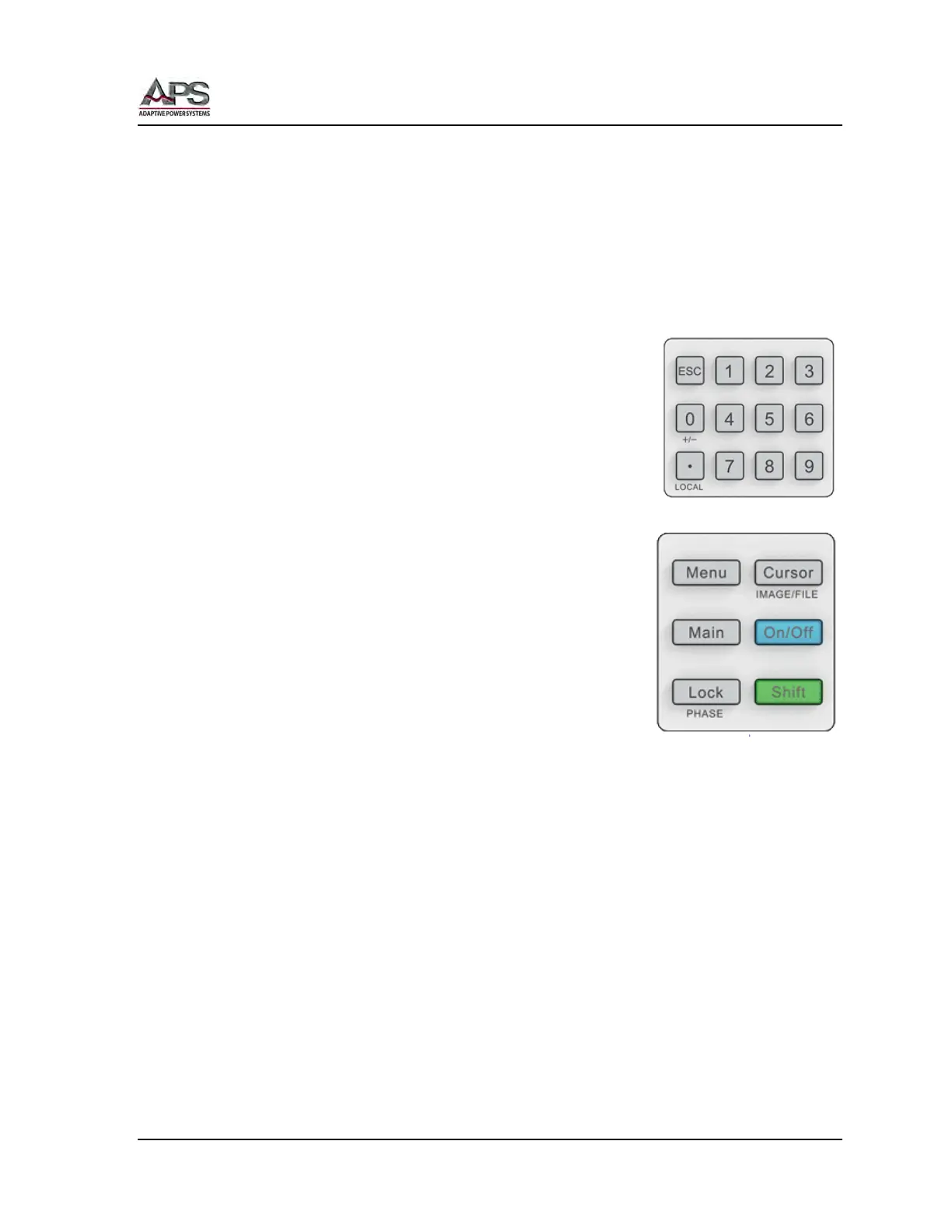
6.4.3 Decimal Keypad
The Decimal keypad is used to enter numeric values. It contains
numbers [0] through [9], a decimal point key to enter fractional
values and an [ESC] Escape key. The decimal key doubles as the
goto LOCAL key when the front panel is locked out. The [0] key
can be used to toggle between + or – by pressing [Shift] + [0].
6.4.4 Multi-Function Keys
The multi-function area contains six special purpose keys that
are used to display top-level menu screens.
This section has six fixed function keys:
• Menu Selects Function Setting Menu
• Main Selects Main Menu
• Lock Locks out front panel controls or Phase
select [Shift] + [Lock] in three phase
configurations
• Cursor Selects value field or menu or saves screen bitmap image to USB
drive [Shift] + [Cursor].
• ON/OFF Toggles Output on or off
• Shift Selects alternate function of other keys as indicated by silkscreen
directly below key.



 To Next Page