CPS100 SERIES OPERATION MANUAL
SECTION 6:
Front Panel Operation
Entire Contents Copyright 2018 by Adaptive Power Systems, Inc. (APS) • All Rights Reserved • No reproduction without written authorization from APS.
APS CPS100 Series Power Source Operation Manual Page 106 of 231
6.9.2 Harmonics
The Harmonics screen controls the following
aspects of harmonic waveform synthesis and
measurements:
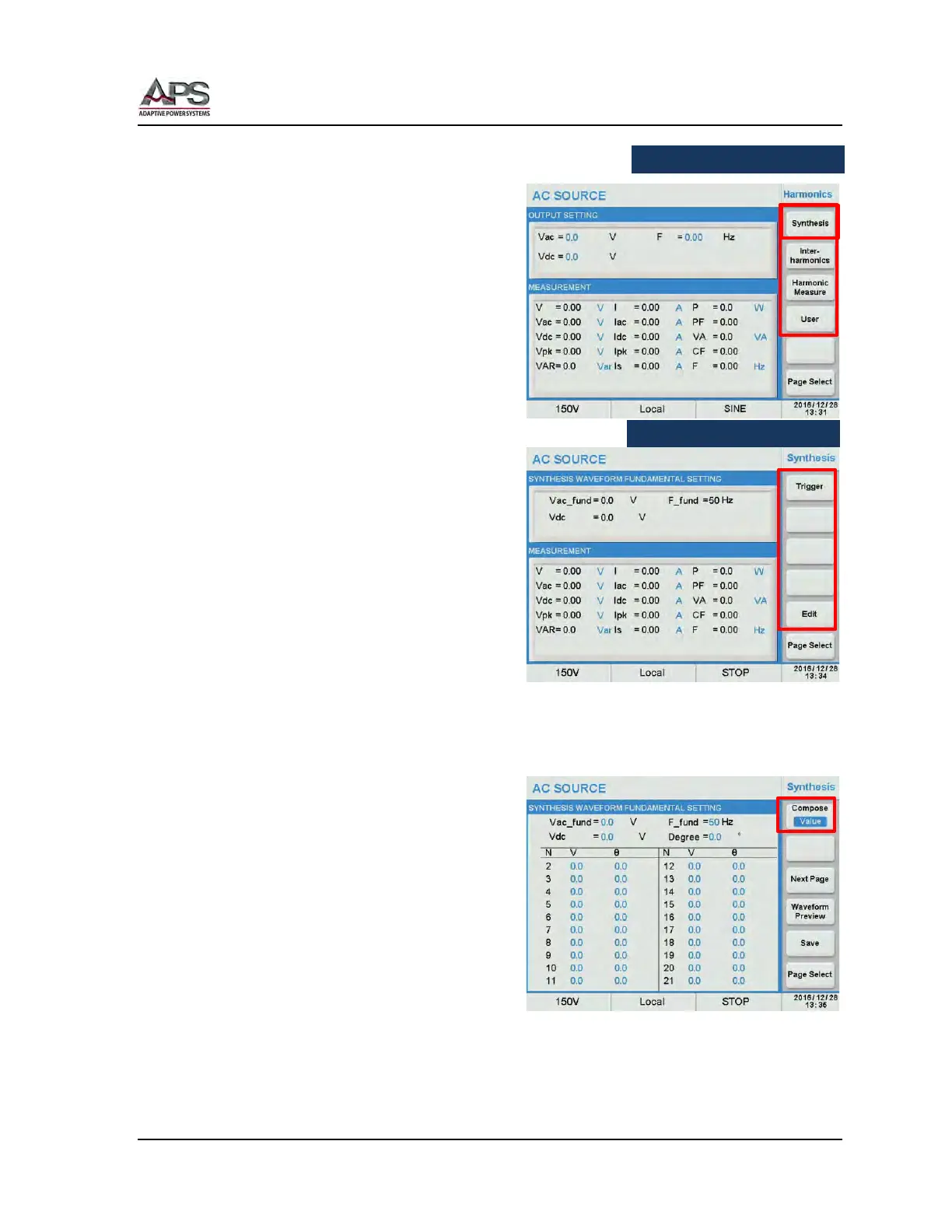
• Synthesis
• Inter-Harmonics
• Harmonic Measure
• User
6.9.2.1 Waveform Synthesis
The waveform synthesis screens is used to
create waveforms made up of a series of
harmonic frequencies, amplitudes and phase
shifts. Up to 40 order harmonics of 50Hz or
60Hz can be specified.
Note: Higher fundamental frequencies are
not allowed as the CPS100
bandwidth does not support high
frequency components to be
generated.
To create a harmonic waveform, press the
Synthesis soft key.
Next press the Edit soft key. This displays a table of harmonics frequencies from 1 through
40.
Use the Next Page soft key to display the
22
nd
through 40
th
values on the second
screen.
First, set the fundamental parameters:
• Vac_fund: Fundamental AC voltage
• Vdc: DC Offset. The DC
component can be set
when in AC+DC coupling
mode.
• F_fund: V_fund. Select either 50 or
60.
• Degree: Start phase angle (0~359.9)
Then press the Compose soft key to select [Value] or [Percent].



 To Next Page