CPS100 SERIES OPERATION MANUAL
SECTION 6:
Front Panel Operation
Entire Contents Copyright 2018 by Adaptive Power Systems, Inc. (APS) • All Rights Reserved • No reproduction without written authorization from APS.
APS CPS100 Series Power Source Operation Manual Page 85 of 231
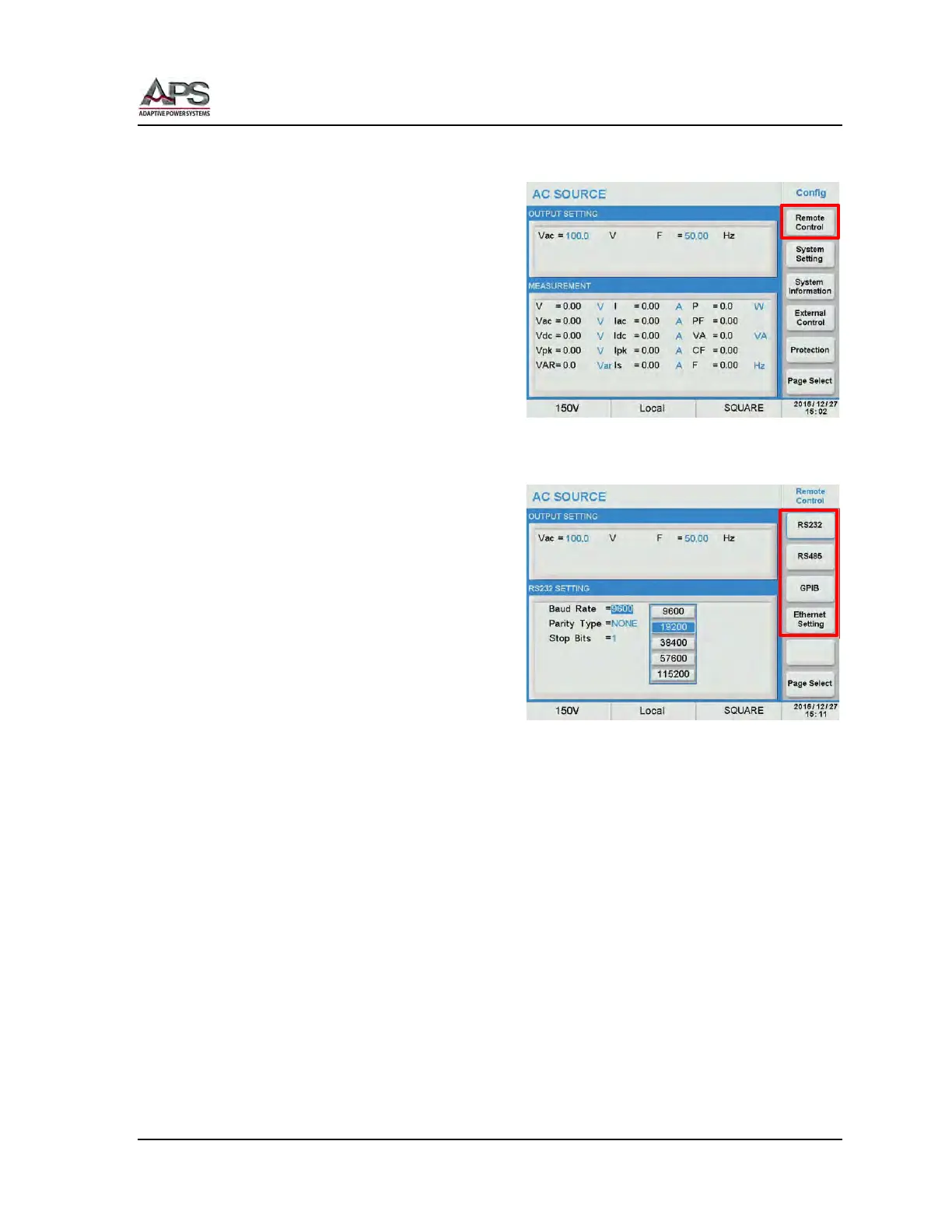
6.8.1 Config
The configuration screen controls the
following aspects of the power source.
• Remote Control
• System Settings
• System Information
• External Control
• Protection
6.8.1.1 Remote Control
The remote control screen provides access to
all four available control interfaces:
• RS232
• RS485
• GPIB
• Ethernet
Note that some models may not support all
four interfaces at the same time and thus
fewer than four may be displayed.
To configure each interface, press the
corresponding soft key and use the cursor or touch screen to adjust parameters as needed.
For available interface settings, refer to section 5.10, “Remote Control Programming
Interfaces” on page 58.
Setting information for all available interface types is provided in this section.



 To Next Page