CPS100 SERIES OPERATION MANUAL
SECTION 6:
Front Panel Operation
Entire Contents Copyright 2018 by Adaptive Power Systems, Inc. (APS) • All Rights Reserved • No reproduction without written authorization from APS.
APS CPS100 Series Power Source Operation Manual Page 74 of 231
SETTING Screens
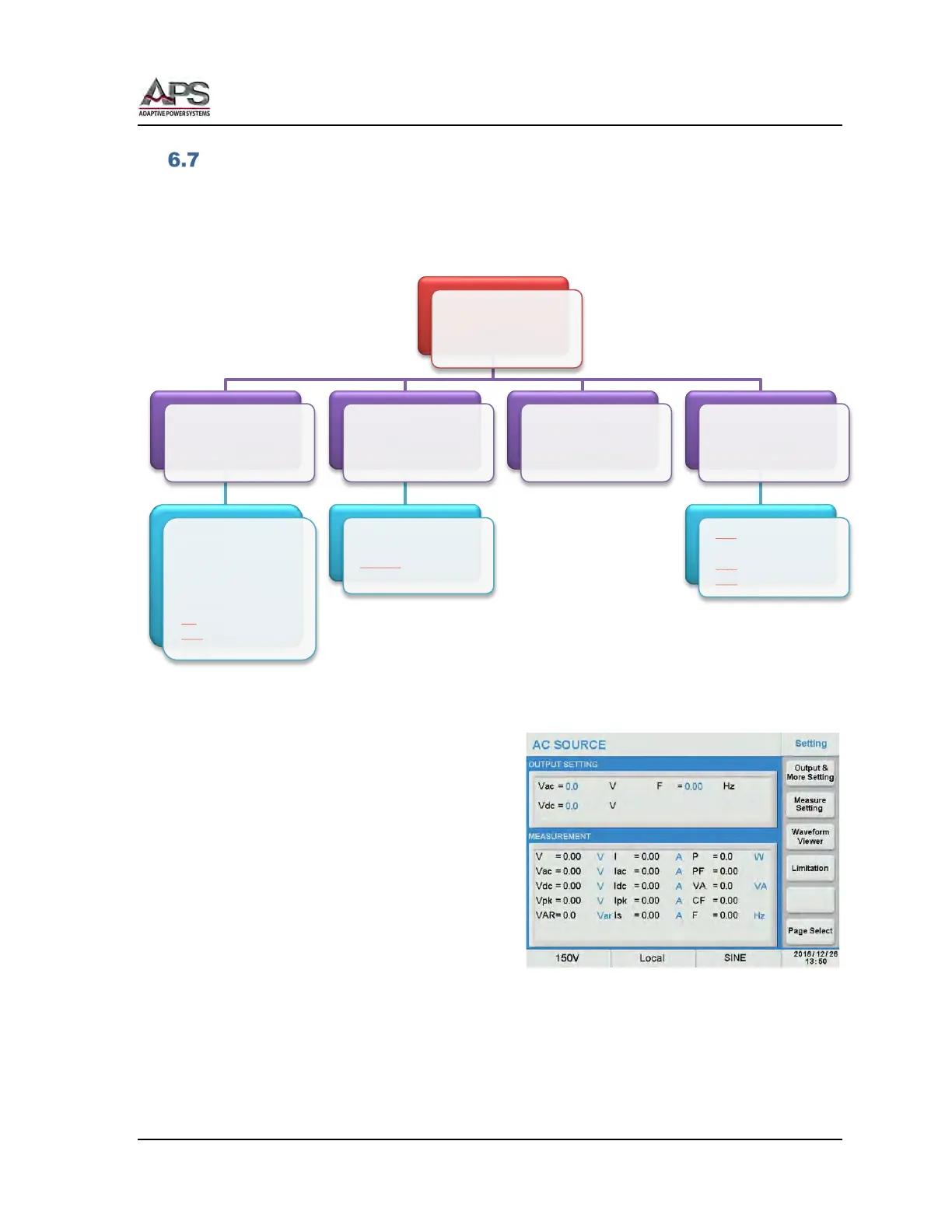
The SETTING screen is used to program steady state output parameters like voltage,
frequency, waveform and user programming limits. It also allows configuring the mode for
either AC, DC or both. The SETTING menu structure is shown in the diagram below.
Figure 6-4: SETTING Menu Structure
The following Soft Keys are available in the
Setting screen to access these setup screens.
• Output & More Settings
• Measurement Settings
• Waveform Viewer
• Limitations (User Limits)
Setting
Output
• Coupling
• Range
• Waveform
• Zo Program
• Waveform A/B
• ON/OFF Degree
• Va Slew
• Vdc
Slew
• F Slew
Measure
• I Range
• Average
• IsDelay
• Is Interval
Waveform
Viewer
Limits
• Vac
• Frequency
• Vdc
(+)
• Vdc
(-)



 To Next Page