CPS100 SERIES OPERATION MANUAL
SECTION 6:
Front Panel Operation
Entire Contents Copyright 2018 by Adaptive Power Systems, Inc. (APS) • All Rights Reserved • No reproduction without written authorization from APS.
APS CPS100 Series Power Source Operation Manual Page 149 of 231
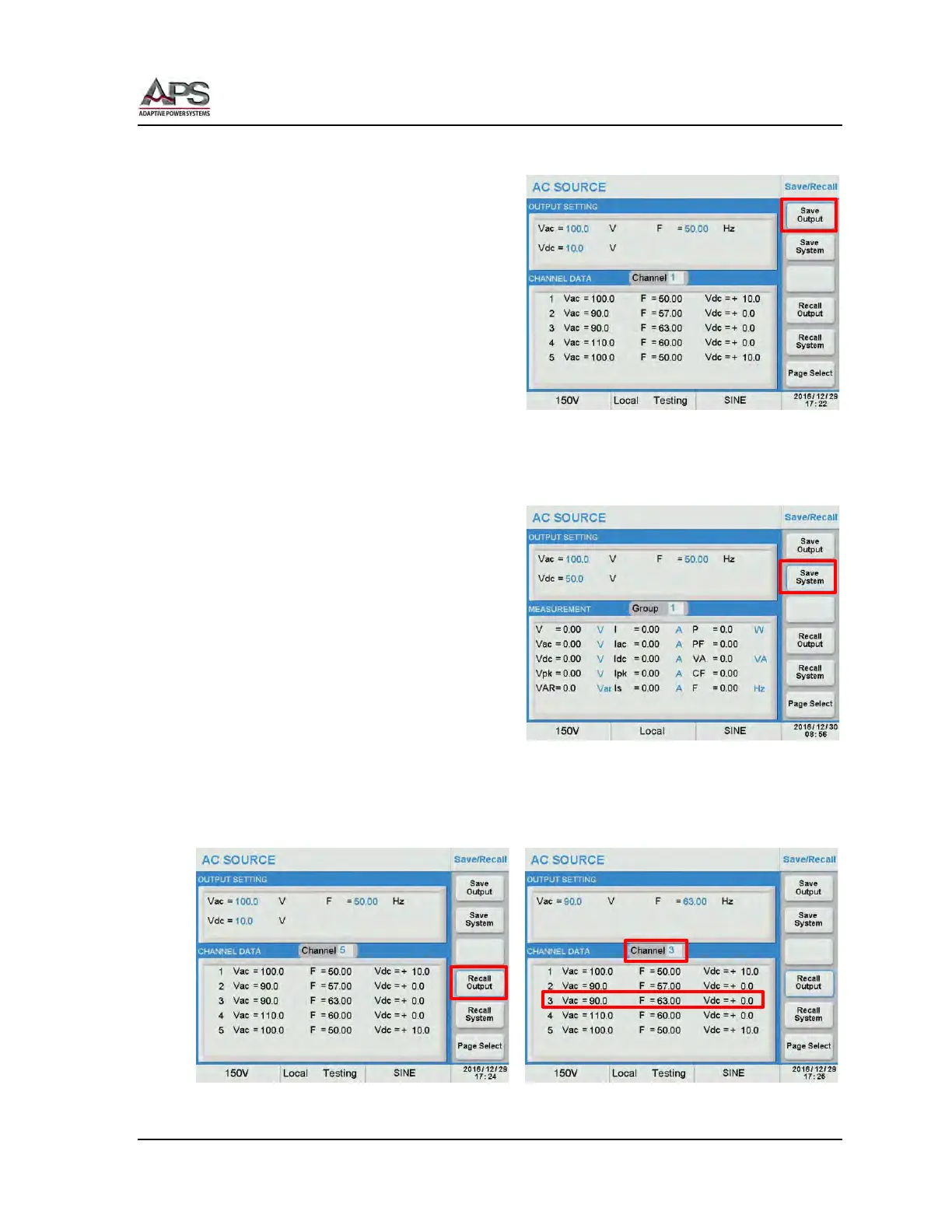
6.11.1.1 Save Output
To save an output setup, program the steady
state parameters and any transient first. To
save this setting, press the [Save Output] soft
key.
Move the cursor to the Channel field located
in the middle of the screen.
Use the [0] ~ [9] keys to select a channel
number from 1 through 51 and press [Enter]
to save the output settings to this Channel
register.
A list of available settings and their channel number is shown in the bottom part of the
display. This helps will recall later.
6.11.1.2 Save System
To save an output setup, program the steady
state parameters and any transient first. To
save this setting, press the [Save System] soft
key.
Move the cursor to the Group field located in
the middle of the screen.
Use the [0] ~ [9] keys to select a group
number from 1 through 9 and press [Enter]
to save the output settings to this Group
register.
6.11.1.3 Recall Output
To recall an existing Output setting, press the [Recall Output] soft key. . Select the Channel
field and use the [0] ~ [9] keys to enter the channel number.(1~51). Press [Enter] to recall
the output settings.



 To Next Page